Home
ACTi
Security Camera
D61
Page 9 (Physical Description)
ACTi D61 - Physical Description; Reset Button Functionality
33 pages
Manual
Save Page as PDF
To Next Page
To Next Page
To Previous Page
To Previous Page
Loading...
w
w
w
.a
ct
i.
co
m
Hardware Manual
9
Physical Descriptio
n
D61, D62, E66, E67
D6
4
, D
65, E61,
E62, E63, E64, E65
1)
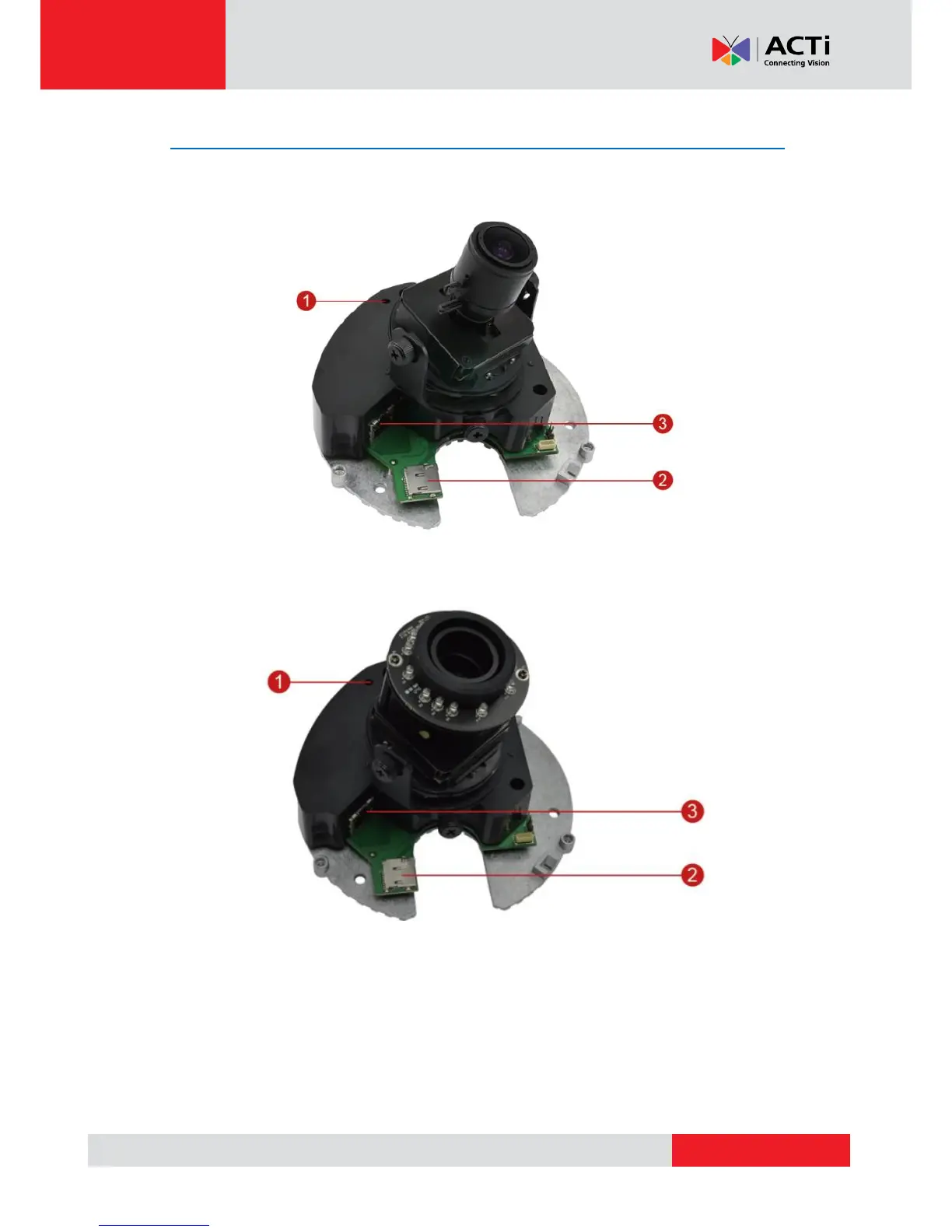
Reset Button
The purpose of reset b
utton is to restore the factor
y default settings of the cam
era, including
the
adm
inistrator
’
s
pass
word.
8
10
Table of Contents
Main Page
Default Chapter
2
Table of Contents
2
Precautions
4
Safety Instructions
6
Introduction
7
The List of Models
7
Package Contents
8
Physical Description
9
Mounting Options
11
Other Mounting Accessories
13
Installing the Camera on a Surface
14
Step 1: Drill the Holes
14
Step 2: Open the Dome Cover
15
Step 3: Install the Camera to the Surface
16
Step 4: Connect the Cable
17
Step 5: Access the Camera Live View
18
Step 6: Adjust the Viewing Angle and Focus
18
Step 7: Close the Dome Cover
18
Other Adjustments and Accessories
20
How to Adjust the Camera Viewing Angle and Focus
20
D61, D62, E66, E67 Camera Models
20
D64, D65, E61, E62, E63, E64, E65 Camera Models
22
How to Replace the Dome Cover
23
How to Use a Memory Card
26
How to Insert the Memory Card
26
How to Remove the Memory Card
26
Accessing the Camera
27
Configure the IP Addresses
27
Access the Camera
31
Related product manuals
ACTi D61A
37 pages
ACTi D31
25 pages
ACTi D55
22 pages
ACTi D91
35 pages
ACTi D52
22 pages
ACTi D41
34 pages
ACTi D11
14 pages
ACTi D92
35 pages
ACTi D71
23 pages
ACTi D21F
16 pages
ACTi D21V
16 pages
ACTi D3 series
56 pages



 To Next Page