Hardware Manual
19
Step 2: Open the Dome Cover
NOTE: To avoid scratches or leaving fingerprints on the dome cover, it is recommended to retain
the plastic covering the dome cover until the camera is completely installed.
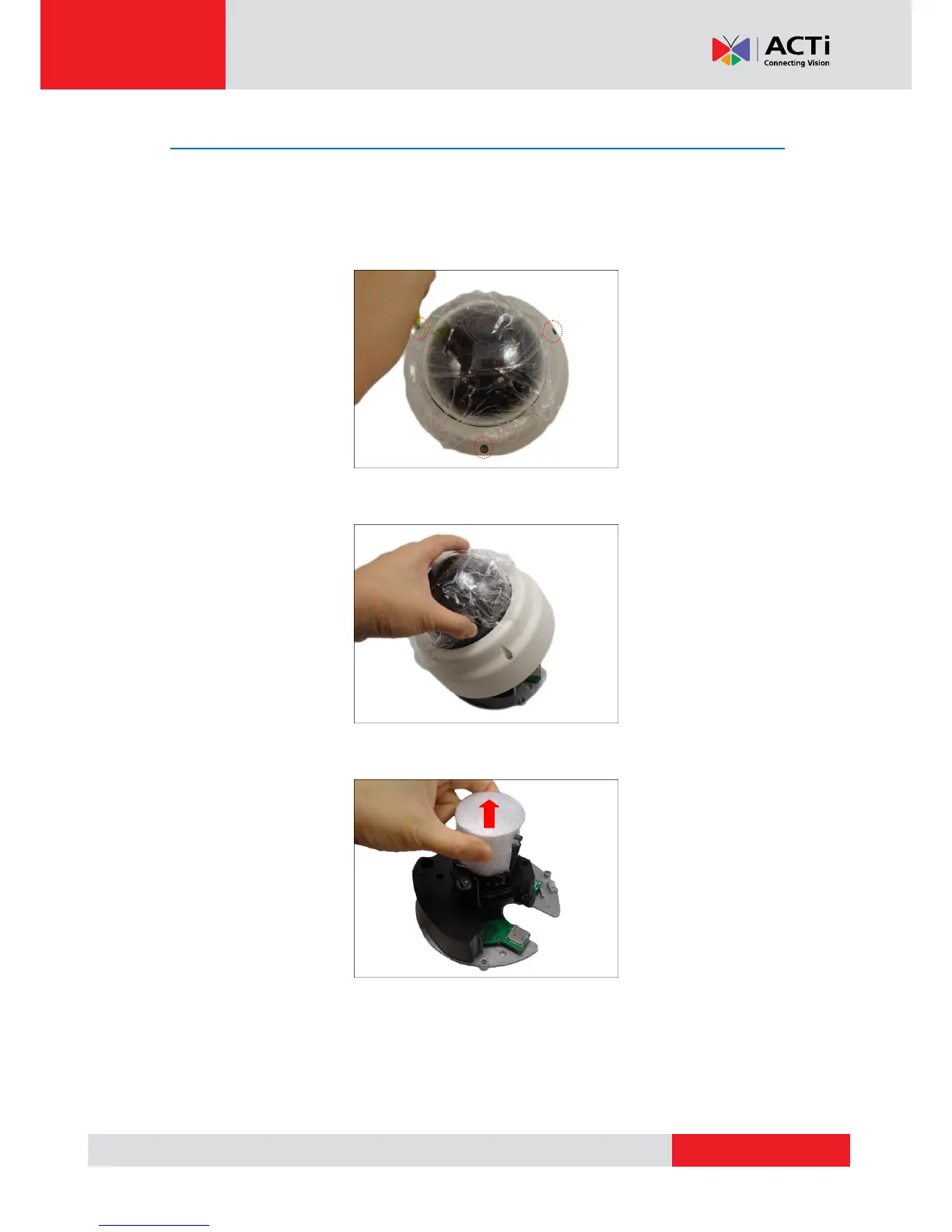
1. With the bundled hex screwdriver, loosen the three (3) screws securing the dome cover.
2. Lift to remove the dome cover.
3. For D61A and D62A, remove the styrofoam covering the camera lens.



 To Next Page