Need help?
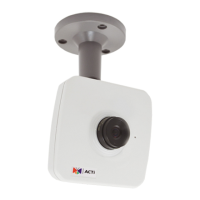
Do you have a question about the ACTi E12A and is the answer not in the manual?
Lists the camera models covered by the manual, including their specifications.
Details the items included in the camera package, differentiating between camera series.
Provides a visual overview of camera components and their functions.
Instructions for attaching the camera mounting bracket to a surface.
Guide for installing a memory card into the camera for local recording.
Steps for physically attaching the camera to the mounted bracket.
Details on connecting the camera to a network using an Ethernet cable.
Instructions on how to view the live video feed from the camera.
Procedures for setting the camera's viewing angle and focus for optimal performance.
Guidance on connecting an optional audio output device to the camera.
Instructions for replacing the camera lens on specific models.
Guide on setting up IP addresses for camera network communication.
Steps for accessing the camera's web interface using a browser.
 General
| Model | E12A |
|---|---|
| Form Factor | Bullet |
| Sensor Resolution | 2MP |
| Max. Resolution | 1920 x 1080 |
| IR LED | Yes |
| IR Distance | 30 m |
| Day/Night | Yes |
| IR Cut Filter | Yes |
| Video Compression | H.264, MJPEG |
| Wireless | No |
| Environment | Outdoor |
| Lens | Fixed |
| Wide Dynamic Range | Yes |
| Frame Rate | 30 fps @ 1080p |
| Ethernet | 10/100 Mbps |
| Network Interface | RJ-45 |
| ONVIF | Yes |
| Power Supply | PoE (802.3af), 12V DC |


 To Next Page