
 Need help?
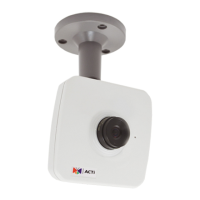
Do you have a question about the ACTi E13 and is the answer not in the manual?
Read all safety and operating instructions, heed warnings, and refer servicing to qualified personnel.
Covers trademarks, liability, and FCC/CE regulation compliance for commercial environments.
Lists items included in the E13 camera package: camera, stand, accessories, QIG, and warranty card.
Highlights H.264/MJPEG streaming, hardware motion detection, bundled software, and SDK support.
Covers safe usage, cleaning, water avoidance, attachments, servicing, and damage-related warnings.
Details the camera's components: built-in microphone, audio output, reset button, and Ethernet port.
Provides instructions for connecting the IP camera using a PoE switch or injector.
Comprehensive technical details including device, lens, video, audio, network, alarm, and general specifications.
Connect camera and PC to network; IP address acquired automatically via DHCP for access.
Configure PC IP for subnet 192.168.0.xxx, then access default IP 192.168.0.100.
Set camera to static IP, configure IP address, subnet mask, and gateway via web interface.
 General
| Brand | ACTi |
|---|---|
| Model | E13 |
| Category | Security Camera |
| Language | English |

 To Next Page












