Hardware Manual
11
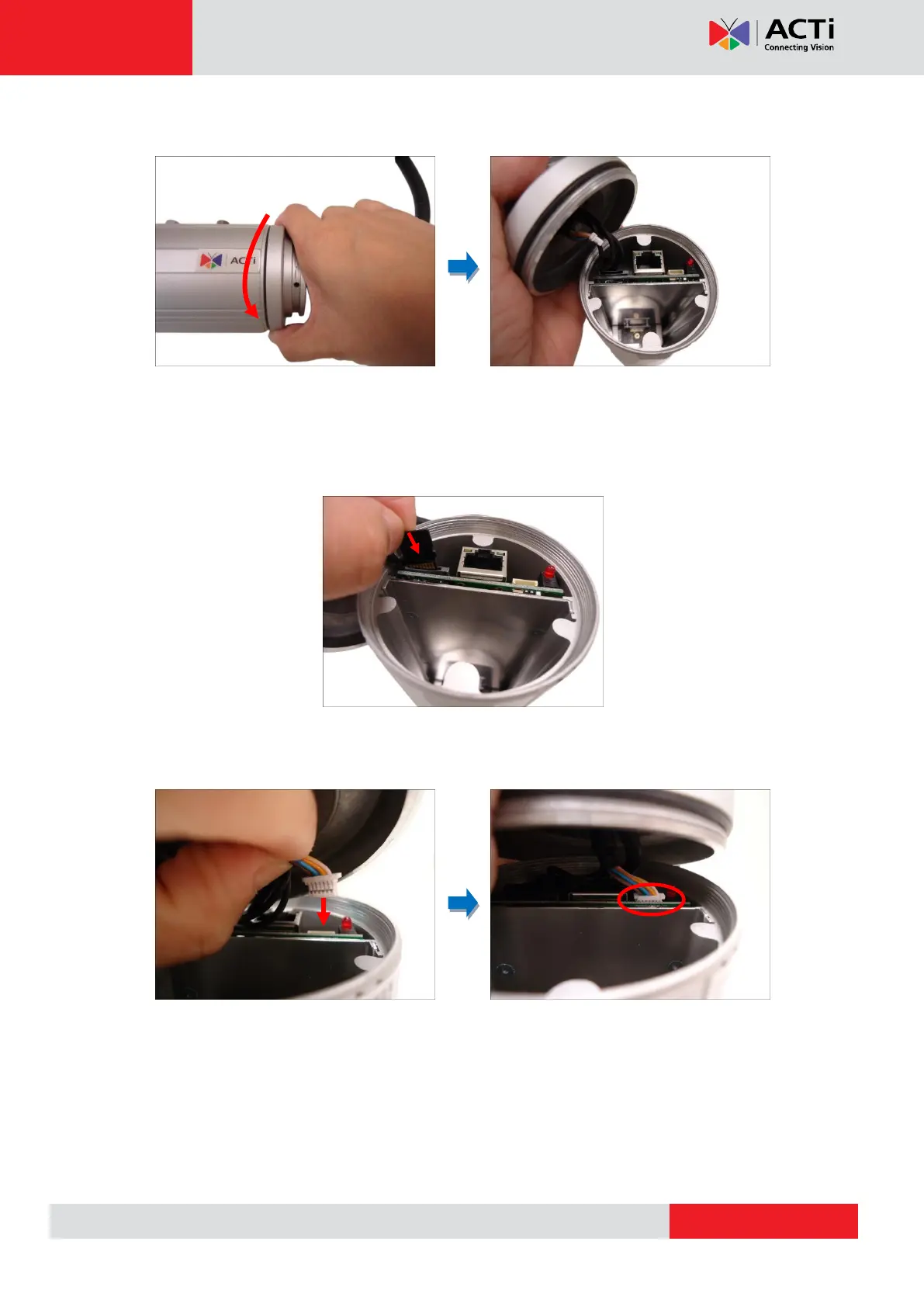
4. Twist to open the back cover and slowly lift the cover.
NOTE: Connectors are connected inside the camera, do not abruptly lift the cover.
5. Insert the memory card, with the metallic contacts facing down, into the slot until it clicks
into place.
6. Before closing the back cover, make sure the Ethernet cable connector is connected to the
main board. If the cable is disconnected, connect as shown below.


 To Next Page