Hardware Manual
31
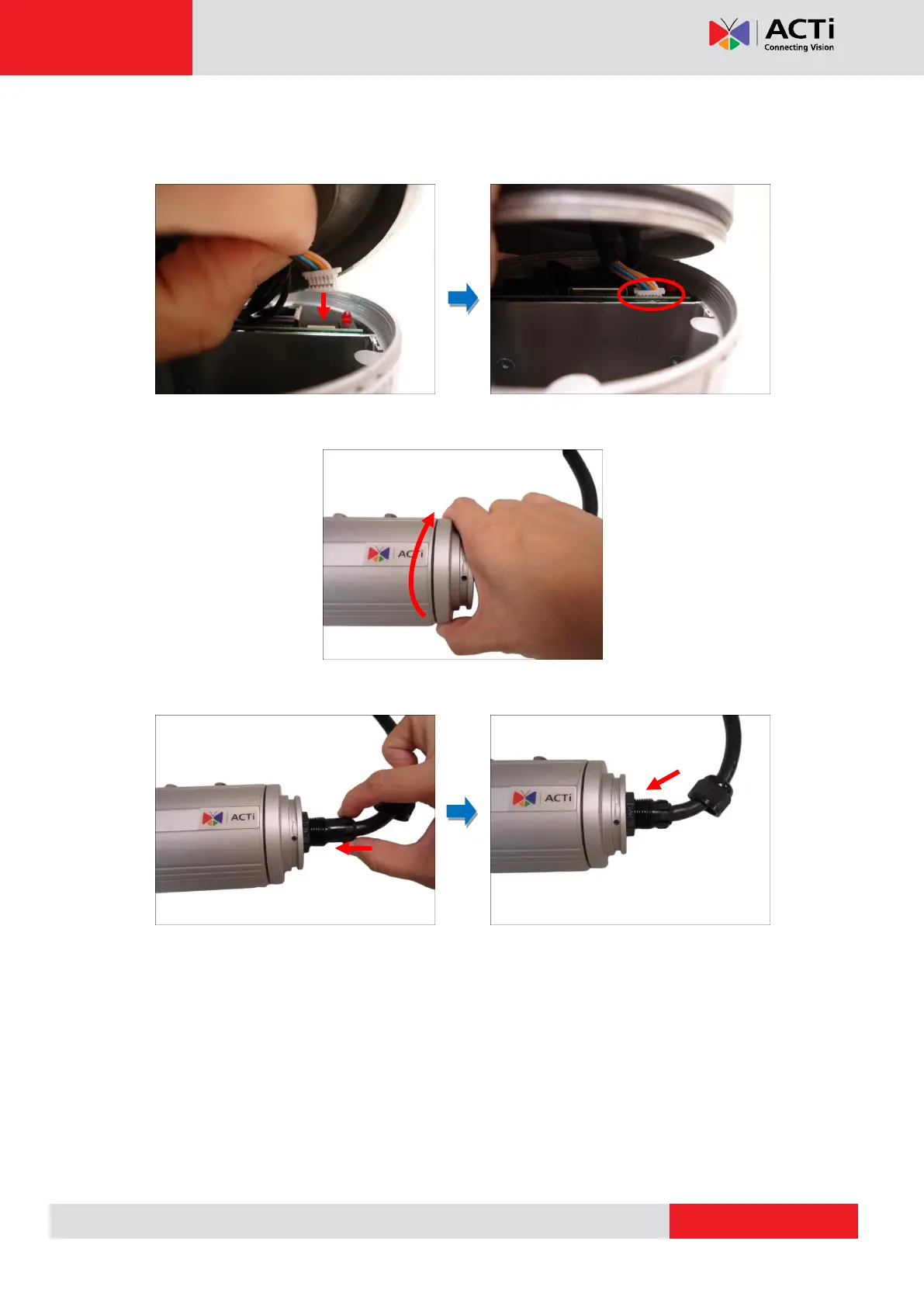
6. Before closing the back cover, make sure the Ethernet cable connector is connected to the
main board. If the cable is disconnected, connect as shown below.
7. Attach the back cover.
8. Push the rubber insert into the gland and attach the clamping nut.
NOTE: Make sure the clamping nut is tightly attached to ensure that the connection is
waterproof.


 To Next Page