Need help?
Do you have a question about the ACTi TCM-3511 and is the answer not in the manual?
Lists the items included in the product package for the TCM-3511 camera.
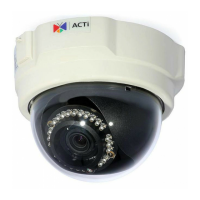
Details the advanced features and advantages of the TCM-3511 IP camera.
Procedure for performing safety checks after service or repairs on the video product.
Details the connection for the Ethernet port and its auto-detection capabilities.
Explains how to connect the DC12V power adapter and lists pin details.
Instructions for mounting the camera on a ceiling using the provided template and plate.
Instructions for mounting the camera on a wall using the wall mount bracket and plate.
 General
| Brand | ACTi |
|---|---|
| Model | TCM-3511 |
| Category | Security Camera |
| Language | English |

 To Next Page