Hardware Manual
13
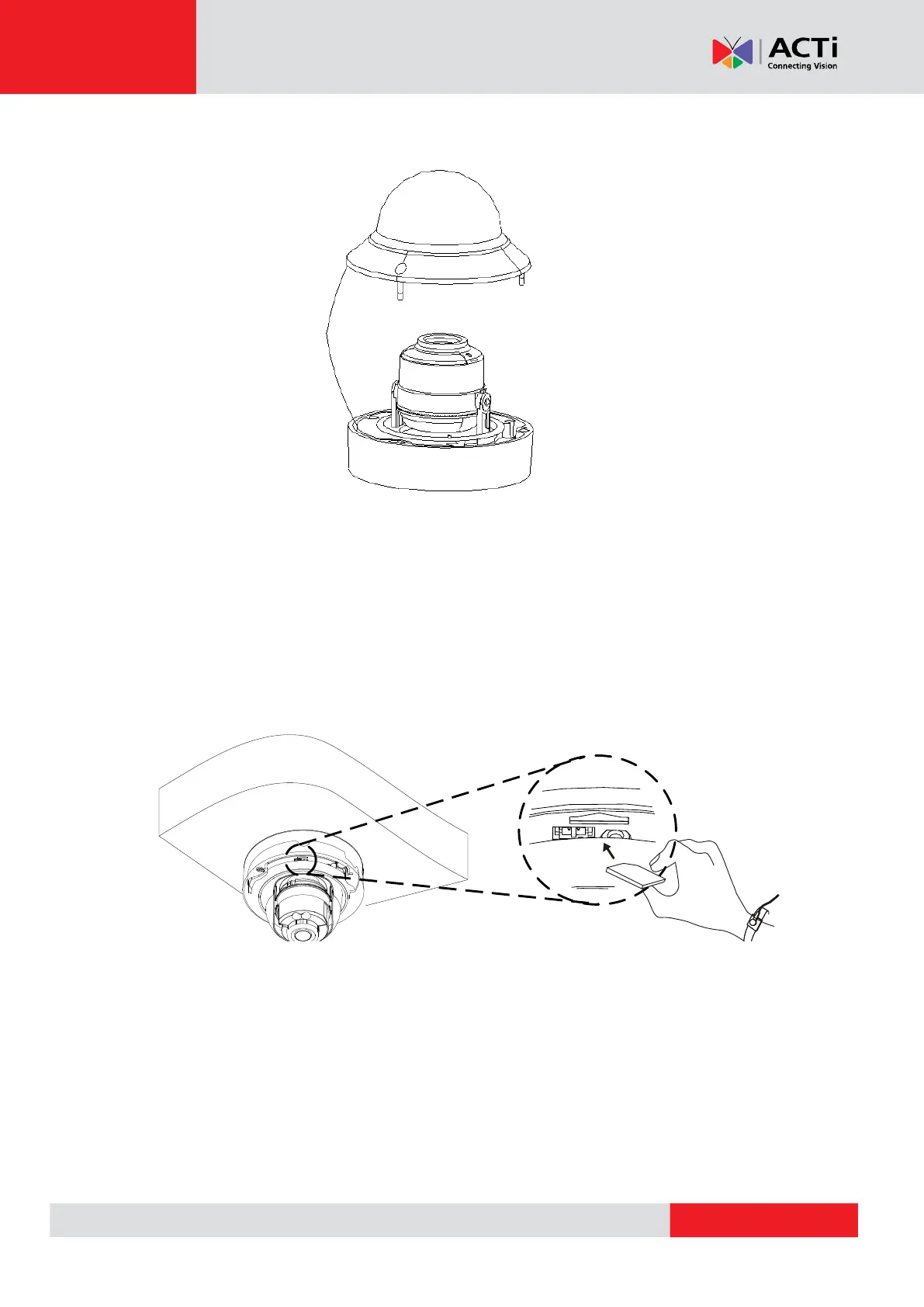
4. Loosen the three (3) screws using the bundled wrench then lift the dome cover.
NOTE:
The dome cover is attached to the camera body by a safety strap; do not abruptly lift
the dome cover!
5. If a memory card will be used for local recording, insert the card into the slot, at this point,
with its metal contacts card facing the lens. Push the card until it clicks into place.



 To Next Page