Connecting the Adapter
Connecting the Adapter is a relatively simple process. Adapters can be
installed throughout the home or oce at any location Ethernet Internet
access is needed, and an available coaxial port is available.
Connecting an Adapter
e following procedure assumes that the coaxial network throughout the
residence or building is already congured for MoCA and is transmitting
the Internet signal.
To connect the Adapter:
1.
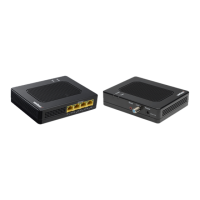
Get an Adapter.
2.
Connect the one end of the coaxial cable to the Coax In port on the
side of the Adapter, and the other to a nearby coaxial wall port.
3.
Get the Adapter’s power adapter. Plug the appropriate end of the
power adapter into the Power port on the side of the Adapter, and
1
plug the other end into an electrical wall outlet.
4.
Plug one end of an Ethernet cable into one of the Adapter’s four
Ethernet ports.
5.
Locate a device to connect to the Internet. Plug the other end of the
Ethernet cable into an Ethernet port on the device.


 To Next Page