Status
e rst GUI screen that appears is the Status screen (see gure on
previous page), which can also be generated by clicking the Status icon in
the menu bar. is screen contains basic information about the Adapter’s
network stations, as well as relevant product information. ere are no
congurable settings available in this screen.
Advanced Setup
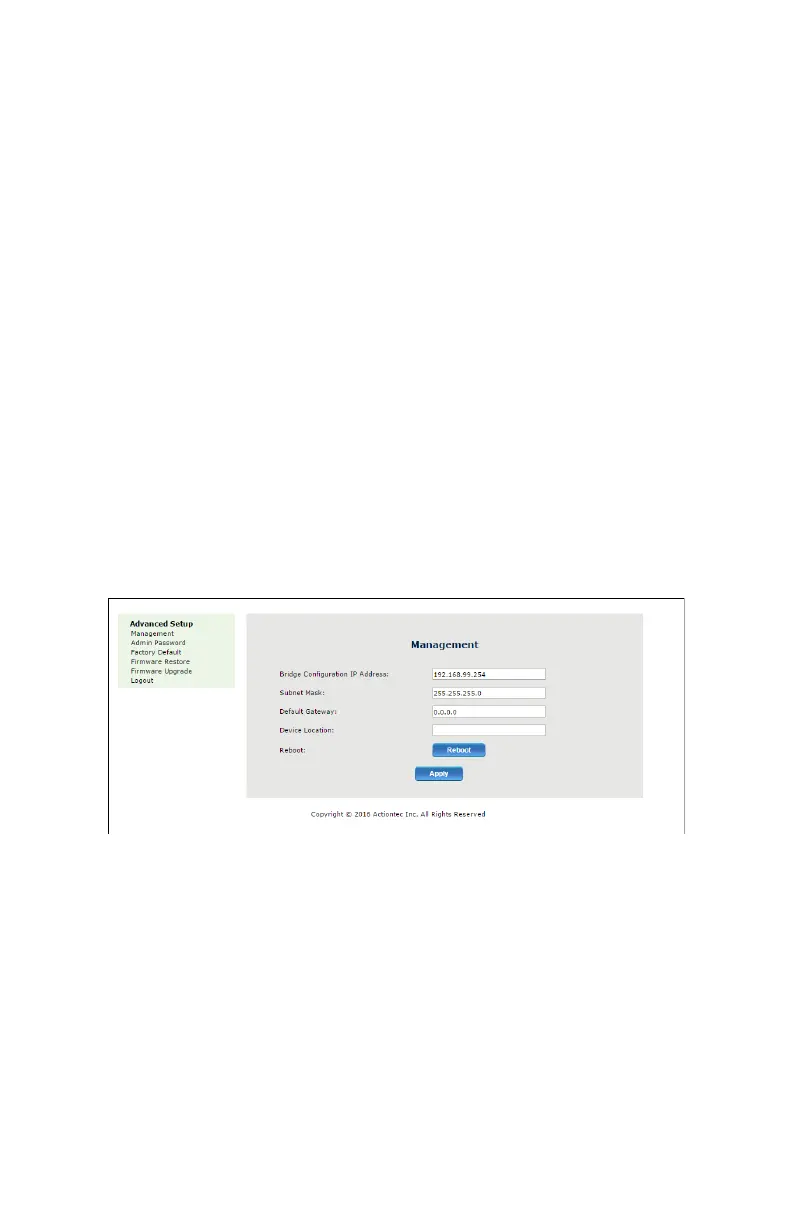
Clicking Advanced Setup from any of the Adapter’s GUI screens
generates the Management screen, along with other advanced settings
accessed through the menu on the le side. ese settings congure
various administrative aspects of the Adapter and its GUI. ey should be
adjusted by an experienced network technicians only.
Management
e Management screen (see gure on previous page) allows the
Adapter’s IP address settings to be modied. Only experienced network
technicians should change these settings.


 To Next Page