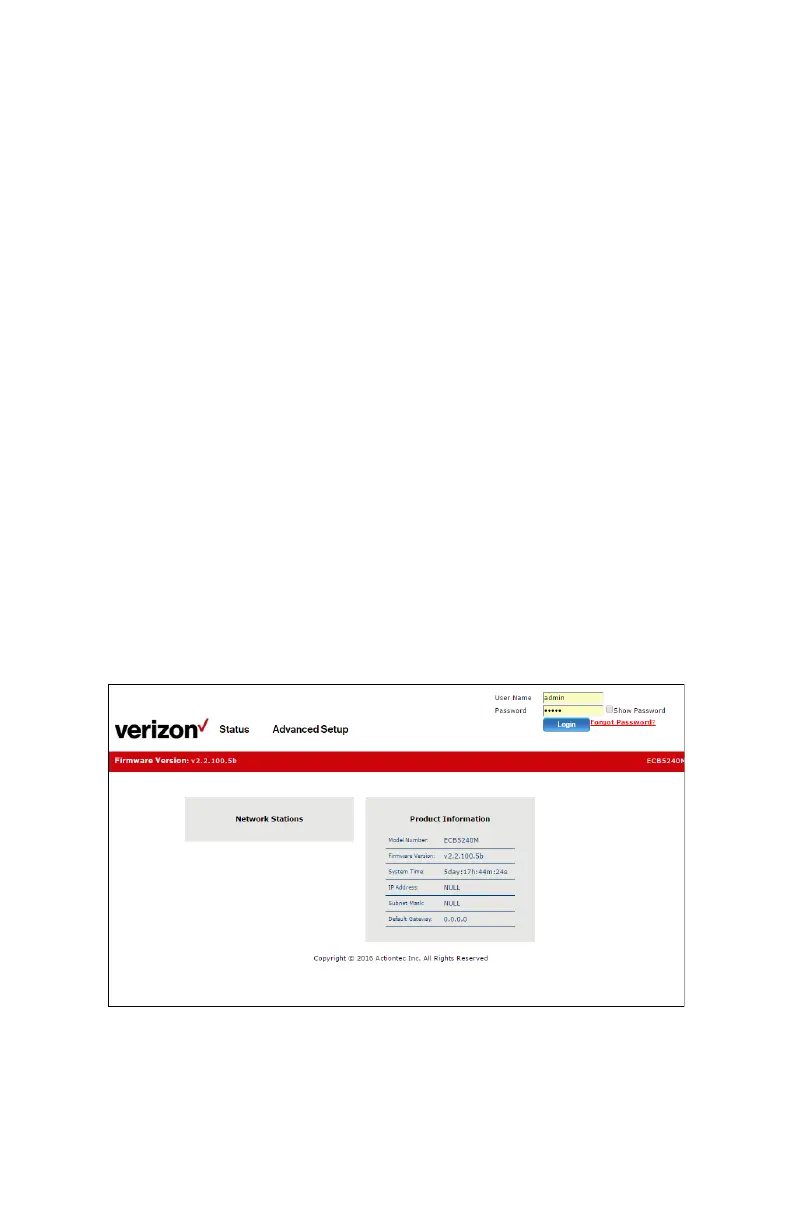
Accessing the Adapter’s GUI
e Adapter features an onboard graphical user interface (GUI) that
includes user-congurable settings. Some of these settings should be
accessed by experienced network technicians only.
To congure the network settings of the Adapter:
1.
Ensure that the Adapter is powered up and connected to a computer
via an Ethernet cable.
2.
Open a web browser on the computer and enter 192.168.99.254 in
the browser’s address box.
3.
e Adapter’s Login screen appears in the web browser. Enter the
Adapter’s Username and Password in the text boxes in the upper right
side of the window, then click Login.


 To Next Page