9
5. Assembly Instructions (cont.)
5.4 Assembly (cont.)
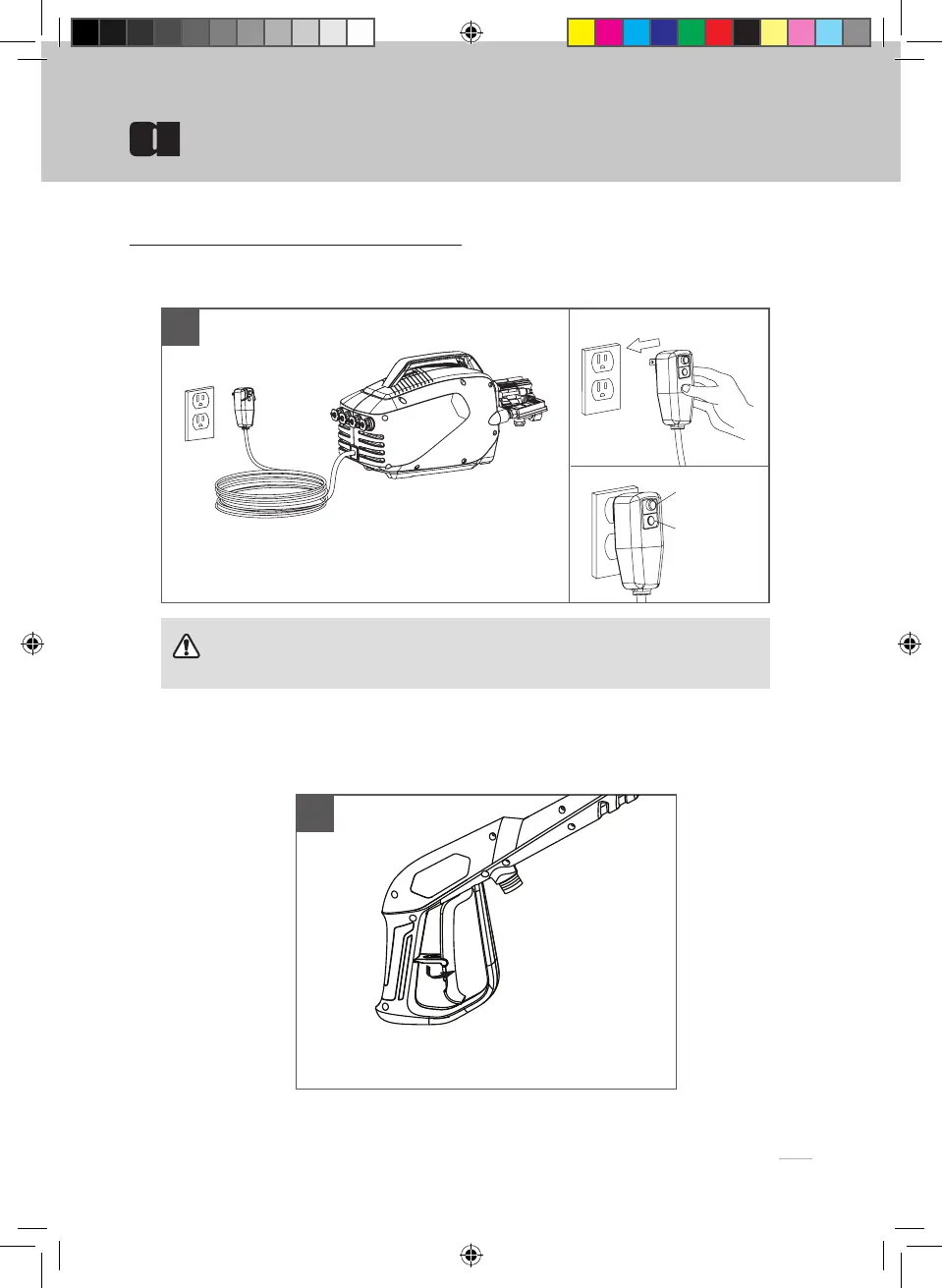
Plug GFCI into power receptacle. Firmly press and release
the TEST button, then press and release the RESET button.
The light on the GFCI should be illuminated.
Release the safety trigger if it is locked.
RESET
TEST
6
7
WARNING
Make sure your hands are dry. Plug the unit into an outlet.parts.
Assembly Instructions


 To Next Page