Using the Device
14
User Guide
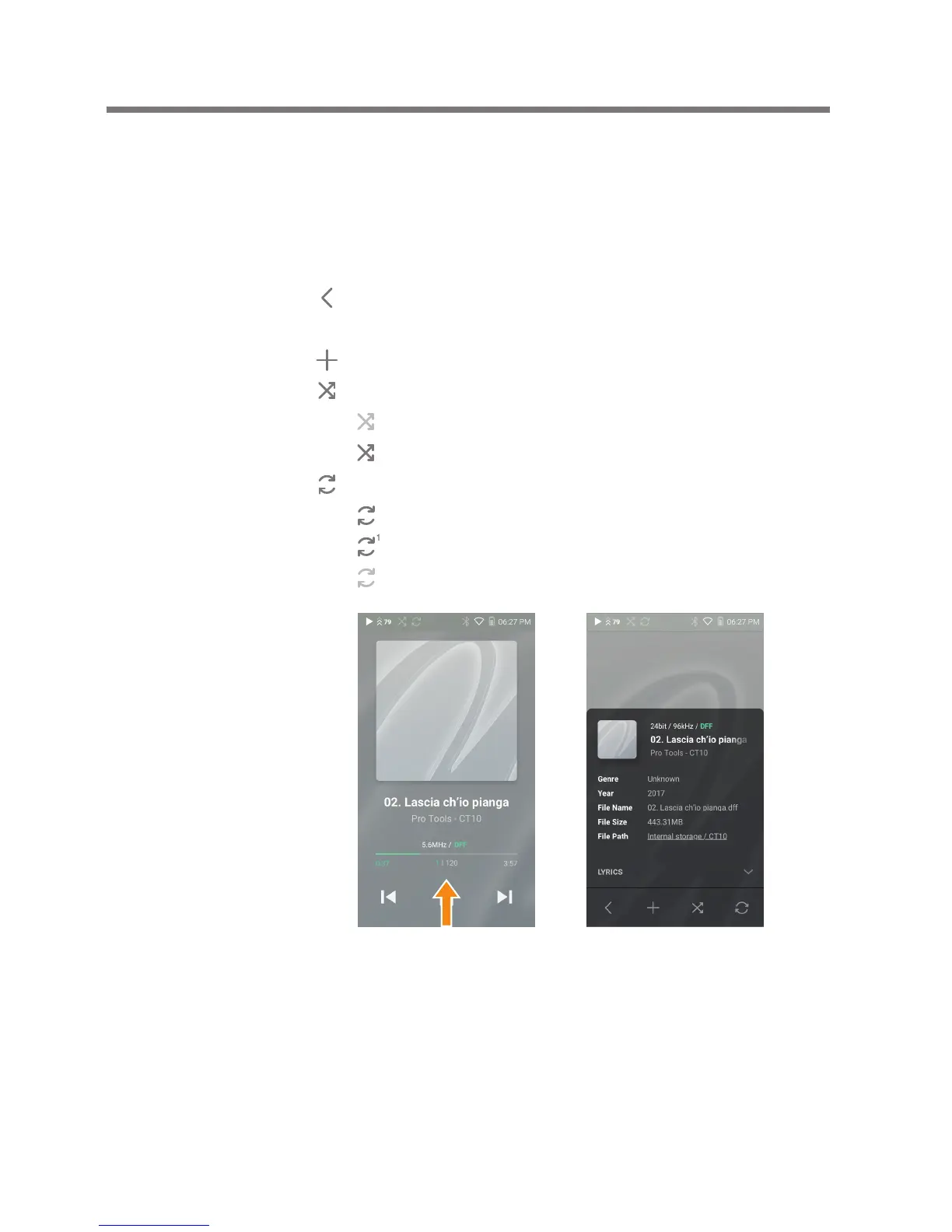
Displaying the Playback Control Panel
1. Swipe [Down to Up] on the Home Screen to display the
playback control options and current song information.
Lyrics: Lyrics for the current song.
: Go to the list of menus to which the current song
belongs.
: Add the current song to the playlist.
: Set the playback mode.
: Sequential playback.
: Shuffle playback.
: Set repeat mode.
: Repeat the entire playlist.
: Repeat the current song.
: Disable repeat mode.


 To Next Page