User Guide
Getting Started
06
Connec-
tions
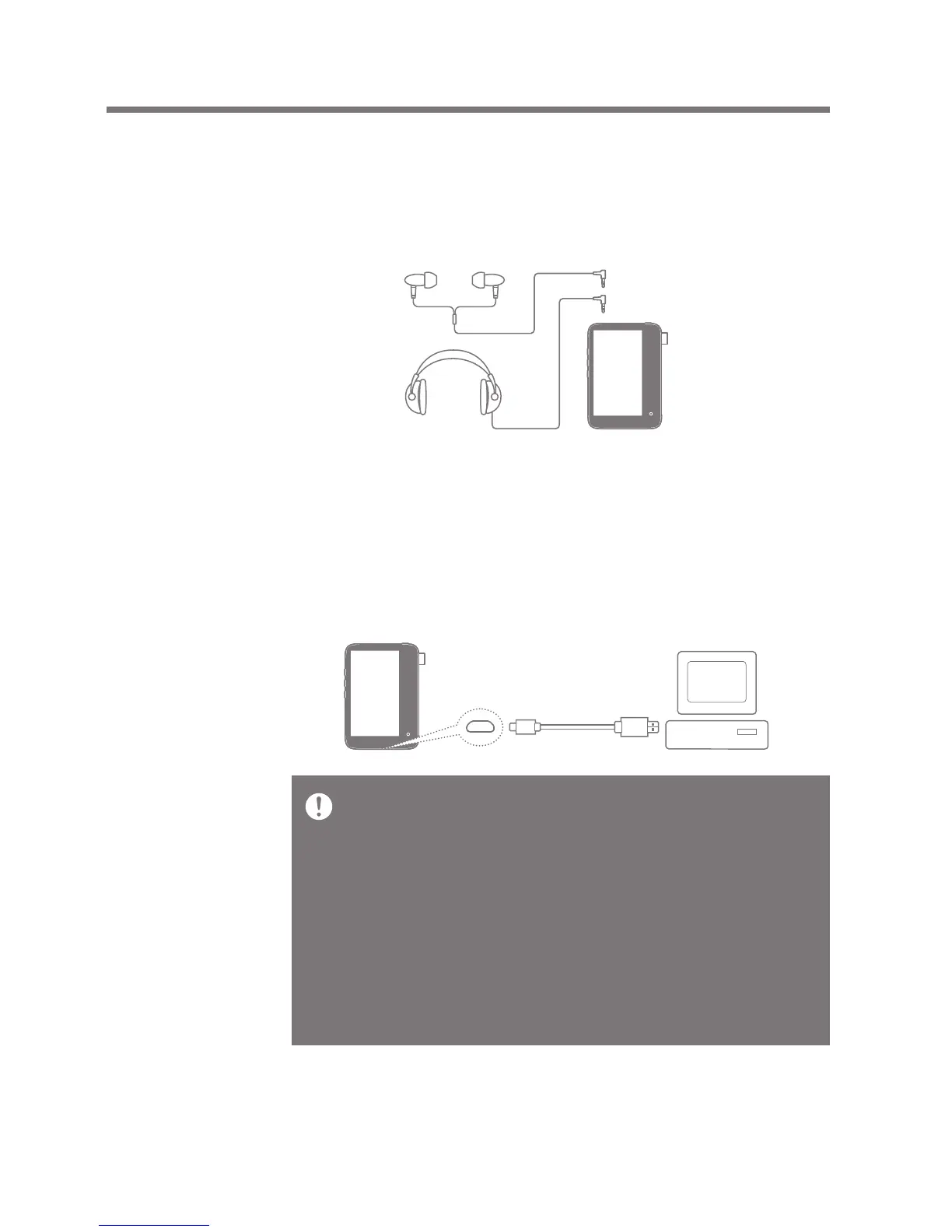
Connecting to a 3.5mm Unbalance Port
1. Connect earphones or headphones to the 3.5mm unbalanced
port.
OR
Connecting to a Computer
1. Turn on the device and your computer.
2. Connect the product to the computer with the 5-pin micro
-USB cable to transfer media files.
For an optimal connection, quit any unnecessary programs
before connecting the device to the computer.
Do not use any 5-pin micro-USB cable other than the one
supplied with the device. Using an unauthorized cable may cause
a malfunction.
Mac users need to download and install the MTP program from
the Activo website in order for the device to pair with a Mac OS.
[http://www.activostyle.com]
Both Windows and Mac, the device is only compatible with USB
2.0.


 To Next Page