Getting Started
07
User Guide
Disconnecting from the Computer
1. Disconnect the 5-pin micro-USB cable after the transfer
between the product and computer is completed.
Disconnecting the device from the computer during an operation
(e.g., file transfer) may corrupt data on the device.
Safely remove/eject the device from your computer, if applicable.
Copy Files/Folders to the Device
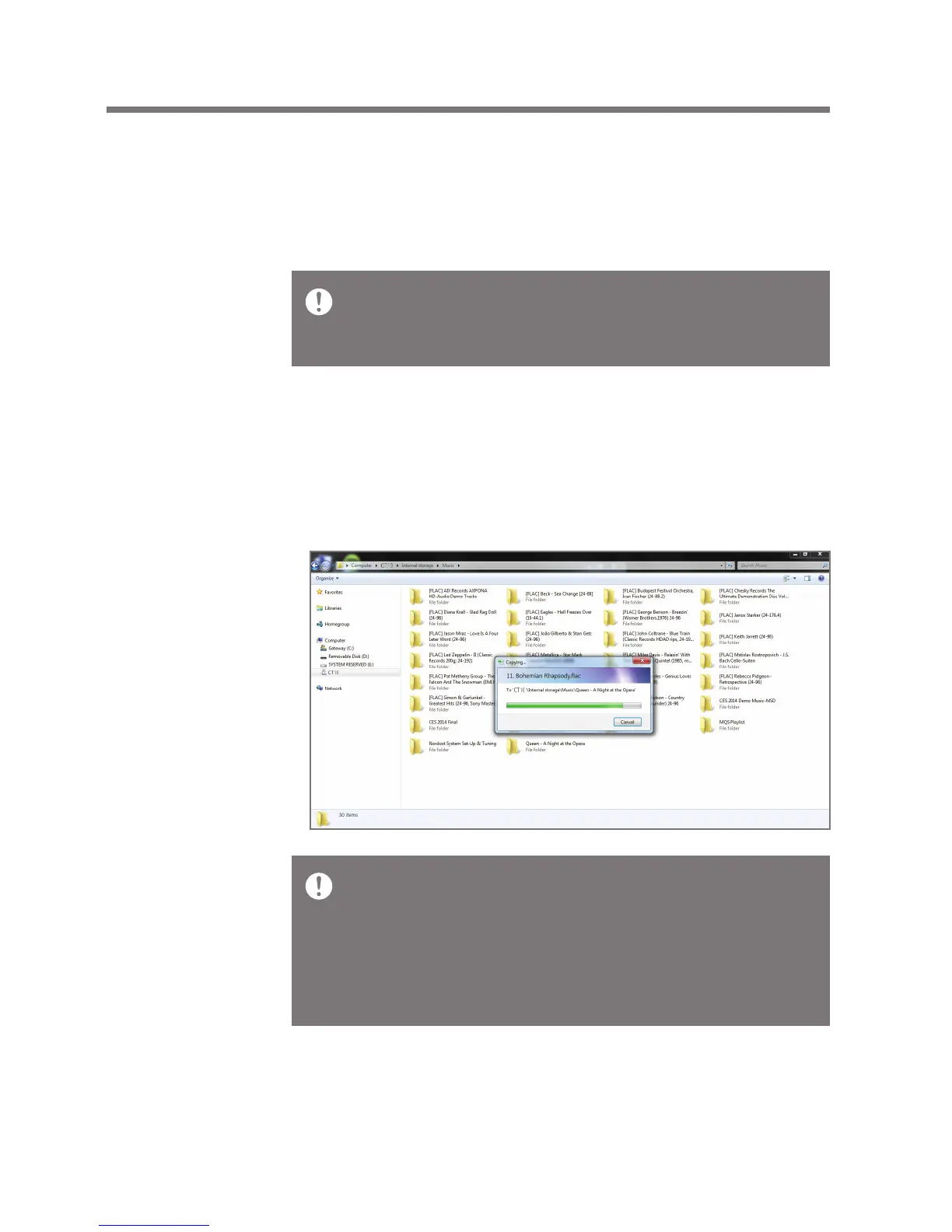
1. To copy files/folders from your computer, select the desired
files/folders and drag & drop them into the device folder.
Make sure that the 5-pin micro-USB cable is securely connected.
Note that removing the 5-pin micro-USB cable or turning off the
device or computer during a file transfer may corrupt data on the
device.
File transfer speeds may be affected by the computer and/or the
OS environment.


 To Next Page