Using the Device
36
User Guide
Connec-
ting to
Wi-Fi
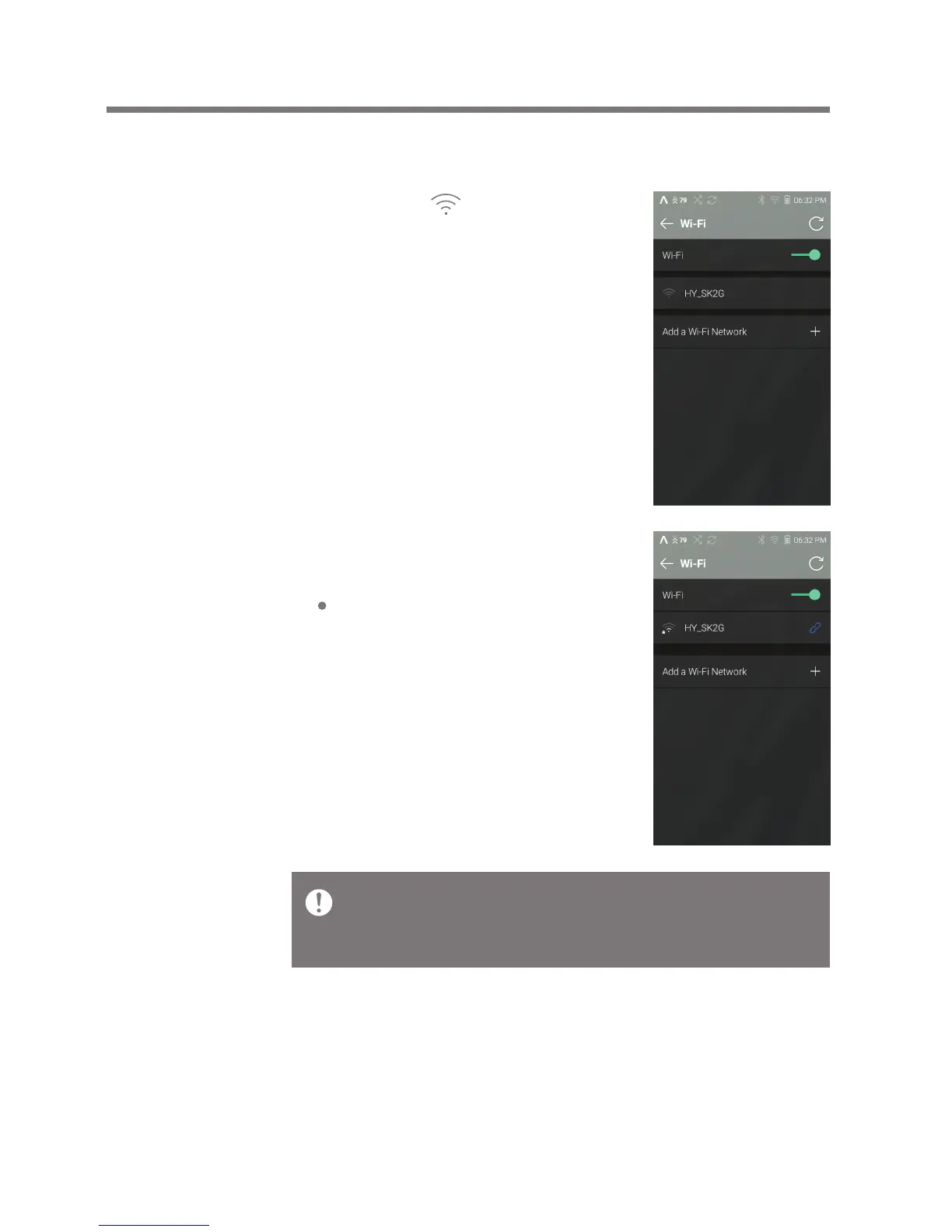
2. Select the desired AP to connect
to the wireless network.
Additional information such as
key index and network key may
be required depending on AP
settings.
Connecting to a Network
1. Long-press [ ] from the
Notification Panel or [Menu -
Settings - Wi-Fi] to turn on
and display a list of Access
Points (AP).
Networks requiring browser or other additional certifications
are not supported.
Channels 1 through 13 are supported.


 To Next Page