Using the Device
26
User Guide
Playlist
Manage-
ment
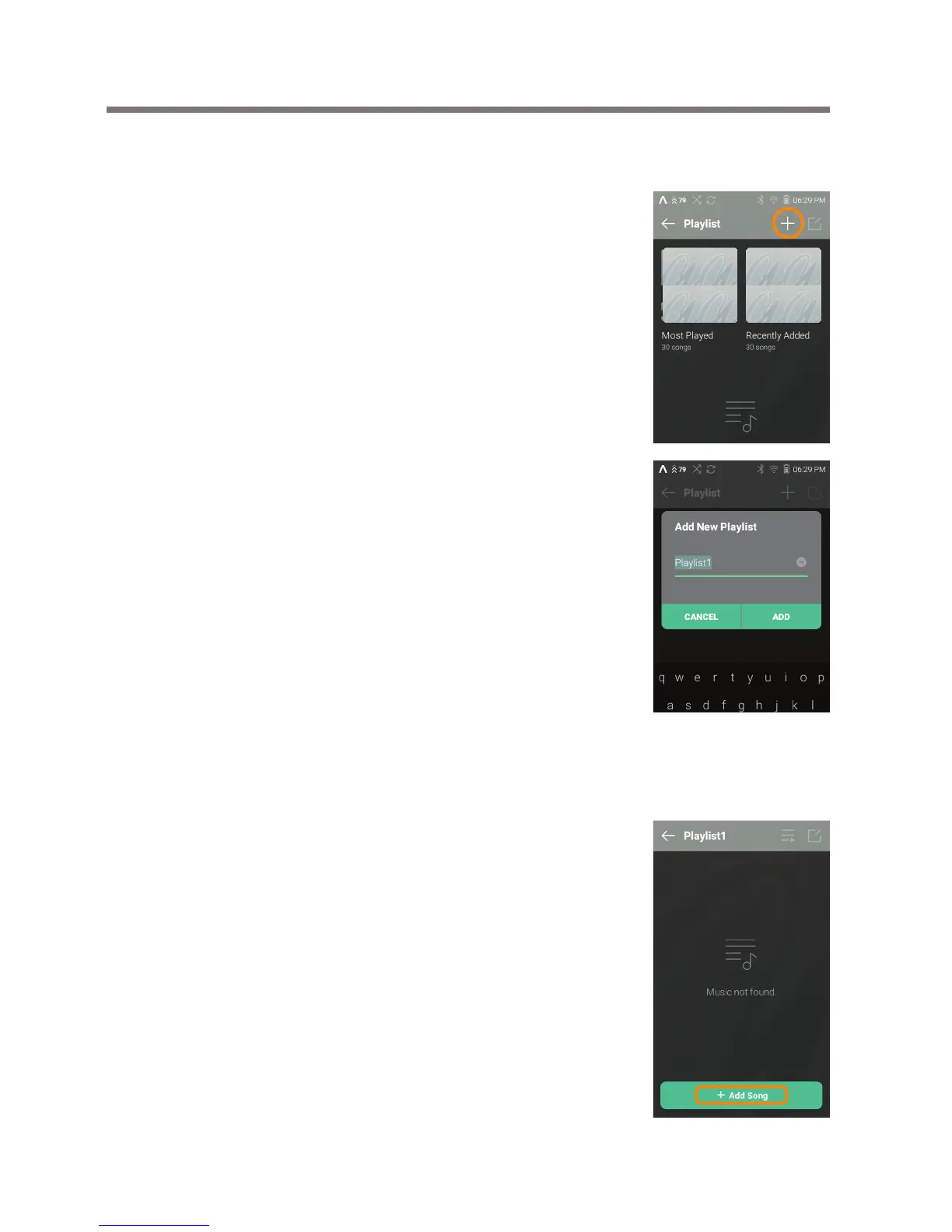
Creating a Playlist
1. Press [Playlists] on the menu to
view the playlists.
2. Select [ + ] in the upper right
corner of the screen.
3. Enter a name for the playlist,
then press [Add] to create
a new playlist.
Adding a Song to a Playlist
1. Press [Playlists] to display a list
of playlists.
2. Select a playlist and press [+ Add
Song] to display a list of songs.
3. Select the desired song, then
press [Add] to add the song to
the selected playlist.


 To Next Page