Using the Device
27
User Guide
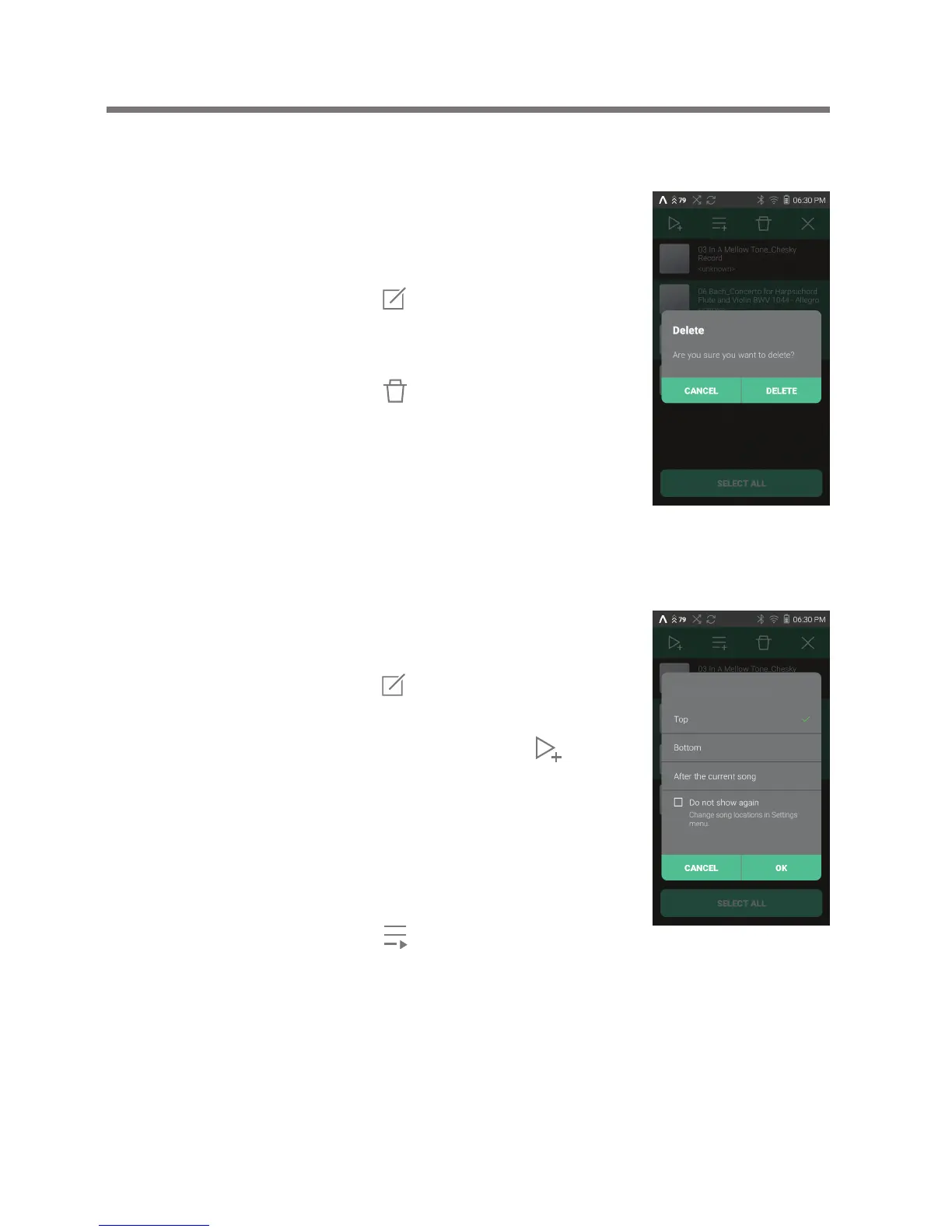
Removing a Song from a Playlist
1. Press [Playlists] on the menu
to view playlists.
2. Select the desired playlist and
press [ ] at the top of the
screen.
3. Select the music to delete, and
press [ ] on top to delete
items from the playlist.
Playing a Playlist
1. Select the desired playlist for
playback.
2. Press [ ] at the top of the
playlist, select the music you
want to play and press [ ]
to add the selected list at the
beginning / at the end / after
the current song of Now
Playing (go to [Menu -
Settings - Playback Settings]).
Press [ ] to play the entire
playlist.
Add to Now Playing


 To Next Page