Getting Started
08
User Guide
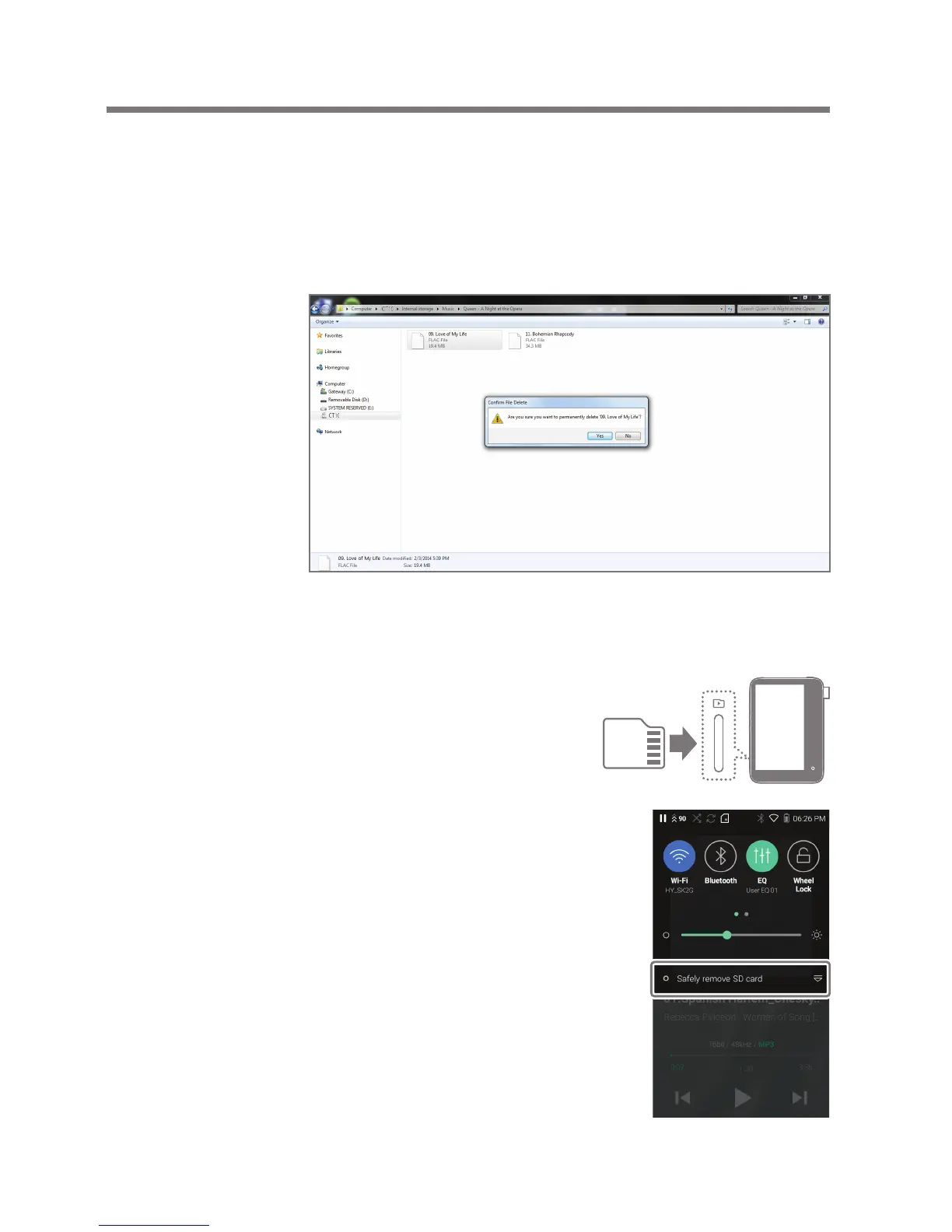
Delete Files (or Folders) from the Device via Computer
1. Right-click the desired file/folder and then select [Delete].
2. Select [Yes] in the [Confirm File/Folder Deletion] window
to delete the selected files/folders.
Insert/Remove a microSD Card
1. Refer to the diagram and
gently insert a microSD
card into the microSD
card slot.
2. To safely remove a microSD
card, on the Home Screen,
select [Safely remove SD
card] from the Notification
Panel or select [Unmount SD
card] from [Menu - Settings -
System Information].
3. Gently press in the microSD card
to release it from the slot.


 To Next Page