Using the Device
41
User Guide
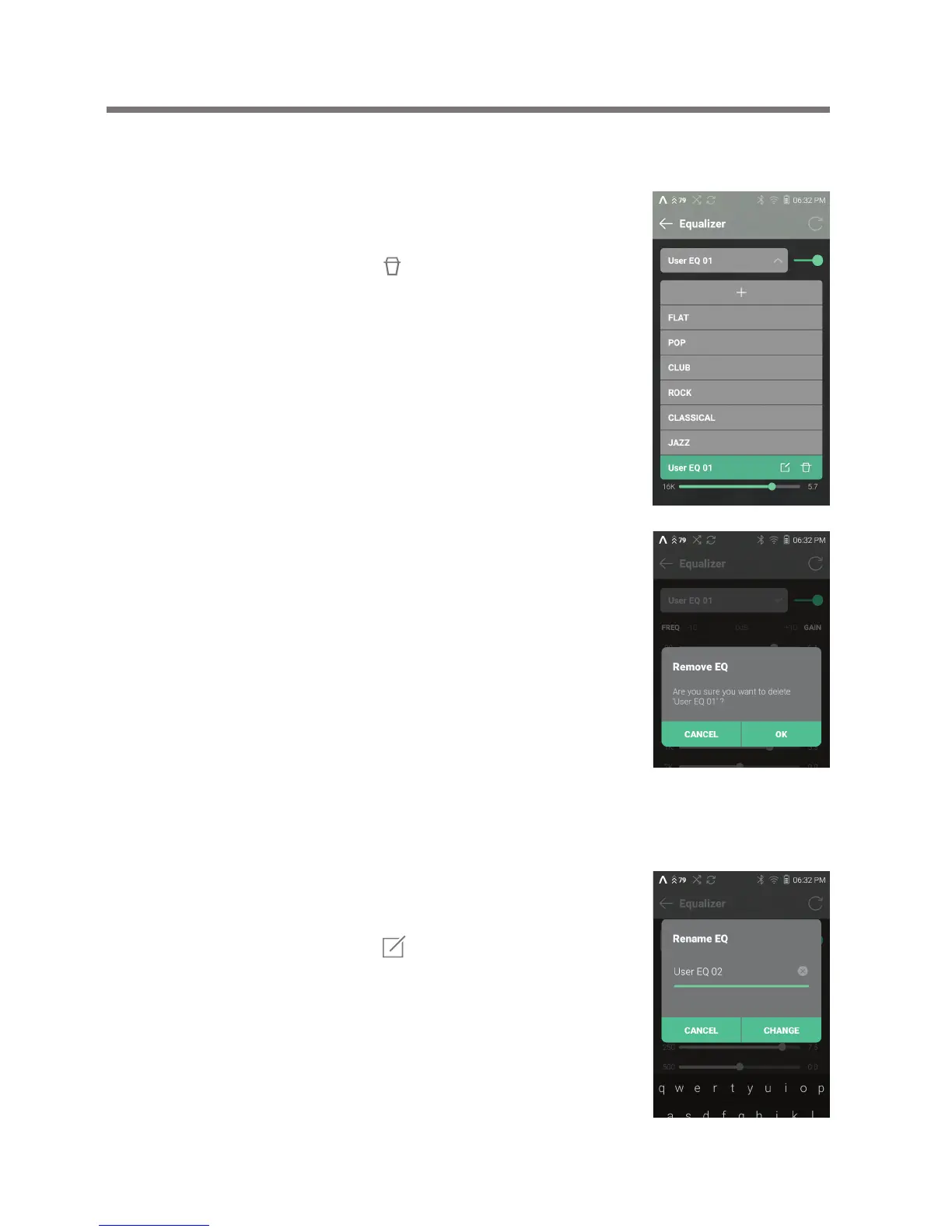
Deleting Equalizer
1. Select the current EQ to display
the EQ list.
2. Press [ ] next to the desired
item to delete the selected
equalizer.
Renaming an Equalizer
1. Select the current EQ to display
the EQ list.
2. Press [ ] next to the desired
item and enter a new name for
the selected equalizer.
3. Press [Rename] to apply the
changes.


 To Next Page