EasyManua.ls Logo

ACU-RITE 00439DI - User Manual

ACU-RITE 00439DI
20 pages
Print Icon
To Next Page IconTo Next Page
Loading...
Instruction Manual
SAVE THIS MANUAL FOR FUTURE REFERENCE.
Questions? Contact Customer Support at
(877) 221-1252 or visit www.AcuRite.com.
CONTENTS
Unpacking Instructions ................2
Package Contents ....................... 2
Product Registration ....................2
Features & Benefits: 3-in-1 ..........3
Features & Benefits: Display .......4
Setup ........................................6
3-in-1 Sensor Setup .................... 6
Display Unit Setup ......................7
Set Time, Date & Units ................8
Placement Guidelines .................9
3-in-1 Sensor Installation ..........10
Using the Weather Center .........11
Troubleshooting ........................ 13
Care & Maintenance ................15
Calibration ..............................15
Replace Intelli-Time
®
Battery ...... 16
Specifications ........................... 17
FCC Information .......................17
Customer Support ....................18
Warranty .................................18
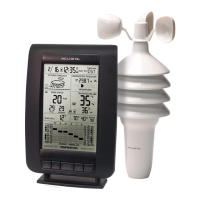
Weather Center
model 00439DI

Questions and Answers

  • L
    larsenjeffreyAug 13, 2025
    What to do if my ACU-RITE 00439DI Weather Station display screen is not working?
    • E
      Elizabeth KennedyAug 13, 2025
      First, check that the batteries are installed correctly. If they are, the batteries may need to be replaced. You can also reset the display by pressing the RESET button, located on the back of the display unit in the battery compartment. Note that the date and time will need to be entered after a reset.
  • S
    shughesAug 17, 2025
    What to do if my ACU-RITE 00439DI outdoor temperature is flashing or showing dashes?
    • J
      Jennifer JonesAug 17, 2025
      Ensure the A-B-C switch in the battery compartments of both the display unit and sensor are switched to the same letter. You may choose A, B, or C, but both units must match to sync up. Sometimes, changing to a different channel can also help.
  • T
    Thomas LeeAug 20, 2025
    Why is my ACU-RITE 00439DI Weather Station temperature or humidity inaccurate?
    • R
      Rebecca AlexanderAug 20, 2025
      Ensure both the display unit and 3-in-1 sensor are placed away from any heat sources or vents, and positioned away from moisture sources. The 3-in-1 sensor should be mounted at least 5 ft off the ground. You can also calibrate the indoor and outdoor temperature and humidity.
  • S
    Samantha DanielsAug 25, 2025
    How to fix no outdoor sensor reception on ACU-RITE 00439DI?
    • S
      Steve CookeAug 25, 2025
      Relocate the display unit and/or the 3-in-1 sensor, ensuring the units are within 330 ft (100 m) of each other and at least 3 feet (.9 m) away from electronics that may interfere with wireless communication, such as TVs, microwaves, or computers. Use standard alkaline batteries (or lithium batteries in the sensor when the temperature is below -4ºF/-20ºC). Do not use heavy-duty or rechargeable batteries. To synchronize the units: 1. Bring both the sensor and display unit indoors and remove at least one battery from each. 2. Make sure the A-B-C switch on both units match. 3. Reinstall the battery in the outdoor sensor. 4. Reinstall the battery into the display unit. 5. Let the units sit within a couple of feet of each other for about 20 minutes to gain a strong connection.
  • C
    Colin WilsonAug 28, 2025
    Why are my ACU-RITE 00439DI Weather Station wind readings inaccurate?
    • A
      amanda79Aug 28, 2025
      Compare the wind reading to a sensor positioned at the same mounting height. Pro weather stations are typically mounted at 30 ft high or more. Check the location of the sensor, ensuring it’s mounted a minimum of 5 ft in the air with no obstructions around it (within several feet). Also, ensure the wind cups are spinning freely; if they hesitate or stop, try lubricating with graphite powder or spray lubricant.
  • B
    barrdonaldSep 1, 2025
    What to do if ACU-RITE 00439DI Weather Station lost power and the time is not correct?
    • D
      Dr. Ruth BanksSep 1, 2025
      The Intelli-Time battery needs to be replaced. Once the new battery is installed, time and date will need to be set manually.
  • S
    Sandra SantosSep 4, 2025
    Why is my ACU-RITE 00439DI Weather Station forecast inaccurate?
    • B
      bryanturnerSep 4, 2025
      The weather forecast icon predicts conditions for the next 12 to 24 hours, not current conditions. Learning Mode must complete before the forecast and pressure will be accurate. Allow the unit to run continuously for 33 days, as battery removal or resetting the display unit will restart Learning Mode. After 14 days, the forecast should be fairly accurate; however, Learning Mode calibrates for a total of 33 days.
  • A
    Amanda MillerSep 8, 2025
    Why is my ACU-RITE Weather Station barometric pressure inaccurate?
    • C
      Carmen DavisSep 8, 2025
      It may take up to 14 days for the pressure to calibrate to your location.

Summary

Getting Started

Unpacking Instructions

Steps to prepare the weather station for use.

Package Contents

Lists all items included in the product packaging.

Product Registration

Instructions for registering the product for warranty.

3-in-1 Sensor Features

3-in-1 Sensor Components

Details the key components of the 3-in-1 wireless sensor.

Mounting Hardware & Bracket

Explains the included mounting hardware and bracket for the sensor.

Display Unit Features

Display Unit Indicators

Describes the various readings and icons on the display unit.

Display Unit Controls

Identifies the buttons and switches on the back of the display unit.

Initial Setup Procedures

3-in-1 Sensor Setup

Guides through setting up the 3-in-1 sensor, including A-B-C switch and batteries.

Display Unit Setup

Covers setting up the display unit, including batteries and power adapter.

Set Time, Date & Units

Instructions for configuring time, date, and measurement units.

Display Backlight Settings

Explains the different brightness levels and auto-dim mode.

Installation and Placement

Placement Guidelines

Recommends optimal locations for the display unit and sensor.

3-in-1 Sensor Mounting

Provides instructions for mounting the 3-in-1 sensor using various methods.

Operation and Data

Weather Center Operation

Explains the weather center's core functions and modes like Learning Mode.

Weather Forecast & Icons

Describes icons used for weather prediction and data interpretation.

Barometric Pressure & Moon Phase

Details pressure trends and moon phase indicators.

Wind Speed & Records

Explains wind speed readings and high/low records.

Troubleshooting Common Issues

Sensor Reception Problems

Solutions for lost outdoor sensor signal or no reception.

Accuracy and Forecast Issues

Addresses flashing outdoor temp, inaccurate forecasts, and calibration.

Unit Malfunctions

Troubleshooting for display issues, barometric pressure, and incorrect time.

Care and Maintenance

Cleaning and Sensor Care

Guidelines for cleaning the display unit and sensor, including insect/weather prep.

Calibration Procedure

Steps to calibrate temperature, humidity, and pressure readings.

Intelli-Time Battery Replacement

How to replace the coin-cell battery for time settings.

Specifications and Support

Technical Specifications

Lists operating ranges, power, and data reporting details.

FCC Compliance

Details regulatory compliance for radio frequency.

Customer Support & Warranty

Contact information and warranty details for assistance.

ACU-RITE 00439DI Specifications

General IconGeneral
Power Source2 AA batteries (included)
Display TypeLCD
Humidity Range1% to 99% RH
DisplayLCD
FeaturesIndoor and outdoor temperature and humidity

Related product manuals