EasyManua.ls Logo

ACU-RITE 01036 - User Manual

ACU-RITE 01036
28 pages
Print Icon
To Next Page IconTo Next Page
Loading...
Instruction Manual
SAVE THIS MANUAL FOR FUTURE REFERENCE.
Questions? Contact Customer Support at
(844) 228-5465 or visit www.AcuRite.com.
CONTENTS
Unpacking Instructions ........... 2
Package Contents .................. 2
Product Registration ............... 2
Features & Benets: 5-in-1 ....... 3
Features: Display ................... 4
Back of Display ...................... 6
Setup .................................... 7
5-in-1 Sensor Setup ................ 7
Display Setup ........................ 8
Set the Time & Date ............... 9
Measurement Units ...............10
Set Language .......................10
Placement Guidelines ............11
5-in-1 Sensor Installation ........ 12
AcuRite Connect ...................13
Weather Underground ..........13
Using the Weather Center .....14
Weather Ticker .....................15
Programmable Alarms ...........17
Troubleshooting ....................19
Care & Maintenance ............ 22
Calibration .......................... 22
Specications ........................24
FCC Information ...................24
Customer Support ................ 25
Warranty............................. 25
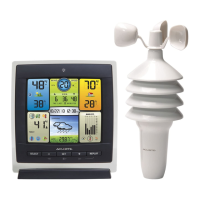
Professional Weather Center
model 01036


Questions and Answers

  • J
    Jonathan SmithAug 22, 2025
    Why is the outdoor temperature flashing on my ACU-RITE Weather Station?
    • J
      johnsonjeremyAug 23, 2025
      If the outdoor temperature is flashing or showing dashes on your ACU-RITE Weather Station, it may be due to wireless interference. Ensure that the A-B-C switch in the battery compartments of both the display unit and the sensor are set to the same letter (A, B, or C). Both units must match to sync up. Sometimes, changing to a different channel can resolve the issue.
  • A
    alicia17Aug 25, 2025
    How to fix inaccurate temperature on ACU-RITE 01036 Weather Station?
    • J
      Jamie PerezAug 25, 2025
      If your ACU-RITE Weather Station is showing inaccurate temperature or humidity readings, ensure that both the display unit and 5-in-1 sensor are placed away from any heat sources or vents. Also, make sure both units are positioned away from moisture sources. The 5-in-1 sensor should be mounted at least 5 ft off the ground. You can also calibrate the indoor and outdoor temperature and humidity.
  • L
    Lisa HeathAug 26, 2025
    Why is my ACU-RITE 01036 not measuring rainfall?
    • M
      Michael KleinAug 27, 2025
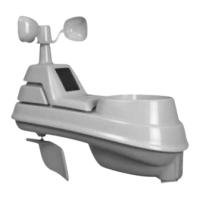
      If your ACU-RITE Weather Station is not registering rainfall, check to ensure that the rain gauge stabilizer (plastic tab) has been removed from the bottom of the sensor. Clear any debris, such as leaves, from the rain collector funnel and debris screen. You may also need to calibrate the rain gauge.
  • C
    Cynthia RobbinsAug 28, 2025
    How to fix inaccurate wind readings on ACU-RITE 01036 Weather Station?
    • T
      Tammy HartAug 28, 2025
      If your ACU-RITE Weather Station is providing inaccurate wind readings, consider what you are comparing the wind readings to. Professional weather stations are typically mounted at 30 ft high or more, so ensure you are comparing data from a sensor positioned at a similar height. Check the location of the sensor to ensure it is mounted a minimum of 5 ft in the air with no obstructions nearby. Also, make sure the wind cups are spinning freely; if they are not, try lubricating them with graphite powder or spray lubricant.
  • T
    timothy94Aug 31, 2025
    How to correct inaccurate wind readings on ACU-RITE Weather Station?
    • D
      Danny DelacruzAug 31, 2025
      To troubleshoot inaccurate wind readings on your ACU-RITE Weather Station, consider these points: * What is the wind reading being compared to? Pro weather stations are typically mounted at 30 ft high or more. Ensure you compare data using a sensor positioned at the same mounting height. * Check the sensor's location. It should be mounted a minimum of 5 ft in the air with no obstructions around it (within several feet). * Ensure the wind cups are spinning freely. If they hesitate or stop, try lubricating them with graphite powder or spray lubricant.
  • J
    jonesdanielleSep 2, 2025
    Why is my ACU-RITE 01036 not registering rainfall?
    • D
      david21Sep 2, 2025
      To address the issue of no rainfall being recorded on your ACU-RITE Weather Station, first, check to ensure the rain gauge stabilizer (plastic tab) has been removed from the bottom of the sensor. Next, clear any debris, such as leaves, out of the rain collector funnel and debris screen. Finally, calibrate the Rain Gauge.
  • S
    slynchSep 4, 2025
    Why I cannot access data online or on the AcuRite mobile app for my ACU-RITE 01036?
    • J
      Jacob WilsonSep 4, 2025
      To resolve issues accessing your data online or via the AcuRite mobile app, first, ensure that the PC Connect software indicates successful data uploads. Verify that you've created an account and set up your display unit's MAC address on www.acu-link.com. Check that the USB cable is securely connected to both the display unit and your PC, and that the display unit is powered on, the PC is always powered on and connected to the internet. Also, confirm the display unit USB mode is set to 3 or 4. Ensure the MAC address is correctly entered in the PC Connect software and the "ENABLE" box is checked. Finally, verify the MAC address is correct in your account and on the mobile app. If problems persist, try restarting the PC Connect software or your PC.
  • C
    Cindy SantosSep 5, 2025
    What to do if PC Connect software data is different than display unit data on ACU-RITE 01036?
    • K
      Kimberly ComptonSep 5, 2025
      If the PC Connect software data differs from the display unit data on your ACU-RITE Weather Station, check that the USB cable is securely connected to both the display unit and your PC. Confirm that the correct USB mode is selected on your display unit. Try restarting the PC Connect Software, unplugging the USB cable from your PC for about 1 minute, and then re-inserting it. If the issue persists, the USB port may be malfunctioning, so try using a different USB port.
  • H
    Hannah ObrienSep 7, 2025
    What to do if display screen is not working on ACU-RITE 01036?
    • K
      Karen SandersSep 7, 2025
      If your ACU-RITE Weather Station display screen is not working, first, check that the batteries are installed correctly and replace them if needed. If the issue persists, reset the display by pressing the reset button located on the back of the unit. Note that you will need to enter the date and time after a reset.
  • M
    Mark PierceSep 9, 2025
    Why is the forecast inaccurate on my ACU-RITE 01036?
    • J
      Joel BarronSep 9, 2025
      The Weather Forecast icon on your ACU-RITE Weather Station predicts conditions for the next 12 to 24 hours, not current conditions. Also, ensure that the Learning Mode icon has disappeared from the display unit, as Learning Mode must complete before the forecast and pressure will be accurate. Allow the unit to run continuously for 33 days for full calibration. After 14 days, the forecast should be fairly accurate, but Learning Mode calibrates for a total of 33 days.

Summary

Product Features and Benefits

Setup and Configuration

5-in-1 Sensor Setup Guide

Instructions for setting up the 5-in-1 sensor, including battery installation and A-B-C switch configuration.

Display Unit Setup and Power

Guide for setting up the display unit, including power connection, MAC address, and backup batteries.

Installation and Placement

5-in-1 Sensor Installation Guidelines

Detailed instructions for physically mounting and installing the 5-in-1 sensor outdoors.

AcuRite Connect and Data

Alarms and Notifications

Setting Programmable Weather Alarms

Details on setting up customizable alarms for various weather conditions like temperature, humidity, and wind.

Troubleshooting Guide

Sensor Reception and Temperature Issues

Solutions for common problems like no outdoor sensor reception and flashing/dashed temperature readings.

Forecast, Ticker, and Rainfall Problems

Troubleshooting steps for inaccurate forecasts, ticker messages, and no rainfall readings.

Connectivity and Display Screen Issues

Resolving issues related to USB connectivity, display screen problems, and data discrepancies.

Care, Maintenance, and Calibration

ACU-RITE 01036 Specifications

General IconGeneral
Display TypeLCD
Indoor Temperature Range32°F to 122°F (0°C to 50°C)
Outdoor Temperature Range-40°F to 158°F (-40°C to 70°C)
Power SourceBattery and AC adapter
FeaturesWeather forecast
Wireless Transmission Range330 ft (100 m) depending on home construction materials
Humidity Range1% to 99% RH

Related product manuals