EasyManua.ls Logo

ACU-RITE 01121 - User Manual

ACU-RITE 01121
16 pages
Print Icon
To Next Page IconTo Next Page
Loading...
Instruction Manual
SAVE THIS MANUAL FOR FUTURE REFERENCE.
Questions? Contact Customer Support at
877-221-1252 or visit www.AcuRite.com.
CONTENTS
Unpacking Instructions ........... 2
Package Contents .................. 2
Product Registration ............... 2
Features & Benets: Sensor ...... 2
Features & Benets: Display ..... 3
Setup .................................... 6
Sensor Setup ......................... 6
Display Setup ........................ 7
Set the Time, Date & Units ...... 8
Backlight Settings ................... 8
Placement Guidelines ............. 9
Using the Weather Station .....10
Programmable Alarms. ..........11
Troubleshooting ....................12
Care & Maintenance ............. 13
Calibration ...........................13
Specications ........................14
FCC Information ...................14
Customer Support .................15
Warranty..............................15
Weather Station
model 01121
Question and Answer IconNeed help?

Do you have a question about the ACU-RITE 01121 and is the answer not in the manual?

Summary

Unpacking and Product Registration

Package Contents

Lists items included with the weather station.

Product Registration

Instructions for registering the product to receive warranty protection.

Sensor Features and Benefits

Sensor Components

Details on hanger, indicator, battery compartment, and switch.

Display Features and Benefits (Back)

Display Mounting and Power

Features for wall mounting, tabletop stand, and power adapter connection.

Display Controls and Synchronization

Includes RESET button, A-B-C switch, and battery cover.

Display Features and Benefits (Front)

Displayed Information

Details on date, temperature, humidity, pressure, and forecast.

User Interface Controls

Describes buttons for setting time, alarms, and backlight.

Indicator Icons and Forecast

Explains icons for alarms, learning mode, battery, and the weather forecast.

Atomic Clock Function

Describes the accurate timekeeping feature of the atomic clock.

Display Feature Descriptions

Temperature and Humidity Details

Explains heat index, dew point, and humidity conditions.

Record Keeping and Trends

Details high/low records and trend indicators for temp/humidity.

Pressure and Forecast Information

Explains barometric pressure trends and weather forecast logic.

Setup: Sensor Setup

Set A-B-C Switch

Instructions for setting the A-B-C switch for synchronization.

Install or Replace Batteries

Guidelines for installing AA batteries in the outdoor sensor.

Setup: Display Setup

Set A-B-C Switch (Display)

Instructions for setting the A-B-C switch for the display.

Install Backup Batteries

Guidelines for installing AAA backup batteries in the display.

Plug in Power Adapter

Connecting the power adapter as the primary power source.

Clock, Time, and Backlight Settings

Atomic Clock Functionality

How the atomic clock synchronizes and maintains accurate time.

Setting Time, Date, and Units

Step-by-step guide to configure time, date, and measurement units.

Display Backlight Control

Options for adjusting display brightness and auto-dim mode.

Placement Guidelines

Display and Sensor Placement

Recommendations for optimal placement of display and outdoor sensor.

Maximizing Accuracy and Range

Guidelines to ensure accurate measurements and wireless communication.

Operation: Using the Weather Station

Learning Mode and Forecasting

Explanation of self-calibrating forecasting and its learning period.

Barometric Pressure and Records

How to interpret pressure trends and view high/low records.

Programmable Alarms

Setting Alarms

Step-by-step guide to set high and low value alarms.

Disabling Alarms

Instructions on how to turn off specific or all alarms.

Troubleshooting

No Outdoor Sensor Reception

Solutions for issues with outdoor sensor signal loss.

Inaccurate Readings and Forecasts

Troubleshooting for incorrect temperature, humidity, or forecast data.

Display and Synchronization Issues

Solutions for display not working or atomic signal/time syncing problems.

Care and Maintenance

Display and Sensor Cleaning

Instructions for cleaning the display and outdoor sensor.

Calibration Procedure

Guide to calibrate temperature, humidity, and pressure readings.

Specifications and Compliance

Product Specifications

Technical details including temperature, humidity, and wireless range.

FCC Information

Compliance details regarding FCC rules and interference.

Customer Support and Warranty

Customer Support Contact

How to contact AcuRite customer support for assistance.

Limited 1-Year Warranty

Details of the product warranty, limitations, and disclaimers.

Summary

Unpacking and Product Registration

Package Contents

Lists items included with the weather station.

Product Registration

Instructions for registering the product to receive warranty protection.

Sensor Features and Benefits

Sensor Components

Details on hanger, indicator, battery compartment, and switch.

Display Features and Benefits (Back)

Display Mounting and Power

Features for wall mounting, tabletop stand, and power adapter connection.

Display Controls and Synchronization

Includes RESET button, A-B-C switch, and battery cover.

Display Features and Benefits (Front)

Displayed Information

Details on date, temperature, humidity, pressure, and forecast.

User Interface Controls

Describes buttons for setting time, alarms, and backlight.

Indicator Icons and Forecast

Explains icons for alarms, learning mode, battery, and the weather forecast.

Atomic Clock Function

Describes the accurate timekeeping feature of the atomic clock.

Display Feature Descriptions

Temperature and Humidity Details

Explains heat index, dew point, and humidity conditions.

Record Keeping and Trends

Details high/low records and trend indicators for temp/humidity.

Pressure and Forecast Information

Explains barometric pressure trends and weather forecast logic.

Setup: Sensor Setup

Set A-B-C Switch

Instructions for setting the A-B-C switch for synchronization.

Install or Replace Batteries

Guidelines for installing AA batteries in the outdoor sensor.

Setup: Display Setup

Set A-B-C Switch (Display)

Instructions for setting the A-B-C switch for the display.

Install Backup Batteries

Guidelines for installing AAA backup batteries in the display.

Plug in Power Adapter

Connecting the power adapter as the primary power source.

Clock, Time, and Backlight Settings

Atomic Clock Functionality

How the atomic clock synchronizes and maintains accurate time.

Setting Time, Date, and Units

Step-by-step guide to configure time, date, and measurement units.

Display Backlight Control

Options for adjusting display brightness and auto-dim mode.

Placement Guidelines

Display and Sensor Placement

Recommendations for optimal placement of display and outdoor sensor.

Maximizing Accuracy and Range

Guidelines to ensure accurate measurements and wireless communication.

Operation: Using the Weather Station

Learning Mode and Forecasting

Explanation of self-calibrating forecasting and its learning period.

Barometric Pressure and Records

How to interpret pressure trends and view high/low records.

Programmable Alarms

Setting Alarms

Step-by-step guide to set high and low value alarms.

Disabling Alarms

Instructions on how to turn off specific or all alarms.

Troubleshooting

No Outdoor Sensor Reception

Solutions for issues with outdoor sensor signal loss.

Inaccurate Readings and Forecasts

Troubleshooting for incorrect temperature, humidity, or forecast data.

Display and Synchronization Issues

Solutions for display not working or atomic signal/time syncing problems.

Care and Maintenance

Display and Sensor Cleaning

Instructions for cleaning the display and outdoor sensor.

Calibration Procedure

Guide to calibrate temperature, humidity, and pressure readings.

Specifications and Compliance

Product Specifications

Technical details including temperature, humidity, and wireless range.

FCC Information

Compliance details regarding FCC rules and interference.

Customer Support and Warranty

Customer Support Contact

How to contact AcuRite customer support for assistance.

Limited 1-Year Warranty

Details of the product warranty, limitations, and disclaimers.

Overview

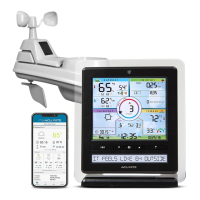
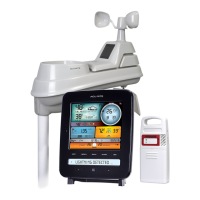
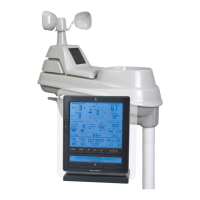
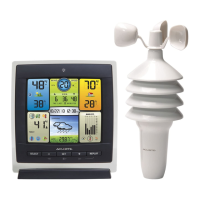
This document describes the AcuRite Weather Station, model 01121, a precision instrument designed to provide comprehensive weather information and forecasting. The device consists of a main display unit and an outdoor sensor, working together to deliver accurate and personalized weather data.

Function Description:

The AcuRite Weather Station provides a 12 to 24-hour weather forecast based on self-calibrating technology that collects data from the outdoor sensor. It displays current indoor and outdoor temperature and humidity, barometric pressure with trend indicators, and records daily high and low temperatures and humidity. The display also features an atomic clock for accurate timekeeping, programmable alarms for temperature and humidity, and a backlight with adjustable brightness settings. The "Learning Mode" icon indicates when the device is self-calibrating its pressure readings to determine altitude and provide a superior weather prediction tailored to your specific location.

Important Technical Specifications:

  • Temperature Range:
    • Outdoor: -40°F to 158°F (-40°C to 70°C)
    • Indoor: 32°F to 122°F (0°C to 50°C)
  • Humidity Range:
    • Outdoor: 1% to 99% RH
    • Indoor: 1% to 99% RH
  • Wireless Range: 330 ft / 100 m (depending on home construction materials)
  • Operating Frequency: 433 MHz
  • Power:
    • Display: 5V, 250mA power adapter (main power source), 3 x AAA alkaline batteries (optional backup)
    • Sensor: 2 x AA alkaline or lithium batteries
  • Data Reporting:
    • Outdoor: 16-second updates
    • Indoor: 60-second updates
  • Atomic Clock: Synchronizes to the National Institute of Standards and Technology (NIST) Radio Station WWVB for split-second accuracy and automatic daylight saving time updates.

Usage Features:

Display Unit:

  • Integrated Hang Hole: For easy wall mounting.
  • Fold-out Tabletop Stand: For tabletop use.
  • A-B-C Switch: An ID code (A, B, or C) that must match the sensor's switch for synchronization.
  • RESET Button: For a full reset to factory defaults.
  • Date Display: Shows the current date.
  • Heat Index/Dew Point: Automatically displays when temperature conditions are met (80°F/27°C or above for Heat Index, 79°F/26°C or below for Dew Point).
  • Outdoor Sensor Signal Strength: Indicates the strength of the wireless connection.
  • Alarm ON Indicator: Shows when an alarm is activated.
  • Current Outdoor/Indoor Temperature & Humidity: Displays current readings with arrow icons indicating trending direction.
  • High & Low Records: Shows highest and lowest recorded temperatures and humidity since midnight.
  • Humidity Level Indicator: Indicates current humidity conditions (humid, OK, dry).
  • Sensor/Display Low Battery Indicator: Alerts when batteries need replacement.
  • Current Barometric Pressure: Displays pressure with a trend indicator.
  • 12 to 24 Hour Weather Forecast: Self-calibrating forecast icons (e.g., Storm Developing, Snow Likely, Cloudy, Sunny).
  • Learning Mode Icon: Disappears after 14 days when self-calibration is complete.
  • AUTO Icon: Indicates auto-dimming brightness mode.
  • Buttons:
    • SET Button: Used to enter and navigate setup preferences (Time Zone, DST, Clock Hour/Minute, Calendar Month/Date/Year, Temperature Units, Barometric Pressure Units, Radio Controlled Clock Function).
    • ** and V Buttons:** Used to adjust selected items in setup mode and view high/low records.
    • ** Button:** Used for alarm setup.
    • ** Button:** Controls backlight settings (momentary backlight, dimmer settings, auto-dim mode).

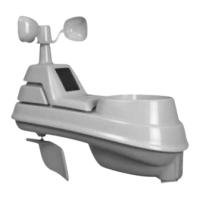
Outdoor Sensor:

  • Integrated Hanger: For easy placement.
  • Wireless Signal Indicator: Flashes when data is sent to the display.
  • Battery Compartment: Holds 2 x AA batteries.
  • A-B-C Switch: Must match the display's switch for synchronization.
  • Battery Compartment Cover: Protects the battery compartment.

Setup Process:

  1. Sensor Setup:
    • Set the A-B-C switch inside the battery compartment to A, B, or C (must match the display).
    • Install 2 x AA batteries, observing polarity. Lithium batteries are recommended for temperatures below -4°F (-20°C).
  2. Display Setup:
    • Set the A-B-C switch inside the battery compartment to match the sensor.
    • (Optional) Install 3 x AAA alkaline backup batteries.
    • Plug in the power adapter as the main power source for full functionality.
  3. Set Time, Date & Units:
    • Press "SET" to enter setup mode.
    • Use and V buttons to adjust blinking items (Time Zone, DST, Clock, Calendar, Temperature Units, Barometric Pressure Units, RCC Function).
    • Press "SET" to confirm each selection.
  4. Backlight Settings:
    • Press the button to cycle through High (100%), Medium (60%), Low (30%) brightness, and AUTO-DIM mode.
    • In AUTO-DIM mode, brightness adjusts automatically (100% from 6:00 a.m. - 9:00 p.m., 30% from 9:01 p.m. - 5:59 a.m.).
    • Press and hold the button for 5 seconds to disable the backlight.

Placement Guidelines:

  • Display: Place in a dry area, free of dirt and dust. Can be tabletop or wall-mounted.
  • Outdoor Sensor: Place outside, protected from direct weather elements, 4 to 8 feet (1 to 2 meters) above the ground, in permanent shade with good air circulation.
  • General: Ensure units are out of direct sunlight and away from heat sources/vents. Maintain a distance of at least 330 ft (100 m) between display and sensor. Avoid large metallic items, thick walls, and other objects that may limit wireless communication. Keep both units at least 3 ft (90 cm) away from electronic devices to prevent interference.

Programmable Alarms:

  • Set HIGH and LOW alarm values for temperature and humidity.
  • Alarms emit an audible beep and flash data when triggered.
  • Alarms can be turned ON/OFF individually or all at once.

Maintenance Features:

Care & Maintenance:

  • Display: Clean with a soft, damp cloth. Keep free of dust, dirt, and moisture. Regularly clean ventilation ports with a gentle puff of air.
  • Outdoor Sensor: Clean with a soft, damp cloth.
  • Avoid caustic cleaners or abrasives for both units.

Calibration:

  • Indoor/outdoor temperature and humidity readings, and barometric pressure can be calibrated to improve accuracy.
  • To enter calibration mode, press and HOLD the , "SET," and V buttons simultaneously for at least 5 seconds.
  • Use and V buttons to adjust the flashing item.
  • Press "SET" to save adjustments and move to the next preference.
  • A " " icon will illuminate next to calibrated values.
  • Barometric pressure can be toggled between AUTO and MANUAL mode for calibration.
  • Calibrations are erased if the display is reset or if batteries/power adapter are removed.

Troubleshooting:

  • Provides solutions for common issues like no outdoor sensor reception, flashing outdoor temperature, inaccurate forecast, inaccurate temperature/humidity, and display not working.
  • Includes guidance for atomic signal or time syncing problems.
  • Recommends contacting customer support or visiting the AcuRite website for further assistance.

The AcuRite Weather Station is designed for reliability and ease of use, providing essential weather insights to help plan your day with confidence.

ACU-RITE 01121 Specifications

General IconGeneral
BrandACU-RITE
Model01121
CategoryWeather Station
LanguageEnglish

Related product manuals