EasyManua.ls Logo

ACU-RITE 01608 - User Manual

ACU-RITE 01608
20 pages
Print Icon
To Next Page IconTo Next Page
Loading...
ACU
RITE
ACU•RITE.
s~11
Emptying
Rain Gauge Station
model 01608 / 06042M
Instruction Manual
CONTENTS
Unpacking Instructions ........... 2
Package Contents .................. 2
Product Registration ............... 2
Features & Benets: Sensor..... 2
Features & Benets: Display.... 3
Features & Benets: Rain Gauge......5
Setup .................................... 6
Sensor Setup ......................... 6
Rain Gauge Setup.................. 7
Display Setup ........................ 8
Intelli-Time
®
Clock .................. 9
Set the Time, Date & Units ...... 9
Rain Gauge Installation .........10
Placement Guidelines ............11
Programmable Rain Alarm.....12
Rainfall Tracking ...................12
Troubleshooting ....................14
Care & Maintenance............. 15
Calibration ...........................15
Replace Intelli-Time
®
Battery ..17
Specications........................ 18
FCC Information ...................18
Customer Support .................19
Warranty..............................19
inches
set
o
on
mm
yesterday
this week
this year
last year
records
today’s rainfall
outdoor
indoor
.5
1
0
+
TODAY
ALL-TIME
TODAY
ALL-TIME
pressure
STORM!
YR.
heat
index
dew point
Questions? Contact Customer Support at
(877) 221-1252 or visit www.AcuRite.com.
SAVE THIS MANUAL FOR FUTURE REFERENCE.

Questions and Answers

Summary

Unpacking and Initial Setup

Package Contents

Lists all items included in the product package.

Product Registration

Instructions for registering the product for warranty.

Wireless Sensor Features

Wireless Sensor Components Overview

Identifies parts and functions of the wireless sensor.

Display Front Features

Display Front Components and Indicators

Details the numbered parts and indicators on the display's front.

Display Back Features

Display Back Components and Controls

Identifies the numbered parts and controls on the display's back.

Rain Gauge Features

Rain Gauge Components Overview

Details the numbered parts and functions of the rain gauge.

Sensor Setup Procedures

Sensor A-B-C Switch Configuration

Instructions for setting the A-B-C switch for synchronization.

Sensor Battery Installation

Guide on installing batteries in the wireless sensor.

Rain Gauge Setup Procedures

Rain Gauge Battery Installation

Guide on installing batteries in the rain gauge.

Rain Gauge A-B-C Switch Configuration

Instructions for setting the A-B-C switch for synchronization.

Display Setup Procedures

Display A-B-C Switch Configuration

Instructions for setting the A-B-C switch for synchronization.

Display Battery Installation

Guide on installing batteries in the display.

Intelli-Time Clock Setup

Set Time, Date, and Units

Procedure for setting clock, date, time zone, and measurement units.

Rain Gauge Installation

Optimal Placement Guidelines

Display Unit Placement

Recommendations for placing the display unit.

Wireless Sensor Placement

Guidelines for optimal wireless sensor positioning.

General Communication and Accuracy Rules

Key rules for maximizing communication and accuracy.

Device Operation

Programmable Rain Alarm

How to set and manage the daily rain alarm function.

Barometric Pressure Information

Explanation of barometric pressure display and trend indicator.

Rainfall Tracking and History

How to view historical rainfall data records.

Rainfall History Records

All-Time High & Low Records

Viewing and clearing all-time temperature and humidity records.

Daily High & Low Records

Viewing and clearing daily temperature and humidity records.

Troubleshooting Guide

Wireless Reception Issues

Solutions for no wireless signal or reception problems.

Display Screen Not Working

Steps to take if the display screen is not functioning.

Outdoor Temperature;Humidity Flashing

Troubleshooting flashing outdoor readings.

Inaccurate Temperature or Humidity Readings

Ensuring accurate temperature and humidity measurements.

Rain Gauge Freezing Temperature Warning

Advice on protecting the rain gauge in freezing conditions.

Care and Maintenance

Device Cleaning Procedures

Instructions for cleaning the display, sensor, and rain gauge.

Temperature & Humidity Calibration

Procedure to calibrate temperature and humidity readings.

Rain Gauge Calibration

Rain Gauge Calibration Tips

Helpful tips for accurate rain gauge calibration.

Rain Gauge Calibration Adjustment

How to adjust the rain gauge for accurate readings.

Intelli-Time Battery Replacement

Specifications and Compliance

FCC Compliance Information

Details regulatory compliance with FCC rules.

Summary

Unpacking and Initial Setup

Package Contents

Lists all items included in the product package.

Product Registration

Instructions for registering the product for warranty.

Wireless Sensor Features

Wireless Sensor Components Overview

Identifies parts and functions of the wireless sensor.

Display Front Features

Display Front Components and Indicators

Details the numbered parts and indicators on the display's front.

Display Back Features

Display Back Components and Controls

Identifies the numbered parts and controls on the display's back.

Rain Gauge Features

Rain Gauge Components Overview

Details the numbered parts and functions of the rain gauge.

Sensor Setup Procedures

Sensor A-B-C Switch Configuration

Instructions for setting the A-B-C switch for synchronization.

Sensor Battery Installation

Guide on installing batteries in the wireless sensor.

Rain Gauge Setup Procedures

Rain Gauge Battery Installation

Guide on installing batteries in the rain gauge.

Rain Gauge A-B-C Switch Configuration

Instructions for setting the A-B-C switch for synchronization.

Display Setup Procedures

Display A-B-C Switch Configuration

Instructions for setting the A-B-C switch for synchronization.

Display Battery Installation

Guide on installing batteries in the display.

Intelli-Time Clock Setup

Set Time, Date, and Units

Procedure for setting clock, date, time zone, and measurement units.

Rain Gauge Installation

Optimal Placement Guidelines

Display Unit Placement

Recommendations for placing the display unit.

Wireless Sensor Placement

Guidelines for optimal wireless sensor positioning.

General Communication and Accuracy Rules

Key rules for maximizing communication and accuracy.

Device Operation

Programmable Rain Alarm

How to set and manage the daily rain alarm function.

Barometric Pressure Information

Explanation of barometric pressure display and trend indicator.

Rainfall Tracking and History

How to view historical rainfall data records.

Rainfall History Records

All-Time High & Low Records

Viewing and clearing all-time temperature and humidity records.

Daily High & Low Records

Viewing and clearing daily temperature and humidity records.

Troubleshooting Guide

Wireless Reception Issues

Solutions for no wireless signal or reception problems.

Display Screen Not Working

Steps to take if the display screen is not functioning.

Outdoor Temperature;Humidity Flashing

Troubleshooting flashing outdoor readings.

Inaccurate Temperature or Humidity Readings

Ensuring accurate temperature and humidity measurements.

Rain Gauge Freezing Temperature Warning

Advice on protecting the rain gauge in freezing conditions.

Care and Maintenance

Device Cleaning Procedures

Instructions for cleaning the display, sensor, and rain gauge.

Temperature & Humidity Calibration

Procedure to calibrate temperature and humidity readings.

Rain Gauge Calibration

Rain Gauge Calibration Tips

Helpful tips for accurate rain gauge calibration.

Rain Gauge Calibration Adjustment

How to adjust the rain gauge for accurate readings.

Intelli-Time Battery Replacement

Specifications and Compliance

FCC Compliance Information

Details regulatory compliance with FCC rules.

Overview

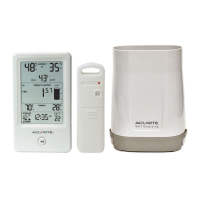
The AcuRite Rain Gauge Station, models 01608 and 06042M, is a comprehensive weather monitoring system designed to provide accurate rainfall measurements and various environmental data. This station includes a display unit, a wireless sensor, and a rain gauge, all working in conjunction to offer detailed insights into local weather conditions.

Function Description

The primary function of this device is to measure and track rainfall. The rain gauge collects precipitation, and its tipping cups accurately measure the amount of rain, which is then wirelessly transmitted to the display unit. Beyond rainfall, the system also monitors outdoor and indoor temperature and humidity, providing a complete picture of your immediate environment. The display unit features an Intelli-Time® clock that automatically updates for Daylight Saving Time, ensuring accurate timekeeping without manual adjustments. It also includes a barometric pressure trend indicator, which helps predict subtle weather changes by showing whether the pressure is falling, steady, or rising. A storm alert indicator activates when a storm is approaching, offering an early warning.

Usage Features

The display unit is designed for ease of use, featuring a clear LCD screen that shows current outdoor and indoor temperatures and humidity, dew point, heat index, and rainfall totals. Arrow icons indicate the trending direction for temperature and humidity, allowing users to quickly grasp environmental changes. The "Today's Rain Indicator" visually represents rainfall collection up to 1 inch (25 mm), making it easy to see daily precipitation at a glance.

One of the key features is the "Rainfall Tracking" capability, which allows users to review historical rainfall records. By pressing the "<<" button, you can access data for the previous day, current week, monthly totals for the current year, current year total, and previous year total. This historical data helps users understand long-term rainfall patterns.

The device also includes a "Programmable Rain Alarm." This feature allows you to set a specific rainfall value, and the display will emit an audible alert and flash the rainfall total when that programmed value is reached. The alarm automatically resets at midnight each day. This is particularly useful for gardeners or those who need to be aware of certain rainfall thresholds. The alarm can be silenced manually by pressing any button.

For temperature and humidity, the display shows current readings and allows access to "All-Time High & Low Records." These records are displayed with a timestamp, providing valuable historical context. Users can view today's high and low temperature and humidity records, which automatically clear at 12:00 AM midnight every day.

The wireless sensor is equipped with an integrated hanger for easy placement outdoors, and it includes a wireless signal indicator that flashes when data is being sent to the display. Both the wireless sensor and the rain gauge have an A-B-C switch, which must match the display's A-B-C switch to ensure proper synchronization between all units.

The display unit can be placed on a tabletop using its integrated stand or mounted on a wall using the integrated hang hole. This flexibility allows for optimal placement within your home.

Maintenance Features

Maintaining the AcuRite Rain Gauge Station is straightforward. The display, wireless sensor, and rain gauge can all be cleaned with a soft, damp cloth. It is important to avoid caustic cleaners or abrasives, as these can damage the polished surfaces and components. For the rain gauge, regular cleaning of the collector and tipping cups is recommended, especially if they become dirty, to ensure accurate water flow and measurement. After cleaning, applying a small amount of liquid water repellent (commonly found in automotive sections) to the tipping cups and collector funnel can optimize rain collection.

A crucial maintenance note for the rain gauge is to bring it indoors during freezing temperatures. Water expands when it freezes, and any water left in the unit can crack the plastic, causing permanent damage.

The device offers "Calibration" features for both temperature and humidity, as well as for the rain gauge, to improve accuracy. For temperature and humidity, users can enter calibration mode by pressing and holding the "▲", "▼", and "SET" buttons for 10 seconds. This allows for fine-tuning the readings to match actual conditions, which is particularly useful if sensor placement or environmental factors affect data accuracy. A "✓" icon will illuminate next to calibrated values to indicate that an adjustment has been made.

The rain gauge can also be calibrated to ensure precise rainfall measurements. This involves a specific procedure where a measured amount of water is slowly dripped into the rain gauge, and adjustments are made to calibration screws located beneath the tipping cups if the displayed rainfall total does not match the expected value. Turning the screws counter-clockwise increases rainfall readings, while turning them clockwise decreases readings. Specific adjustments are provided for 2%, 4%, and 8% changes in rainfall readings.

The Intelli-Time® clock is powered by a pre-installed coin-cell battery (CR2032). Instructions are provided for replacing this battery, which stores the time and date settings. After replacement, the time and date will need to be re-entered.

Overall, the AcuRite Rain Gauge Station is designed to be a reliable and user-friendly device for monitoring various weather parameters, with features that enhance both its functionality and longevity through proper care and calibration.

ACU-RITE 01608 Specifications

General IconGeneral
BrandACU-RITE
Model01608
CategoryWeather Station
Display TypeLCD
Humidity Range1% to 99%
Wireless Transmission Range330 ft (100 m)
Power SourceBatteries

Related product manuals