0
-~
□
I
I
~-~
□
I
6-060
® :
l
□
t
2e:
RUG
I
Y3-~
□
I
I
YS-~
□
I
~
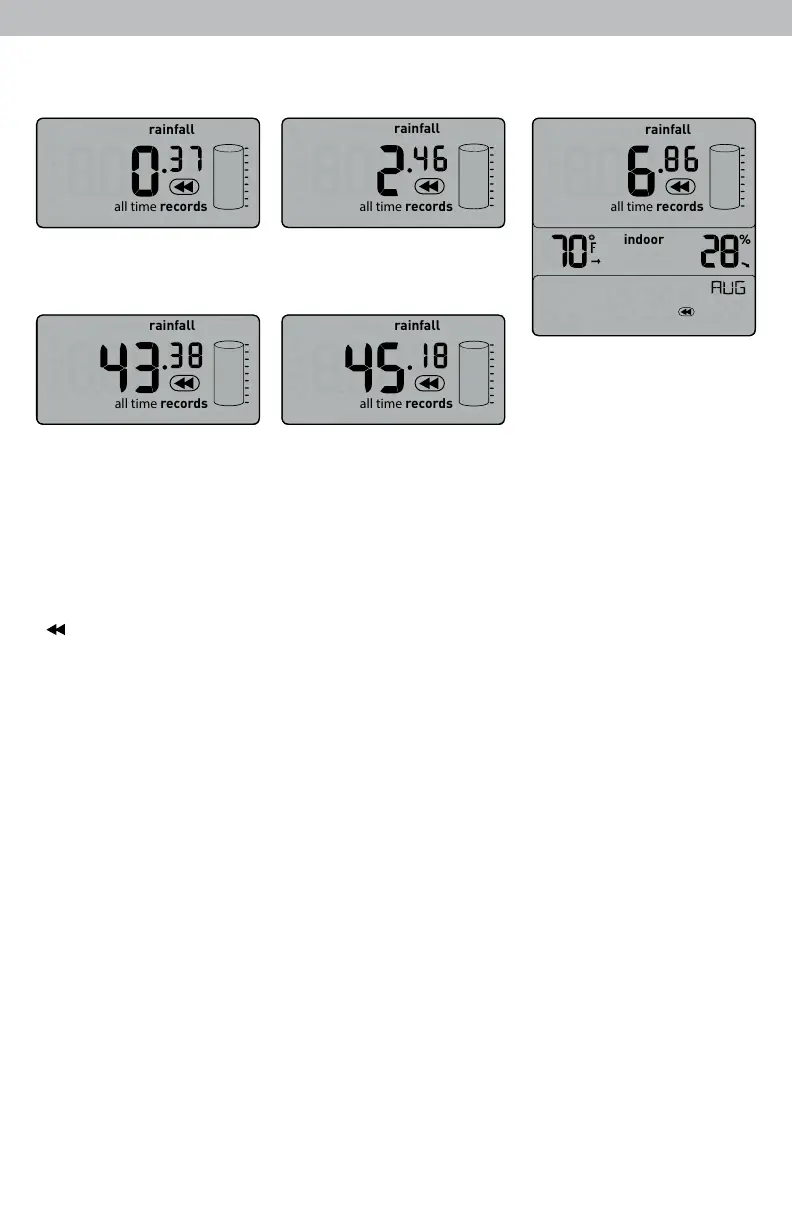
Rainfall History
PREVIOUS DAY
RAINFALL
CURRENT WEEK
RAINFALL
all time
records
today’s rainfall
all time
records
today’s rainfall
all time
records
today’s rainfall
all time
records
today’s rainfall
RAINFALL
FOR MONTH SHOWN
all time
records
today’s rainfall
indoor
shown.
CURRENT YEAR
PREVIOUS YEAR
RAINFALL
RAINFALL
All-Time High & Low Records
All-time high and low records are displayed for indoor and outdoor temperature
and humidity with a timestamp for when the record was set.
View all-time high and low records for temperature and humidity by pressing the
” ” button on front of the display until temperature and humidity records are
To manually clear all-time LOW recorded values, press and hold the “▼”
button located on the back of the display for 2 seconds while viewing the
record you wish to clear.
To manually clear all-time HIGH recorded values, press and hold the “▲”
button located on the back of the display for 2 seconds while viewing the record
you wish to clear.
Daily High & Low Records
Today’s high and low records are displayed for indoor and outdoor temperature
and humidity. Today’s records automatically clear at 12:00am midnight every day.
View today’s high or low records for temperature and humidity by pressing the
“▲” or “▼” buttons located on the back of the display. Press and release again
to cycle through available records.
To manually clear today’s LOW recorded values, press and release the “▼”
button located on the back of the display to view low records, then press and
hold the “▼” button for 2 seconds while viewing the record you wish to clear.
To manually clear today’s HIGH recorded values, press and release the “▲”
button located on the back of the display to view high records, then press and
hold the “▲” button for 2 seconds while viewing the record you wish to clear.
13


 To Next Page