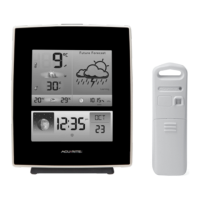
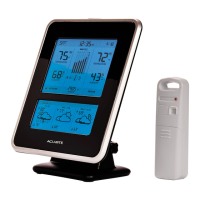
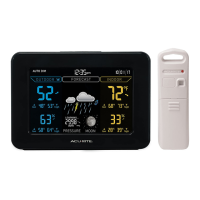
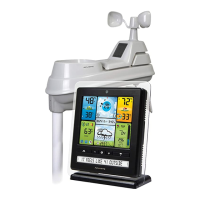
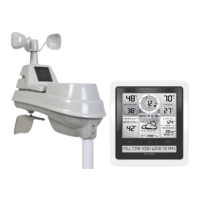
The AcuRite Weather Station, models 02050CAUDI and 02051CAUDI, is a device designed to provide accurate weather information and timekeeping. It consists of a display unit with a tabletop stand and an outdoor sensor.
Function Description
The weather station provides current outdoor and indoor temperature and humidity, moon phase, and a 12 to 24-hour weather forecast. It features a self-calibrating forecasting system that gathers data from an outdoor sensor to generate a personalized forecast for the user's exact location. The display unit shows the current time, date, and barometric pressure, along with high and low records for outdoor temperature and humidity. It also indicates the trend of temperature, humidity, and barometric pressure.
Important Technical Specifications
- Temperature Range:
- Outdoor: -40°C to 70°C; -40°F to 158°F
- Indoor: 0°C to 50°C; 32°F to 122°F
- Humidity Range:
- Outdoor: 1% to 99% RH
- Indoor: 1% to 99% RH
- Wireless Range: 100 m / 330 ft depending on home construction materials
- Operating Frequency: 433 MHz
- Power:
- Display: 5Vdc power adapter, 3 x AA alkaline batteries (optional)
- Sensor: 2 x AA alkaline or lithium batteries
- Data Reporting:
- Outdoor: 16 second updates
- Indoor: 60 second updates
- Intelli-Time® Clock: Pre-programmed with the correct time and date, automatically adjusting for Daylight Saving Time.
- Display Backlight Settings: High (100%) brightness, Medium (60%) brightness, and Low (30%) brightness. An AUTO DIM mode is available for automatic brightness adjustment based on the time of day (100% brightness from 6:00 a.m. - 9:00 p.m. and 30% brightness from 9:01 p.m. - 5:59 a.m.).
Usage Features
Unpacking and Setup:
The device comes with a display unit, outdoor sensor, instruction manual, and power adapter. Users should remove the protective film from the LCD screen before use.
Battery Installation:
- Sensor: The outdoor sensor requires 2 AA alkaline or lithium batteries. An A-B-C switch inside the battery compartment allows selection of a channel (A, B, or C) to synchronize with the display unit. Lithium batteries are recommended for temperatures below -20°C / -4°F.
- Display Unit: The display unit can be powered by a 5Vdc power adapter. Optionally, 3 AA alkaline batteries can be installed for backup power in case of an outage. The display unit also has an A-B-C switch to match the sensor's setting.
- Intelli-Time® Clock Battery: A pre-installed coin-cell battery (CR2032 3V) powers the Intelli-Time® clock, storing time and date settings. This battery has a shelf life of several years and needs to be replaced when the clock loses its settings.
Placement:
- Display Unit: Can be placed on a tabletop using its stand or wall-mounted in a dry, dust-free area.
- Outdoor Sensor: Should be placed outdoors to observe outdoor conditions, away from direct weather elements. It should be located 1 to 2 meters (4 to 8 feet) above the ground with permanent shade and plenty of fresh air. The sensor can be hung using its integrated hang holes or a string. For optimal wireless communication, the sensor should be within 100 meters (330 feet) of the display unit, avoiding large metallic items, thick walls, metal surfaces, or other objects that may limit wireless communication. It should also be at least 0.9 meters (3 feet) away from electronic devices (TV, computer, microwave, radio, etc.).
Synchronization:
After installing batteries in both the sensor and display unit, select the same A-B-C channel on both devices to ensure they synchronize. The display unit will automatically begin to receive data from the sensor.
Intelli-Time® Clock Settings:
The Intelli-Time® clock is pre-programmed. To adjust settings like language, country, time zone, DST, clock hour, minute, calendar month, date, year, temperature scale, and barometric pressure scale, press the "SET" button to enter setup mode. Use the "▲" or "▼" buttons to adjust values and the "SET" button to confirm.
Display Backlight Settings:
Press the "BACKLIGHT" button to cycle through High, Medium, Low, and AUTO DIM brightness settings.
High & Low Records:
The display unit automatically records daily high and low temperatures and humidity. These records clear at 12:00 AM daily. To view current high or low records, press and release the "▲" or "▼" buttons. To manually clear all of today's LOW records, press and hold the "▼" button for 2 seconds. To manually clear all of today's HIGH records, press and hold the "▲" button for 2 seconds.
Barometric Pressure Calibration:
The weather station's default pressure mode is "AUTO," which self-calibrates over a 14-day learning period. To manually calibrate the barometric pressure, press and hold the "SET" button for at least 5 seconds to enter manual pressure mode. Use the "▲" or "▼" buttons to adjust the pressure value.
Maintenance Features
Care & Maintenance:
- Display Unit Care: Clean with a soft, damp cloth. Avoid caustic cleaners or abrasives. Keep away from dust, dirt, and moisture. Clean ventilation ports regularly with a gentle puff of air.
- Outdoor Sensor Care: Clean with a soft damp cloth. Avoid caustic cleaners or abrasives.
Troubleshooting:
The manual provides solutions for common issues such as:
- No outdoor sensor reception: Relocate the display unit and/or outdoor sensor, ensure units are within range, check for interference, and use standard alkaline or lithium batteries.
- Outdoor sensor temperature is flashing or showing dashes: Bring both units indoors, check A-B-C switch, reinstall batteries, and let units sit for 20 minutes to gain a strong connection.
- Inaccurate forecast: Allow the self-calibrating learning mode to complete (up to 33 days).
- Inaccurate temperature or humidity: Ensure display unit and sensor are placed out of direct sunlight and away from heat sources or vents, and that both units are positioned away from moisture sources.
- Display screen not working: Check battery installation, replace batteries if needed, and reset the display by pressing the reset button.
- Unit lost power or batteries were changed and the time is not correct: Replace the Intelli-Time® battery.
Battery Replacement:
- Intelli-Time® Clock Battery: To replace the CR2032 coin-cell battery, locate the battery compartment door on the back of the display unit, unscrew and remove the compartment cover, insert a new CR2032 coin cell with the positive terminal facing OUT, and replace the cover.
- General Battery Replacement: Always use new batteries. Do not mix old and new batteries or types of batteries. Dispose of old batteries properly.
Customer Support:
AcuRite provides customer support via phone at (877) 221-1252 or email at info@chaney-inst.com. Additional resources like installation videos, instruction manuals, user forums, and replacement parts are available on their website, www.AcuRite.com.

 Need help?
 General

 To Next Page