Instruction Manual
SAVE THIS MANUAL FOR FUTURE REFERENCE.
Questions? Contact Customer Support at
(877) 221-1252 or visit www.AcuRite.com.
CONTENTS
Unpacking Instructions ........... 2
Package Contents .................. 2
Product Registration ............... 2
Features & Benets: Sensor ..... 2
Features & Benets: Display .... 3
Setup .................................... 5
Sensor Setup ......................... 5
Display Setup ........................ 6
Intelli-Time
®
Clock .................. 7
Set the Time, Date & Units ...... 7
Backlight Settings ................... 7
Placement Guidelines ............. 8
Using the Weather Station ...... 9
Troubleshooting ....................10
Care & Maintenance ............. 12
Calibration ...........................12
Replace Intelli-Time
®
battery ..13
Specications ........................14
FCC Information ...................14
Customer Support .................15
Warranty..............................15
Weather Station
model 02027/02022WB

 Need help?
 General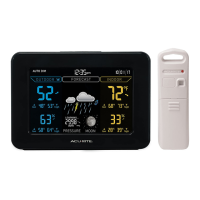

 To Next Page