EasyManua.ls Logo

ACU-RITE 02032C - User Manual

ACU-RITE 02032C
24 pages
Print Icon
To Next Page IconTo Next Page
Loading...
Instruction Manual
CONTENTS
Unpacking Instructions ........... 2
Package Contents .................. 2
Product Registration ............... 2
Features & Benets: 5-in-1....... 3
Features: Display Unit ............ 4
Back of Display Unit............... 6
Setup .................................... 7
5-in-1 Sensor Setup ................ 7
Display Unit Setup ................. 8
PC Connect for Windows
Overview .............................. 9
PC Connect for Windows
Modes .................................. 9
PC Connect for Windows
Software ..............................10
Set the Time, Date & Units ..... 11
Backlight Settings..................11
Placement Guidelines ............12
5-in-1 Sensor Installation........13
Using the Weather Center .....14
Rainfall Tracking ...................15
Weather Ticker .....................16
Troubleshooting ....................17
Care & Maintenance............ 20
Calibration .......................... 20
Specications....................... 22
FCC Information .................. 22
Customer Support ................ 23
Warranty............................. 23
Professional Weather Center
model 02032C / 888143
Questions? Contact Customer Support at
(877) 221-1252 or visit www.AcuRite.com.
SAVE THIS MANUAL FOR FUTURE REFERENCE.
Question and Answer IconNeed help?

Do you have a question about the ACU-RITE 02032C and is the answer not in the manual?

Overview

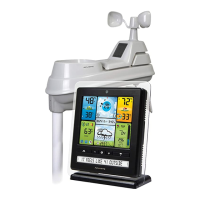
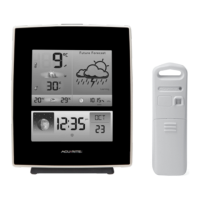
The AcuRite Professional Weather Center (models 02032C / 888143) is a comprehensive weather station designed to provide accurate, real-time weather information and forecasts. It consists of a 5-in-1 outdoor sensor and an indoor display unit, with optional PC connectivity for data logging and online streaming.

Function Description

The AcuRite Professional Weather Center measures various environmental conditions both indoors and outdoors. The 5-in-1 outdoor sensor collects data on temperature, humidity, wind speed, wind direction, and rainfall. This data is wirelessly transmitted to the indoor display unit, which then presents the information in an easy-to-read format. The display unit also generates a personalized 12 to 24-hour weather forecast based on the collected data through a self-calibrating forecasting system.

Key functions include:

  • Outdoor Temperature & Humidity: Measures current outdoor temperature and humidity, with trend indicators.
  • Indoor Temperature & Humidity: Measures current indoor temperature and humidity, with trend indicators.
  • Wind Speed & Direction: Displays current, average, and peak wind speeds, along with the current wind direction and previous two wind directions.
  • Rainfall Tracking: Records current, daily, previous event, monthly, yearly, and all-time rainfall totals.
  • Barometric Pressure: Displays current barometric pressure with a trend indicator.
  • Weather Forecast: Provides a 12 to 24-hour forecast based on self-calibrating data from the 5-in-1 sensor.
  • Weather Ticker™: Automatically flashes real-time weather information and alerts as text messages on the display unit screen, including heat index, wind chill, dew point, temperature changes, high/low records, moon phase, and sensor status.
  • Clock & Date: Displays the current time and date.
  • PC Connect for Windows: Allows users to access weather data on a PC for logging, viewing via a widget, or streaming to online platforms and mobile apps.

Important Technical Specifications

  • Temperature Range:
    • Outdoor: -40°F to 158°F; -40°C to 70°C
    • Indoor: 32°F to 122°F; 0°C to 50°C
  • Humidity Range:
    • Outdoor: 1% to 99%
    • Indoor: 1% to 99%
  • Wind Speed: 0 to 99 mph; 0 to 159 kph
  • Wind Direction Indicators: 16 points
  • Rainfall: 0 to 393 in; 0 to 9999mm
  • Wireless Range: 330ft / 100m (depending on home construction materials)
  • Operating Frequency: 433 MHz
  • Power:
    • Display: 4.5VDC, 250mA adapter (primary), 3 x AA alkaline batteries (optional backup)
    • Sensor: 4 x AA alkaline or lithium batteries
  • Data Reporting:
    • Wind Speed: 18 second updates
    • Wind Direction: 30 second updates
    • Outdoor temperature & humidity: 36 second updates
    • Indoor temperature & humidity: 60 second updates
    • PC Connect CSV Data Logging: 12 minute intervals
    • PC Connect to AcuRite Software/App: 18 seconds
  • Display Unit Memory: 512 kilobytes (not expandable)
  • PC Connect for Windows System Requirements: Windows® XP / Vista / 7 / 8 and available USB port. High-speed internet is required for some advanced features of PC Connect for Windows, such as the AcuRite software and app.

Usage Features

  • Easy Setup: Includes an A-B-C switch for wireless synchronization between the sensor and display, and clear instructions for battery installation and sensor placement.
  • Display Backlight Settings: The color display offers High (100%), Medium (60%), and Low (30%) brightness settings. When powered by the adapter, the backlight remains on, with an "AUTO DIM" mode that adjusts brightness based on the time of day and year.
  • Customizable Units: Users can select preferred units for temperature (°F or °C), wind speed (MPH, KPH, Knots), rainfall (in or mm), and pressure (inHg or hPa).
  • Weather Select: The display allows users to cycle through various data categories like heat index, dew point, wind chill, "feels like" temperature, days with rain this month, and days since last recorded rainfall.
  • Rainfall Tracking: A dedicated "RAINFALL" button allows users to view rainfall data by month, year, and all-time totals.
  • Storm Alert Indicator: An icon appears on the display to indicate potential storm conditions.
  • Learning Mode: The weather station enters a "Learning Mode" for 33 days to self-calibrate and generate the most accurate personalized forecast. The "Learning Mode" icon disappears once calibration is complete.
  • PC Connect USB Modes: Four distinct USB modes allow users to control data logging, PC transfer, and online streaming functionalities, providing flexibility for how data is managed and accessed.
  • Online Connectivity: Through PC Connect, users can stream data to AcuRite's online software and mobile app, enabling remote monitoring of sensor data.
  • Integrated Hang Hole: The display unit features a hang hole for easy wall mounting, in addition to its tabletop stand.

Maintenance Features

  • Cleaning:
    • Display Unit: Clean with a soft, damp cloth. Avoid caustic cleaners or abrasives.
    • 5-in-1 Sensor: Clean the exterior with a soft damp cloth. Regularly clear debris from the rain collector funnel and debris screen.
  • Insect Prevention: To prevent insects from obstructing the 5-in-1 sensor, a household insect repellent can be applied.
  • Wind Vane & Anemometer Maintenance: Periodically remove foreign matter from the wind vane and anemometer. If needed, a small amount of spray lubricant, clear silicone, or graphite powder can be applied to the anemometer for improved movement.
  • Battery Replacement: The display unit uses 3 AA batteries for backup, and the 5-in-1 sensor uses 4 AA batteries. Lithium batteries are recommended for the 5-in-1 sensor in low-temperature conditions (below -4°F / -20°C).
  • Calibration:
    • Temperature & Humidity: Indoor and outdoor temperature and humidity can be calibrated to improve accuracy.
    • Barometric Pressure: Barometric pressure can be calibrated when the display is in MANUAL pressure mode.
    • Rain Gauge: The rain gauge on the 5-in-1 sensor can be calibrated for improved accuracy by adjusting calibration screws on the bottom of the sensor. A specific procedure involving a measured amount of water is provided for precise calibration.
  • Troubleshooting Guide: The manual includes a comprehensive troubleshooting section to address common issues such as no outdoor sensor reception, inaccurate readings, or display malfunctions, offering solutions like relocating units, checking batteries, synchronizing units, and clearing debris.
  • Reset Function: A "CLEAR RECORD / RESET" button on the back of the display unit allows users to clear current records or perform a full factory reset.

ACU-RITE 02032C Specifications

General IconGeneral
BrandACU-RITE
Model02032C
CategoryWeather Station
LanguageEnglish

Related product manuals