EasyManua.ls Logo

ACU-RITE SENC 150 - User Manual

ACU-RITE SENC 150
12 pages
Print Icon
To Next Page IconTo Next Page
Loading...
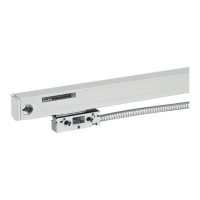
SENC 150
SENC 150
SENC 150
READING HEAD REPLACEMENT INSTRUCTIONS

Other manuals for ACU-RITE SENC 150

Question and Answer IconNeed help?

Do you have a question about the ACU-RITE SENC 150 and is the answer not in the manual?

Summary

Introduction and Supplied Items

Preparing the Reading Head Removal

Preparing the Removal Steps

Remove cable ties or retaining clips and disconnect the reading head cable from the readout.

Installing Alignment Brackets

Attach alignment brackets by inserting top ears into bottom grooves in the scale case.

Removing the Encoder and Reading Head

Removing Reading Head Screws

Remove the two reading head mounting fasteners.

Removing Center Support

Remove the fastener from the center support if one is present.

Removing End Hole or Set Screws

Remove end hole mounting fasteners or loosen set screws and remove the scale case.

Removing End Cap(s)

Remove the end cap(s) using a spring clip, with caution not to lose it.

Removing the Reading Head Assembly

Reading Head Removal Procedure

Gently slide the reading head out of the end of the scale case and place it in a safe location.

Inserting the Reading Head

Using the Insertion Tool

Push the insertion tool into the scale case until it stops against the glass blade.

Aligning Tool and Scale

Note the orientation of the reading head to the insertion tool for proper alignment.

Final Reading Head Insertion

Slide the reading head gently to the center of the scale case and remove the insertion tool.

Preparing for Remounting

Installing Alignment Brackets

Attach alignment brackets by inserting top ears into bottom grooves in the scale case.

Determining Cable Direction

Determine cable exit direction before mounting, and rotate cover plate if needed.

Remounting the Encoder Assembly

Encoder Remounting Procedure

Remount the encoder using the original brackets, fasteners, and spar or support.

Removing Alignment Brackets

Slide the alignment brackets away from the reading head and save them for future use.

Checking the Mounting and Shielding

Connecting the Encoder Cables

Route cables with slack loops, secure excess cable, and attach connectors to the readout.

Checking Electrical Shielding

Measure resistance between connector housing and scale unit; desired value is 1 Ohm max.

Summary

Introduction and Supplied Items

Preparing the Reading Head Removal

Preparing the Removal Steps

Remove cable ties or retaining clips and disconnect the reading head cable from the readout.

Installing Alignment Brackets

Attach alignment brackets by inserting top ears into bottom grooves in the scale case.

Removing the Encoder and Reading Head

Removing Reading Head Screws

Remove the two reading head mounting fasteners.

Removing Center Support

Remove the fastener from the center support if one is present.

Removing End Hole or Set Screws

Remove end hole mounting fasteners or loosen set screws and remove the scale case.

Removing End Cap(s)

Remove the end cap(s) using a spring clip, with caution not to lose it.

Removing the Reading Head Assembly

Reading Head Removal Procedure

Gently slide the reading head out of the end of the scale case and place it in a safe location.

Inserting the Reading Head

Using the Insertion Tool

Push the insertion tool into the scale case until it stops against the glass blade.

Aligning Tool and Scale

Note the orientation of the reading head to the insertion tool for proper alignment.

Final Reading Head Insertion

Slide the reading head gently to the center of the scale case and remove the insertion tool.

Preparing for Remounting

Installing Alignment Brackets

Attach alignment brackets by inserting top ears into bottom grooves in the scale case.

Determining Cable Direction

Determine cable exit direction before mounting, and rotate cover plate if needed.

Remounting the Encoder Assembly

Encoder Remounting Procedure

Remount the encoder using the original brackets, fasteners, and spar or support.

Removing Alignment Brackets

Slide the alignment brackets away from the reading head and save them for future use.

Checking the Mounting and Shielding

Connecting the Encoder Cables

Route cables with slack loops, secure excess cable, and attach connectors to the readout.

Checking Electrical Shielding

Measure resistance between connector housing and scale unit; desired value is 1 Ohm max.

ACU-RITE SENC 150 Specifications

General IconGeneral
BrandACU-RITE
ModelSENC 150
CategoryMedia Converter
LanguageEnglish