SENC 150 Reading Head Replacement Instructions
7
Removing the reading head Cleaning the glass scale
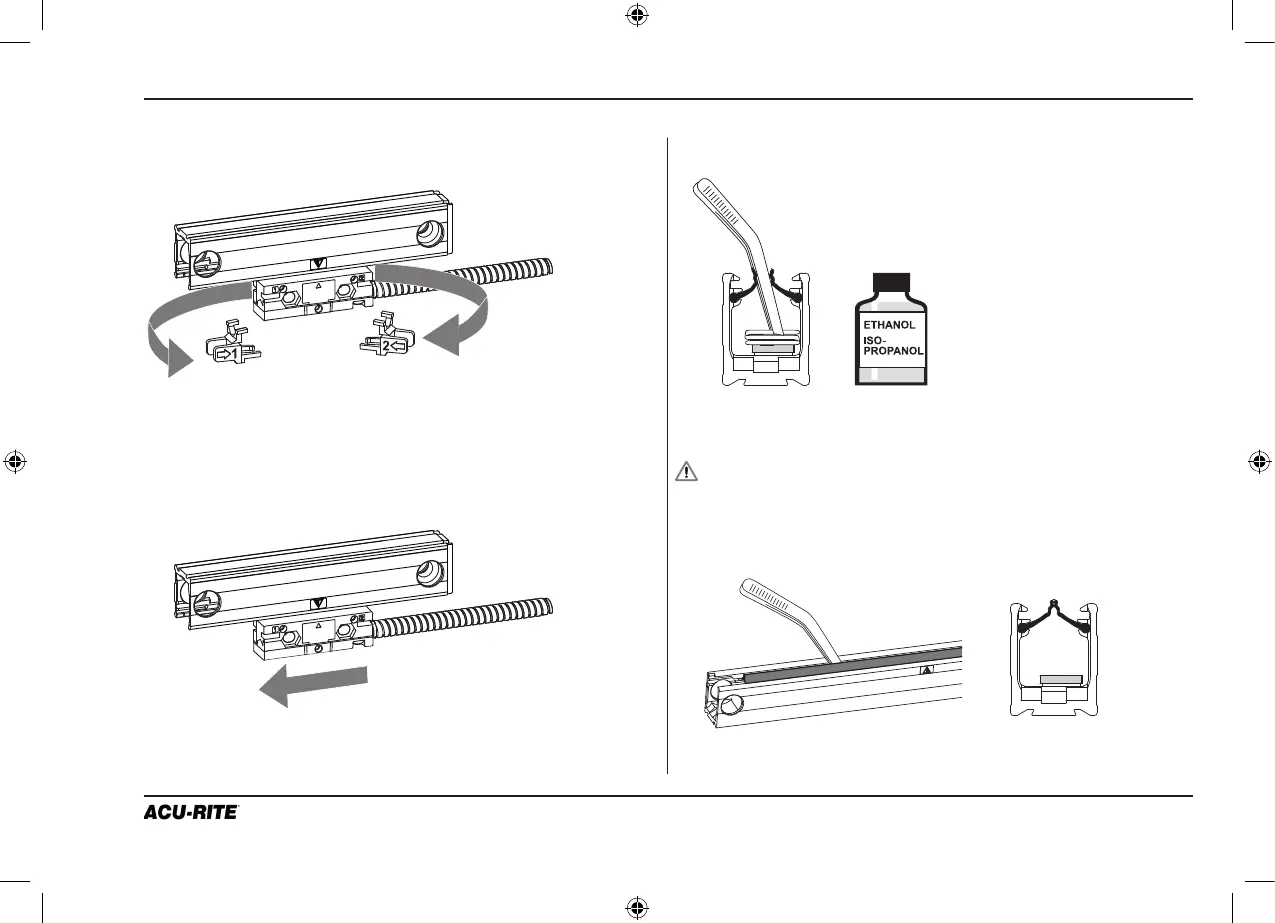
Remove the alignment brackets.
Gently slide the reading head out of the end of the scale case.
Place the defective reading head in a safe location.
Saturate a clean cotton swab or lint-free cloth with alcohol.
Clean the glass scale by wiping the surface and edge.
Wipe until no residue is found on the swab or cloth.
Do not scratch the inside of the scale.
Lip seals may be removed for glass cleaning if desired.
Gently pull seals out through the end of the scale case.
Reinsert the lip seals into the end of the scale case, and gently
pull them through the extrusion. Center the seals in the case.
Run a plastic pin between the lip seals to reset them into position.
Slide brackets away from
reading head and cable.
Twist brackets 45° to remove.
4 Removing the reading head
5 Cleaning the scale


 To Next Page