78 Navigation System
Driving to Your Destination
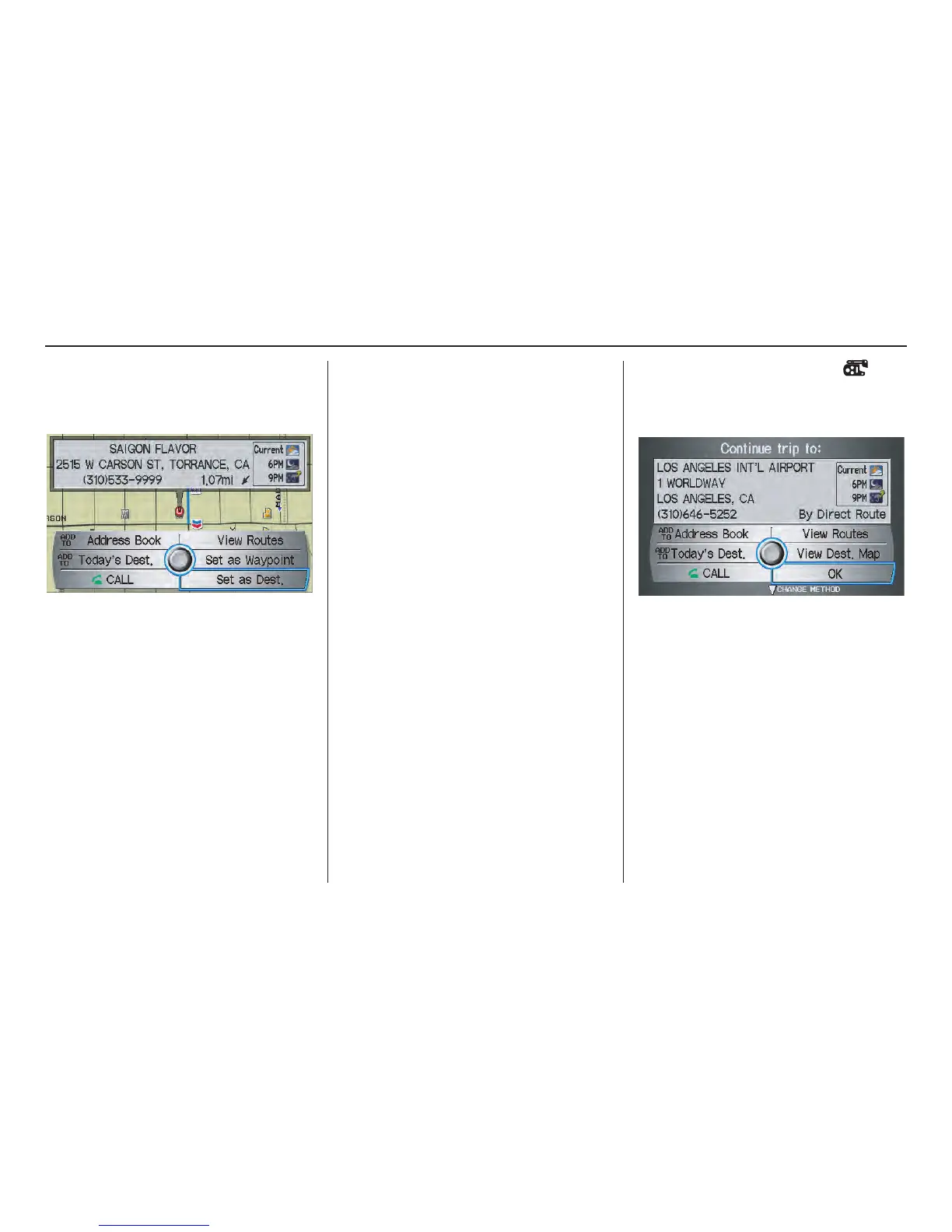
When the pop-up menu is displayed,
select Set as Dest. to set your location
as a replacement destination, or Set as
Waypoint to set as a waypoint.
The system will return to the map
screen and recalculate the route to your
new destination or waypoint.
NOTE:
When you scroll the map screen while
en route to a destination, some voice
controls will not function. These
include:
• Display “Heading up”
• Display “North up”
Entering a Destination from the
Menu Screen (while en route)
If you say “Menu,” or press the MENU
button and select the “Enter destination
by” tab, the system displays the MENU
screen (Enter destination by). Follow
the procedure described in Entering a
Destination, which begins on page 28.
When the Calculate route to screen is
displayed, select OK and push in on the
Interface Dial. You can select either
Set as New Destination or Set as
Waypoint for your specified position.
When the pop-up menu is displayed,
select Set as Dest. to set your location
as a replacement destination, or Set as
Waypoint to set as a waypoint.
The system will return to the map
screen, and recalculate the route to your
specified new destination or waypoint.
Tip:
You can also press the MENU button
twice to display the MENU screen
(Enter destination by).
Continue Trip Screen
If you restart the vehicle without having
completed your prior trip, you will see
the following screen:
• To continue to your destination or
other waypoints, say or select OK.
• To cancel your destination, press the
CANCEL button or the NAVI
BACK button on the steering wheel,
or using the voice control system, say
“Cancel” or “Back.”
• If you wish to change the routing
method, say or select CHANGE
METHOD by moving the Interface
Dial down.



 To Next Page
 Loading...





