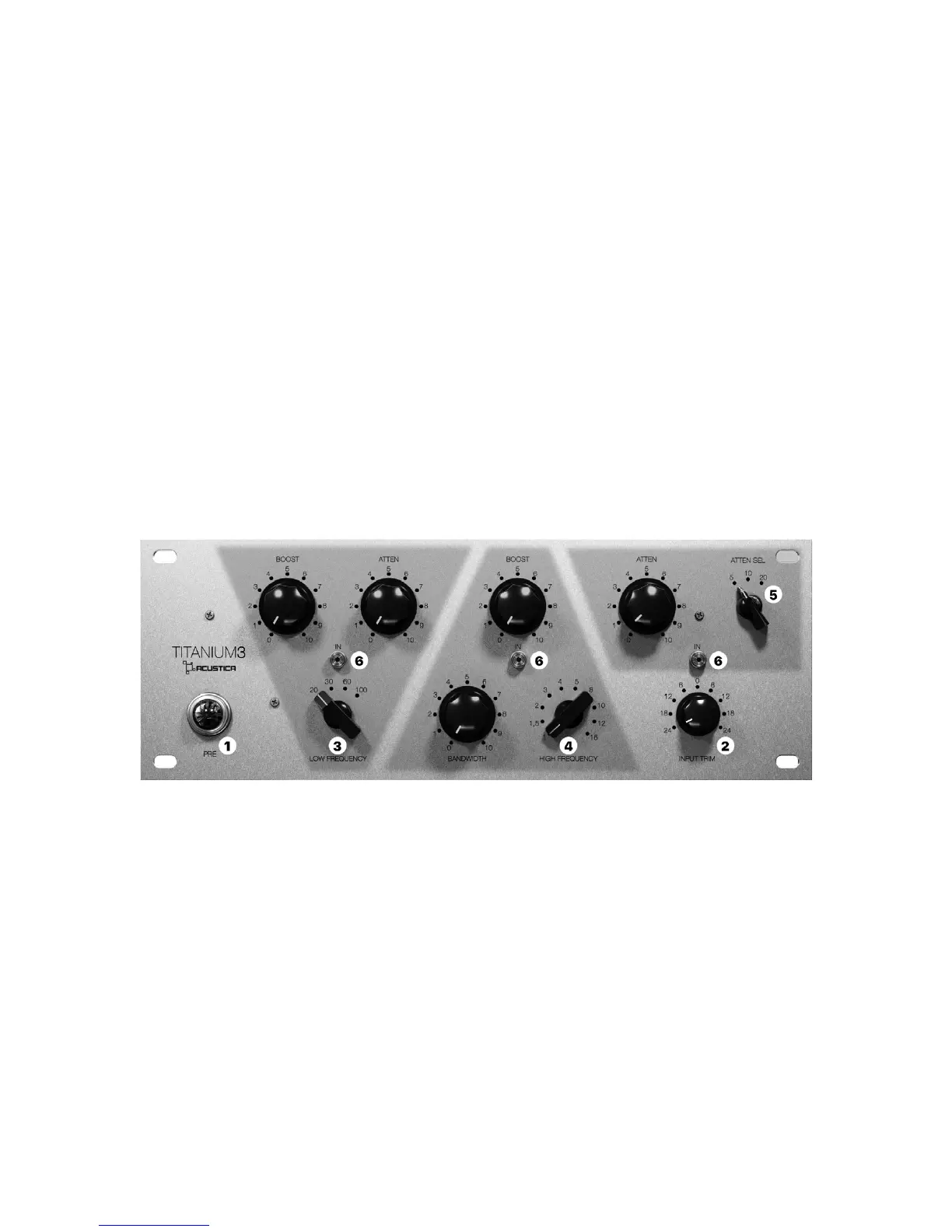
1 - PRE: push the Led to enable the preamp stage of
the EQ.
2 - INPUT (TRIM): this function allows for a “one
knob” internal gain staging control by automatically
linking input and output gain stages with an inverse
law. The control sets the input level from -24dB to
+24dB, and it is used to adjust the internal operational
level of the plugin. Note that this is dierent from a
standard input gain control due to the linked output
gain stage, which always ensures that whatever gain
change is introduced at Titanium’s input, the output
level is automatically compensated so that there’s no
perceived level change.
When a positive value is selected the signal entering
Titanium3 is brought up by the set amount in dB and
the device will operate at a higher internal level.
This will result in higher harmonic distortion levels
and stronger compression, negative values will result
in lower internal operational level.
Frequency control: Frequency control is stepped and
each band provides a wide range of frequency choices
Available frequencies are:
3 - Low boost/attenuate: 20 Hz, 30 Hz, 60 Hz, 100
Hz. (0 to approx + 10 dB, 0 to -10 dB)
4 - High boost with variable bandwidth: 1 kHz, 1.5
kHz, 2 kHz, 3 kHz, 4 kHz, 5 kHz, 8 kHz, 10 kHz, 12 kHz,
16 kHz. (0 to approx + 10 dB; bandwidth = sharp; 0 to
approx +10 dB; bandwidth= broad)
5 - High attenuate: 5 kHz, 10 kHz, 20 kHz (0 to ap-
prox - 10 dB).
6 - Band power switches (IN): Band power switches
enable and disable each EQ band. You have to click on
the IN button to enable and click again to disable it.
13.2 Titanium3 EQ
32


 To Next Page