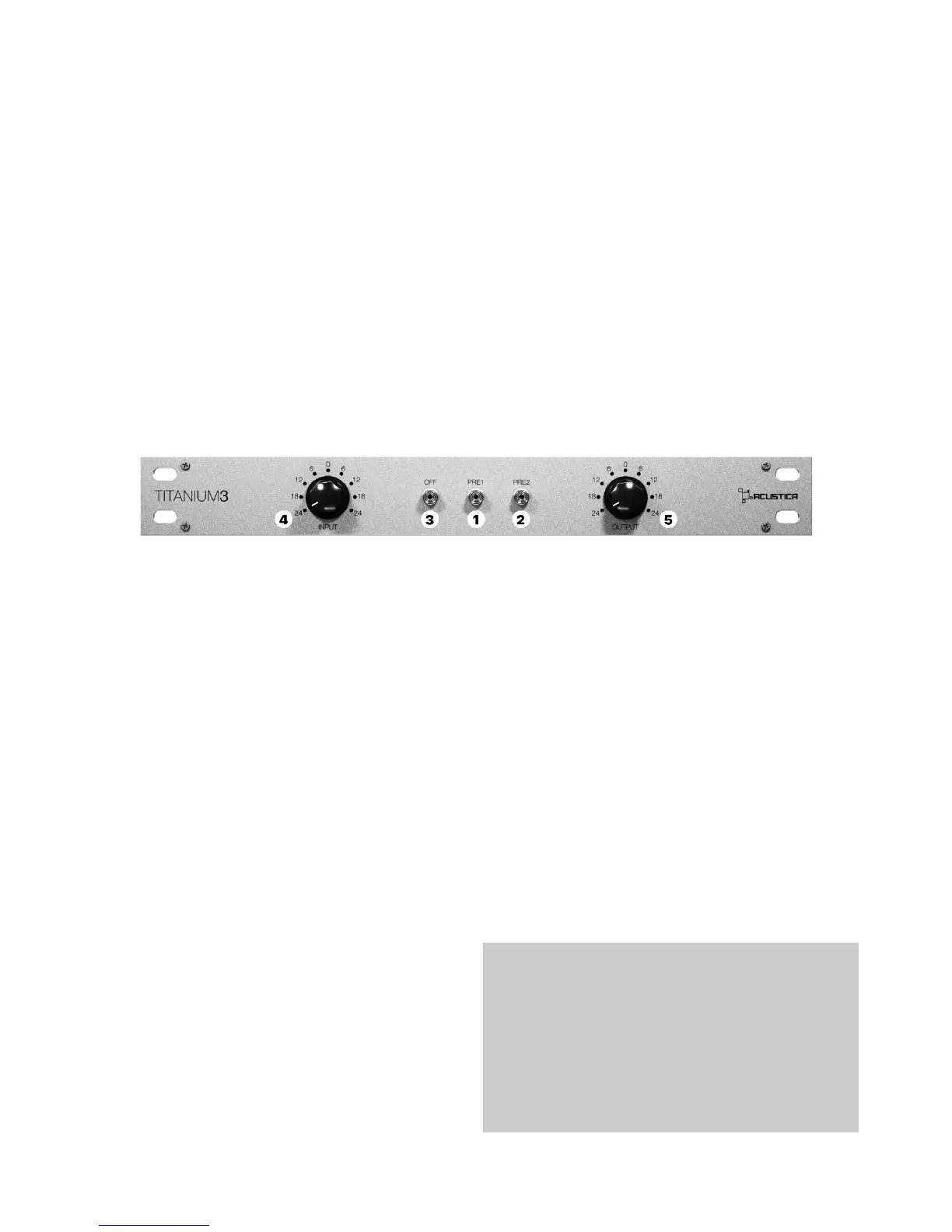
Titanium 3 PRE (and channel-strip version) features
dierent pre-ampliers, capable of adding warmth to
your sound.
1 - PRE1: this enables the COMP preamp stage
(MONO)
2 - PRE2: this enables the EQ preamp stage (MONO)
They give an essential contribution to the authenticity
of the global tone color of this dynamic processor.
3 - OFF: preamp bypass, this is a bypass that cuts the
preamp stage out of the signal chain when you press
this button.
4 - INPUT (TRIM): this function allows for a “one knob”
internal gain staging control by automatically linking
input and output gain stages with an inverse law.
The control sets the input level from -24dB to +24dB,
and it is used to adjust the internal operational level of
the plugin. Note that this is dierent from a standard
input gain control due to the linked output gain stage,
which always ensures that whatever gain change is
introduced at Titanium’s input, the output level is
automatically compensated so that there’s no per-
ceived level change. When a positive value is selected
the signal entering Titanium3 is brought up by the set
amount in dB and the device will operate at a higher
internal level. This will result in higher harmonic dis-
tortion levels and stronger compression, negative val-
ues will result in lower internal operational level.
5 - OUTPUT: this knob is an output gain control rang-
ing from -24dB to +24dB.
13.3 Titanium3 Pre
14. Product Registration
15. Product Authorization
Product registration is automatic after you purchase
a product in our web-shop and your newly purchased
product will be available to download using our brand
new assistant application called Aquarius.
For details about registration please refer to Aquarius
user’s manual in the website.
Product authorization and de-authorization is an on-
line automatic process that creates a product license
based on your computer’s identication code.
This procedure is automatically guaranteed by our
brand new application, Aquarius. Its purpose is to
simplify and automate the authorization, installation
and uninstallation process of your purchased Acustica
products (ACQUA plug-ins etc.).
For details about installation/authorization please re-
fer to Aquarius user’s manual in the website.
RECOMMENDATION:
We recommend to always update Aquarius to
the latest version available, in case of authoriza-
tion problems with an Acqua plugin, we recom-
mend to proceed with a product uninstall and
re-install through Aquarius app.
33


 To Next Page