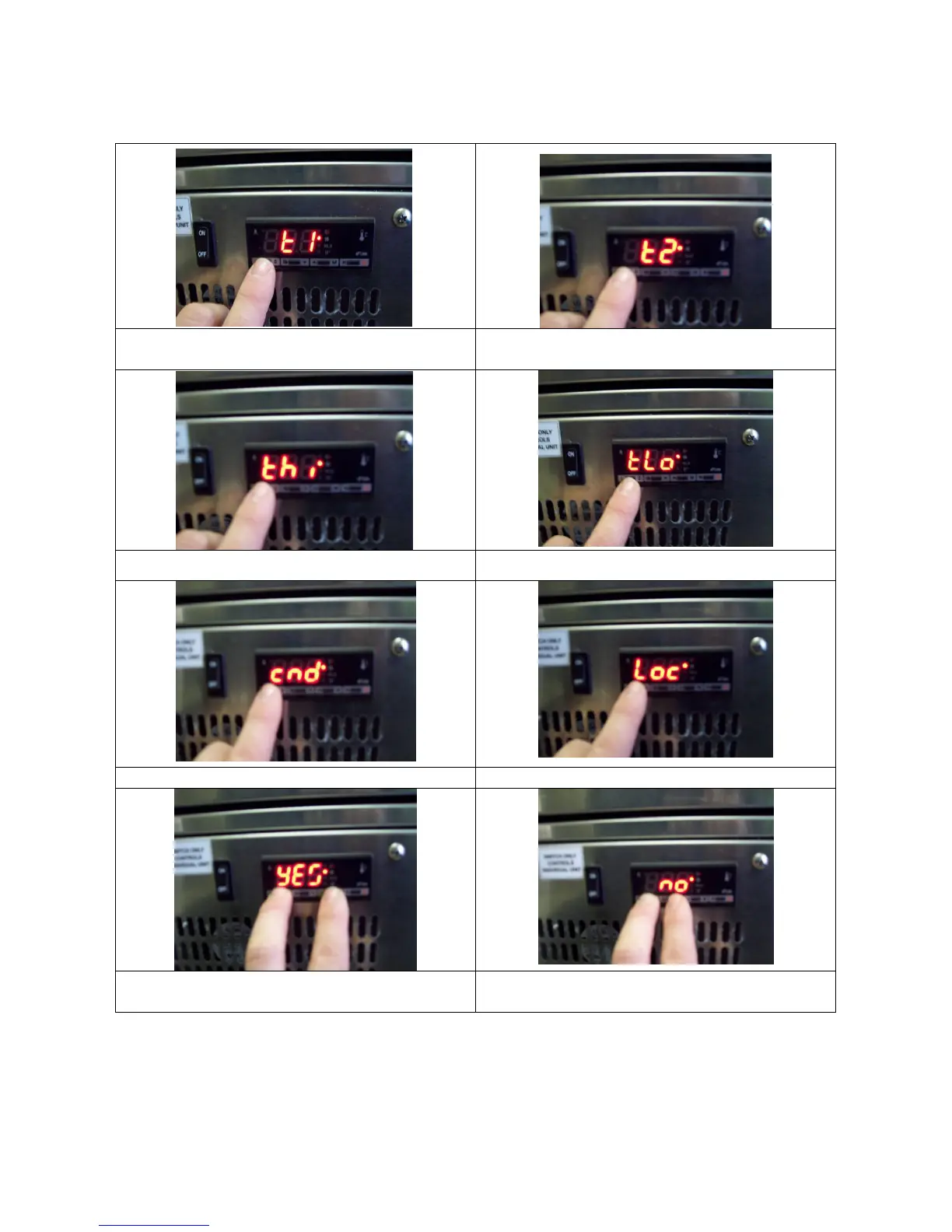
The controller can be locked to avoid accidental modification of drawer set point
temperature.
a) Press and immediately release “i” button
to display ‘T1’
b) Press button “i” again to display ‘T2’
c) Press button “i”again to display ‘TH1’ d) Press button “i”again to display ‘TLO’
e) Press button “i”again to display ‘CND’ f) Press button “i”again to display ‘LOC’
g) Hold the “i” button to display either yes
or no
h) Press either of the or buttons to
change yes/no setting
Figure 3: Locking Adande
®
Display Control Panel
ADE- 2015-B Page 6


 To Next Page