Chapter 4: Understanding SCSI ● 20
If you manually terminate the SCSI card with jumpers, you will override the SCSISelect setting.
Making changes in SCSISelect will have no effect on termination when these jumpers are
installed.
You might want to manually terminate the SCSI card if an Adaptec SCSI Card is connected to
one or more external SCSI devices that are also connected to a SCSI card in another system.
The devices can be shared between the two computers if one SCSI card is terminated when it is
powered off, while the system with the other SCSI card is using the SCSI devices.
Connecting SCSI Devices
Here are some examples of how you can connect internal and external SCSI devices to an
Adaptec SCSI Card. Attach the first device to the end connector of the cable (furthest from the
SCSI card); attach other devices to the connectors that are closer to the SCSI card.
Adaptec SCSI Card 29320LPE
Here are some examples of how you can connect internal and external SCSI devices to the
Adaptec SCSI 29320LPE card.
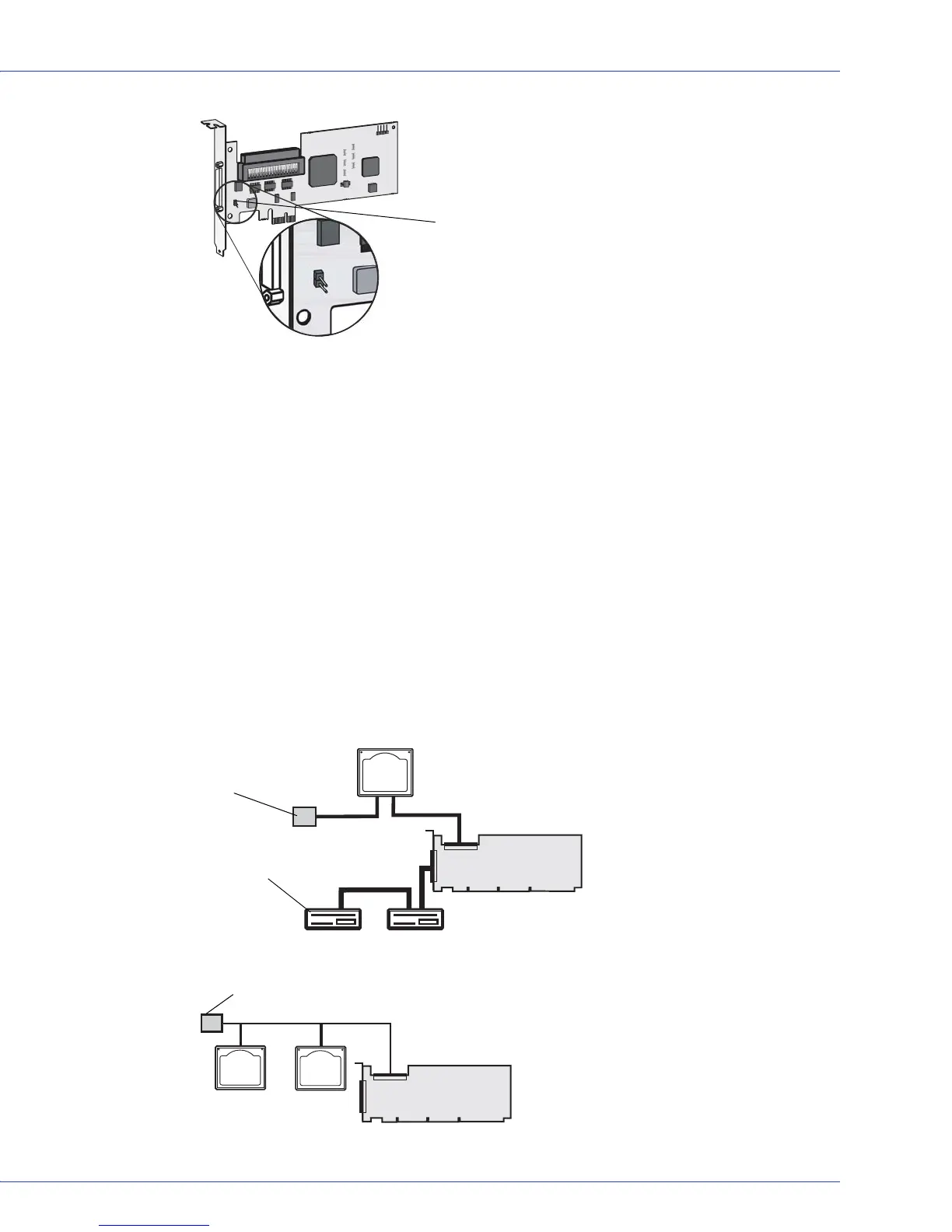
The following figure shows SCSI devices connected to the internal connector.
Termination Enable Jumper J4
T
T
Built-in Terminator on
Cable
Terminated Device
T
Built-in Terminator on Cable



 To Next Page