Chapter 5: Getting Started ● 24
Before You Begin
● Read the safety information on page 45.
● Familiarize yourself with your SCSI card’s physical features (see page 13).
● Ensure that you have the proper cables for your SCSI card and disk drives (see page 22).
● If you have a low-profile computer cabinet, replace the original full-height bracket with
the low-profile bracket supplied in the SCSI card kit.
● Handle the SCSI card by its bracket or edges only.
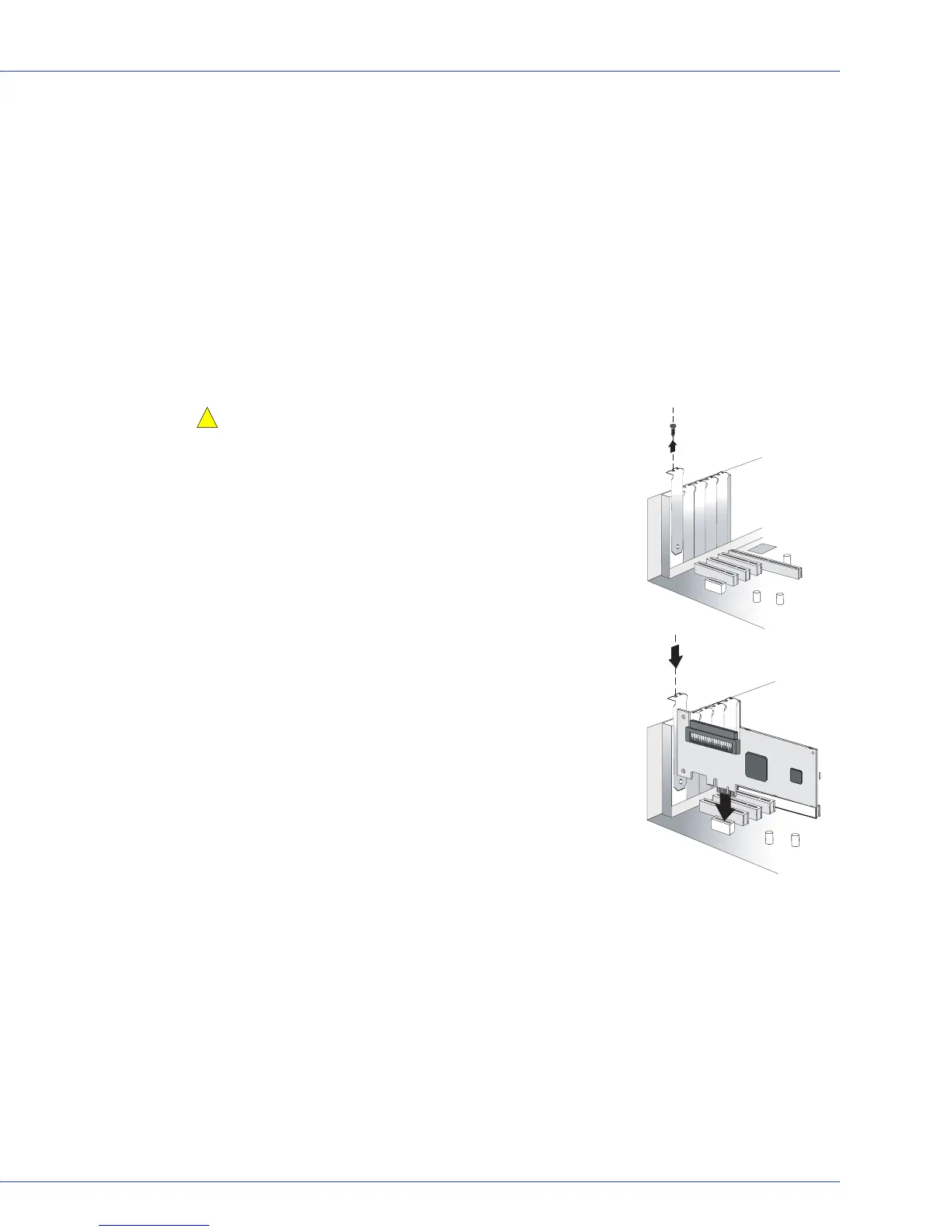
Installing the Adaptec SCSI Card
This section describes how to install your Adaptec SCSI card into your computer cabinet.
Caution:
Electrostatic Discharge (ESD) can damage your
SCSI card. Handle the SCSI card carefully so that you do not
expose it to static charge.
1
If you have a low-profile computer cabinet, replace the
original full-height bracket on the SCSI card with the low-
profile bracket supplied in the SCSI card kit.
2 Turn off your system and disconnect the power cord.
3 Open the cabinet, following the manufacturer’s
instructions.
4 Insert the SCSI card into an available PCIe slot (compliant
with PCIe rev. 1.0) and secure the bracket in the PCIe slot,
using the retention device (for instance, a screw or lever)
supplied with your system.
5 Install and connect any internal drives using the
appropriate cable(s), then close the computer cabinet.
Note:
If you connect non-LVD/SE (Wide Ultra/Ultra) SCSI devices
to the same SCSI channel as LVD (Ultra320, Ultra160 and Ultra2)
SCSI devices, the data transfer rate for the LVD SCSI devices will
drop to non-LVD/SE performance levels. To achieve maximum
data transfer rates for the LVD SCSI devices, be sure to keep them
separate.
Connecting Disk Drives
1 Set the SCSI ID of each disk drive to a unique number between 0 and 15. The SCSI card is
set to ID 7 by default. Although not recommended, you can change the SCSI card ID by
using the SCSISelect utility (see page 34).
Note:
Do not change the SCSI card ID unless absolutely necessary.
2
Install a terminator (or enable termination) on the disk drive at the end of each cable, or
the end of the cable itself.
!



 To Next Page