Chapter 8: Configuring the Adaptec SCSI Card with SCSISelect ● 43
Using SCSI Disk Utilities
The disk utilities provide options for:
● Listing SCSI IDs and LUNs
● Verifying or Formatting a disk
Listing SCSI IDs and LUNs
With SCSISelect, you can list the SCSI IDs of devices attached to the SCSI card. This enables
you to quickly verify that no devices on the SCSI bus have duplicate IDs.
To view the SCSI IDs:
1 Start SCSISelect. See Starting SCSISelect on page 36.
SCSISelect detects all Adaptec SCSI cards and displays the model number, channel letter,
slot number, and PCI address for each SCSI card and channel.
2 Select the SCSI card and channel that has the devices you want to list. The Options menu
appears.
3 Select SCSI Disk Utilities.
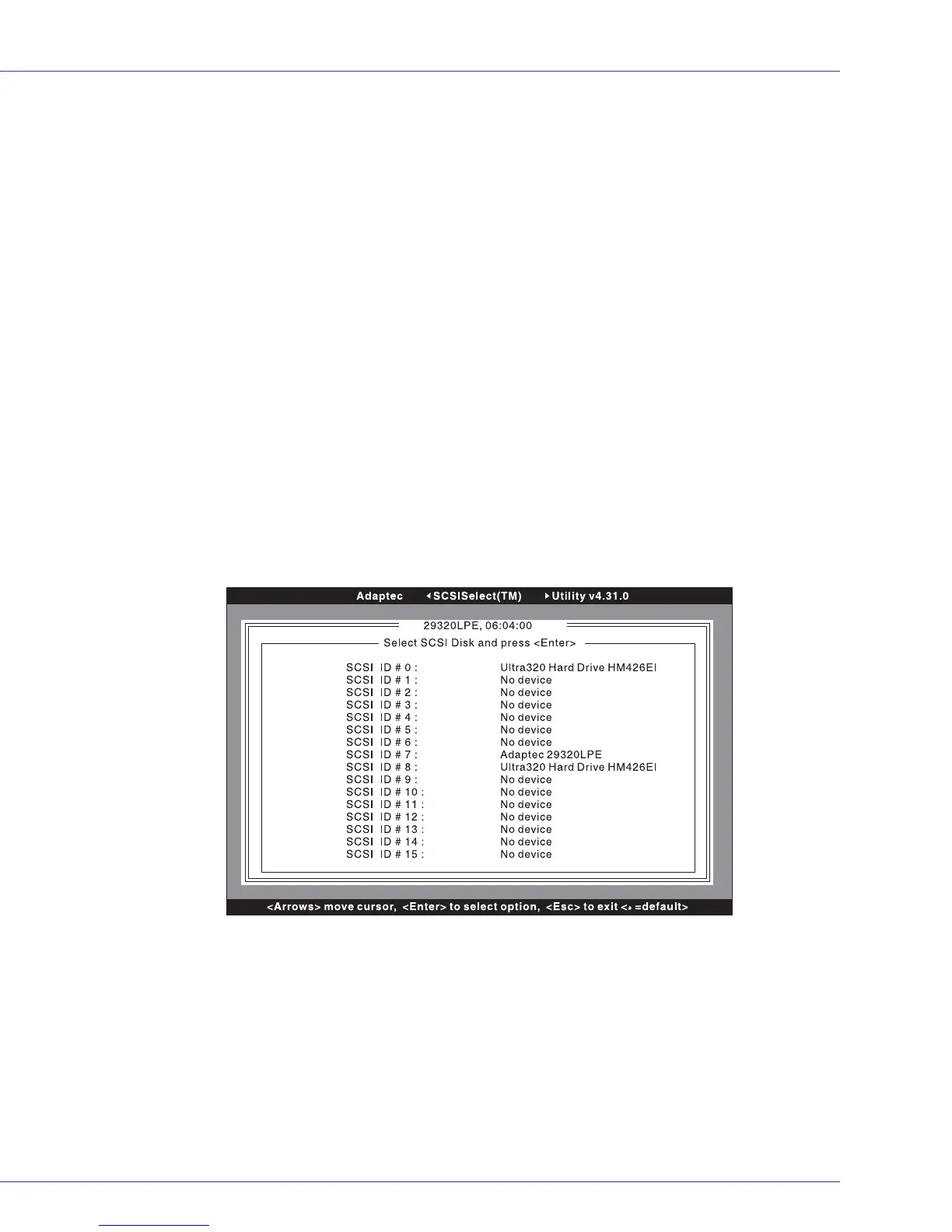
SCSISelect scans the SCSI bus (to determine the devices installed) and displays a list of all
SCSI IDs and the devices assigned to each ID.
If a device does not show up in SCSISelect, check these items first:
● Is the device attached to the SCSI cable?
● Is there power to the device?
● Does the device have a unique SCSI ID?
If two devices are on the same ID and are on the same bus, only one device or neither
of the devices may show up. To correct this, make sure that each device has a unique
SCSI ID.
4 Use the ↑ and ↓ keys to move the cursor to a specific ID and device, then press Enter.



 To Next Page