Chapter 8: Configuring the Adaptec SCSI Card with SCSISelect ● 42
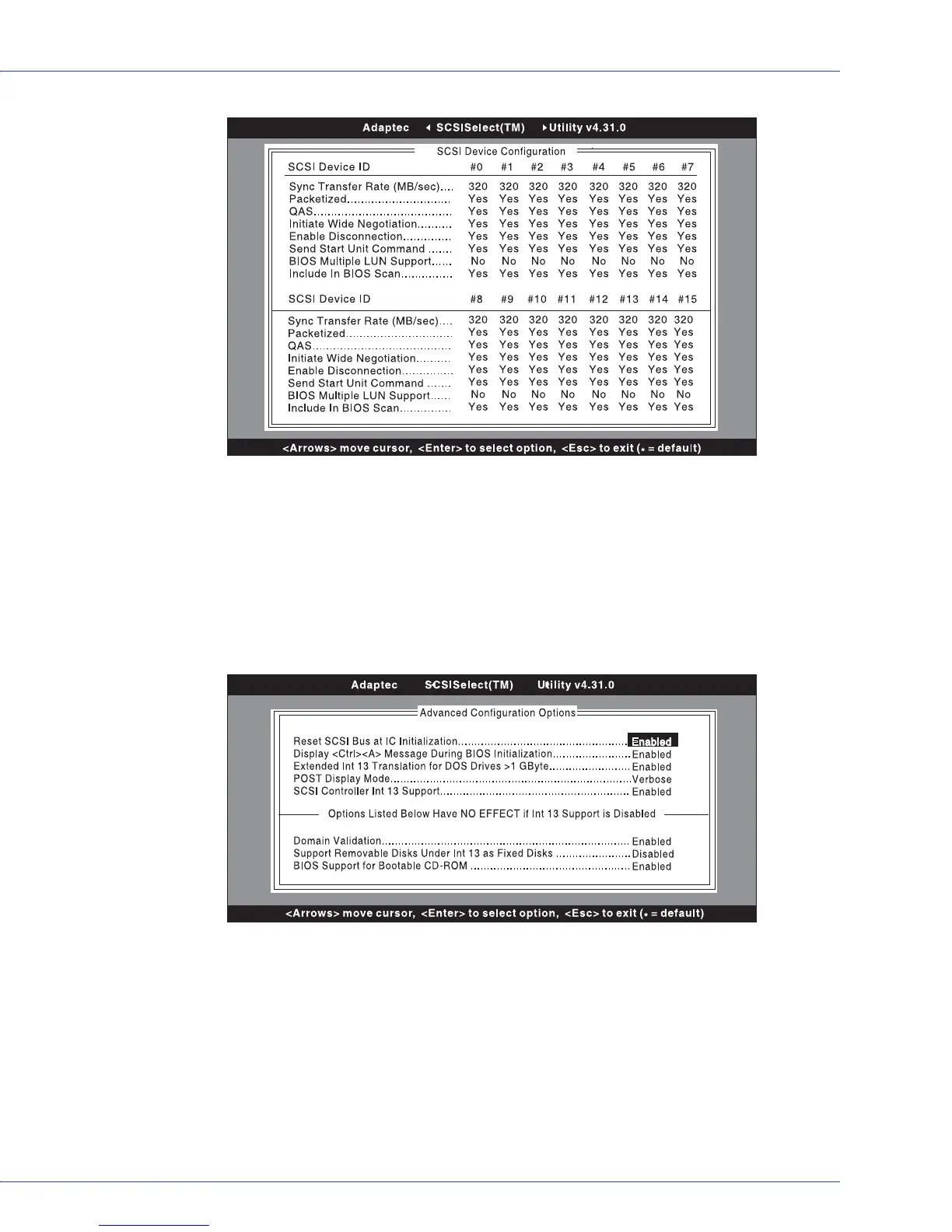
If you do not know the SCSI ID of a device you want to configure, press Esc to get back to
the Options menu. Then, select SCSI Disk Utilities. A list of SCSI devices and SCSI ID
appears. Note the ID of the device you want to configure. Press Esc to redisplay the
Options menu, select Configure/View SCSI card Settings, and then select SCSI Device
Configuration.
If you select Advanced Configuration Options, the Advanced Configuration Options
menu appears. To change a setting in the Advanced Configuration Options menu, select
the setting. From the pop-up menu that appears, select a new setting.
5 When you are finished changing settings, press Esc until a message prompts you to save the
changes. To save the changes, select Ye s . To abandon the changes, then select No.
6 Press Esc until prompted to exit the utility, then select Ye s .
The system prompts you if a restart is needed for your new settings to take effect. (Changing
the Boot SCSI card setting or running the standalone SCSI utility forces an automatic restart.)
Otherwise, your new settings take effect immediately.
H ost Adapter Interface D efinitions
H ost Adapter Interrupt <IR Q > C hannel ..............
SC SI Channel Interface Definitions
H ost Adapter SC SI ID ........................................
S C S I P a rity C h e c k in g ........................................
H ost Adapter SC SI Term ination ........................
Additional O ptions
S C S I D e vic e C o n fig u ra tio n ................................
A d va n c e d C o n fig u ra tio n O p tio n s .......................
11
7
Enabled
Enabled
Press <Enter>
Press <Enter>
SC SI Device Configuration
#8 #9 #10#11 #12 #13#14#15
11
7
Enabled
Enabled
Press <Enter>
Press <Enter>
< F 6 > - R e s e t to H o s t A d a p te r D e fa u lts



 To Next Page