Chapter 8: Configuring the Adaptec SCSI Card with SCSISelect ● 41
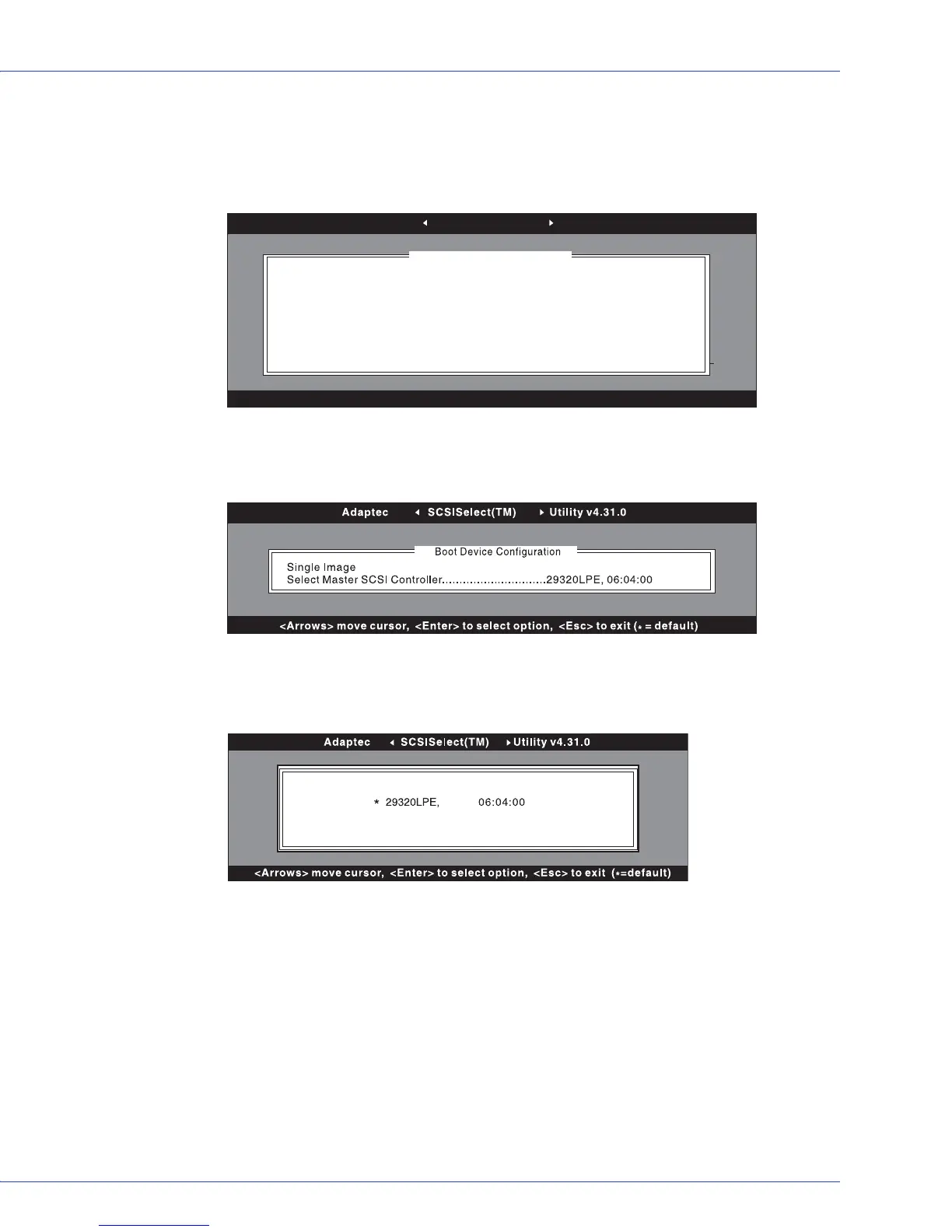
If you select Boot Device Configuration, the Boot Device Configuration menu appears.
The non-BBS version is shown in the next figure. This menu displays and provides menu
options for setting Master SCSI controller, Boot SCSI controller, Boot SCSI ID, and Boot
LUN Number.
The BBS version of the Boot Device Configuration menu is shown in the next figure. This
menu displays the Select Master SCSI card option only.
If you select Select Master SCSI card or Boot SCSI card (non-BBS systems only), the
Master/Boot SCSI card Selection menu appears. The asterisk indicates the default master
or boot SCSI card and channel.
Note:
Default settings are always marked with an asterisk. You can press F6 to return all
settings to the defaults.
If you select SCSI Device Configuration, the SCSI Device Configuration menu appears.
This menu lists the current device settings for each SCSI ID, including IDs not assigned to
a device.
Adaptec SCSISelect(TM) Utility v4.31.0
<Arrows> move cursor, <Enter> to select option, <Esc> to exit (
*
= default)
Single Image
Select Master SCSI Controller........................29320LPE, 06:04:00
Select SCSI peripheral from which to boot
Boot SCSI Controller......................................29320LPE, 06:04:00
Boot Device Configuration
SCSI Device Configuration



 To Next Page