Chapter 8: Configuring the Adaptec SCSI Card with SCSISelect ● 40
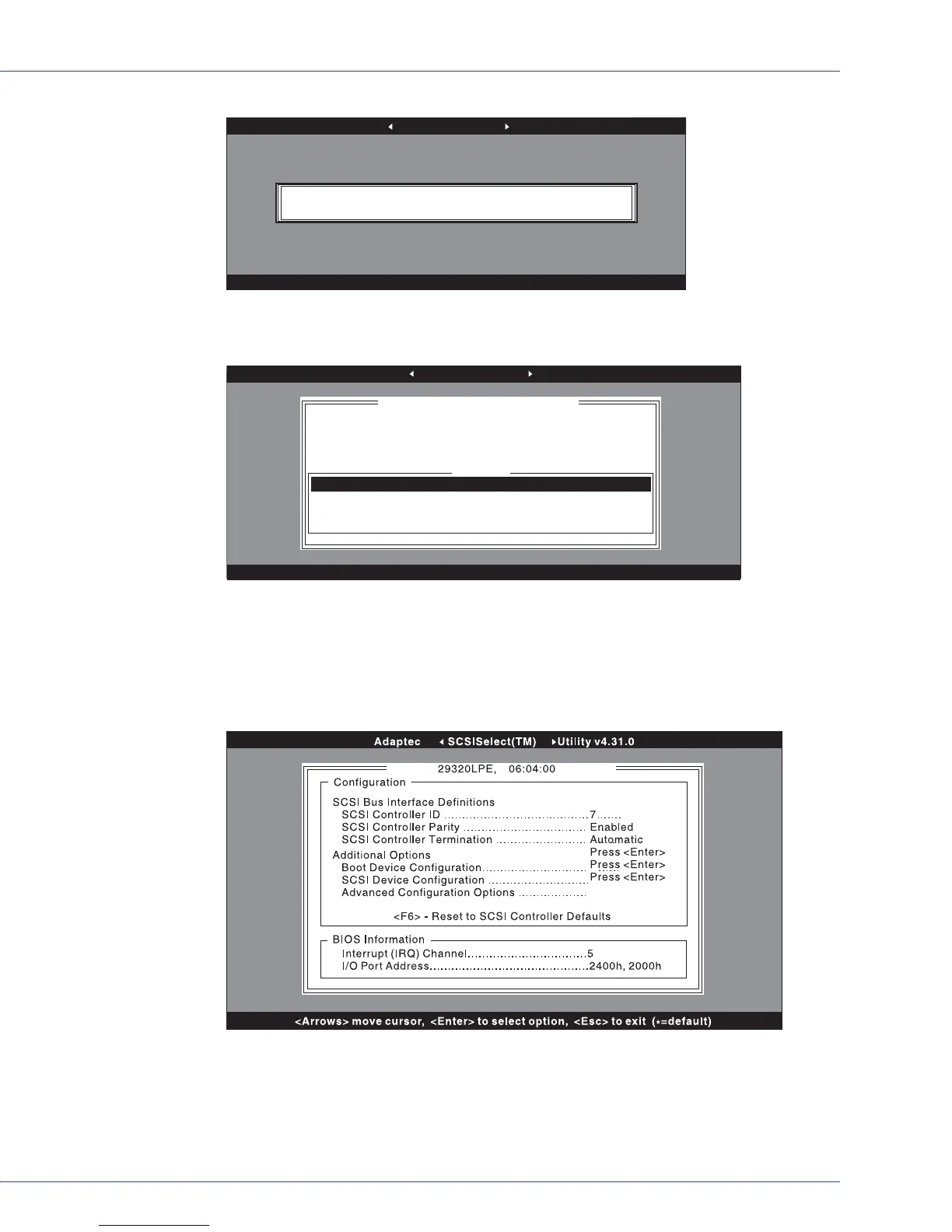
4 The Options menu appears. Select Configure/View SCSI card Settings. (For details see
Using SCSI Disk Utilities on page 43.)
The Configuration menu appears. The Configuration menu displays the current settings
for the SCSI bus interface. The BIOS Information section at the bottom of the menu
displays the Interrupt (IRQ) channel and I/O Port Address of the selected device. This
section cannot be modified.
Note:
Text displayed in yellow is for information only and cannot be selected.
From the Configuration menu, you can access the following settings:
● Boot Device Configuration
● SCSI Device Configuration
● Advanced Configuration Options
Adaptec SCSISelect(TM) Utility v4.31.0
<Arrows> move cursor, <Enter> to select option, <Esc> to exit (
*
=default)
29320LPE 06:04:00
Adaptec SCSISelect(TM) Utility v4.31.0
<Arrows> move cursor, <Enter> to select option, <Esc> to exit (*=default)
Would you like to configure the SCSI controller, or run the SCSI
disk utilities? Select the option and press <Enter>.
29320LPE 06:04:00
Options
Configure/View SCSI Controller Settings
SCSI Disk Utilities



 To Next Page