24
Adaptec SCSI Card 29160 User’s Reference
Connecting SCSI Devices
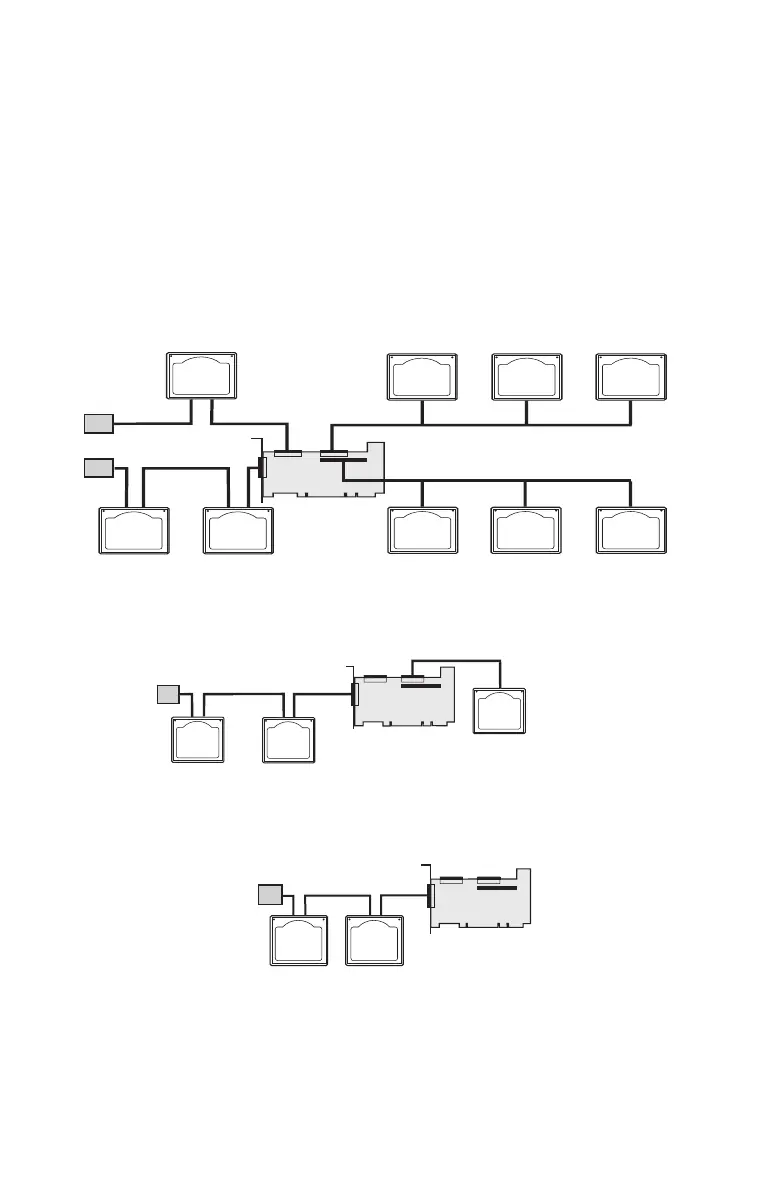
Here are some examples of how you can connect internal and
external SCSI devices to the Adaptec SCSI Card 29160.
To achieve maximum performance, attach the first device to the end
connector (furthest from the SCSI card); attach other devices to the
connectors that are closer to the SCSI card.
The following example shows SCSI devices connected to all four
connectors.
The following example shows SCSI devices connected to one
internal connector and the external connector.
The following example shows SCSI devices connected to the
external connector.
SE
Device
SE
Device
SE
Device
T
T
LVD
Device
LVD
Device
SE
Device
SE
Device
LVD
Device
LVD
Device
Terminated
Terminated
LVD
Device
Terminated
LVD
Device
SE
Device
T
LVD
Device
LVD
Device
T



 To Next Page