6
Note:
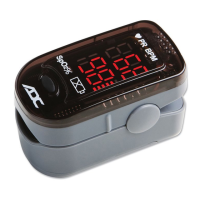
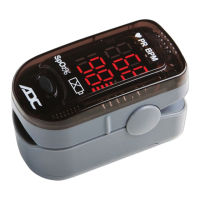
Operation Instructions (figure 3)
1. Hold the Advantage™ 2200 with the display screen facing toward you as shown in Figure 3.
Gently squeeze the hinged end and insert one finger into the device fully. Release hinged end to
allow device to clamp down onto finger. Be sure finger is fully inserted.
(When your finger is in-
serted into the device, your nail surface must be facing the same side as the display.)
2. Press the power button on the front panel once.
3. Remain still while taking a measurement and avoid applying pressure to the clamped device
while in use.
4. The device will display a reading once it has had a moment to begin measurement.
(Figure 3)
• The rubber inside the Oximeter that touches the finger maybe cleaned with alcohol.
• For best results, keep the Advantage
TM
2200 at heart or chest level.
• The index (pointer) finger is recommended.
• While on the finger, do not press the Advantage
TM
2200 against any surface and do not
squeeze it or hold the device.
• The internal spring provides the correct pressure. Additional pressure may affect
readings.


 To Next Page