7
Maintenance and Storage
1. When the low power indicator comes on, you must replace the batteries.
2. The surface of the pulse oximeter that comes into contact with your finger should be kept
clean.
3. When storing the pulse oximeter for more than 30 days, remove the batteries.
4. When storing the pulse oximeter, ensure that the temperature is between -13°F to 158°F
(-25°C to 70°C) with a relative humidity greater than or equal to 93%.
5. Store the pulse oximeter in a dry environment. Exposure to moisture may decrease the
lifespan of your device.
6. Batteries should be disposed of in accordance with local and state laws.
Changing Directions of the Display
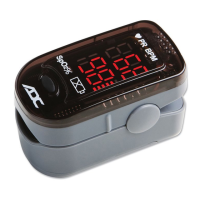
When you first power on the unit, the display will orient it with the numbers facing the person
wearing the device. The display can be re-orientated to face the other direction, if desired.
1. To change the direction of the display, press the power button while the unit is displaying
a reading.
Note:
By default, the unit will always display the readout facing the wearer.
Cleaning the Pulse Oximeter
Clean the rubber touching the finger inside of the device with a soft dampened cloth with 70% isopropyl
alcohol, and clean the test finger using alcohol before and after each test. Do not pour or spray any liq-
uids onto the Oximeter, and do not allow any liquids to enter any openings in the device. Allow the
device to dry thoroughly before reusing.
Reading Your Results
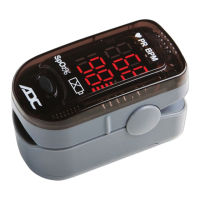
After measurement begins, you will see three pieces
of information displayed on your pulse oximeter:
• A pulse bar graph display corresponding with
your pulse beat will be shown. The height of the
bar graph shows your pulse strength.
• Your pulse rate will be displayed as BPM or
beats per minute.
• The amount of oxygen in your blood will be
displayed as SpO
2
%.
Power
Button
Low Power
Indicator
Pulse Bar
Graph
Pulse
Rate
Oxygen
Saturation
Finger Enters
Here
Press Here
to Open


 To Next Page