48
SECTION IX
PROCEDURE FOR FUNCTIONAL CHECK OF
REPLACEMENT COMPONENTS
1. Microprocessor (computer) Board
a. Upon completing installation of the replacement microprocessor (computer) board, reestablish power to
the dryer.
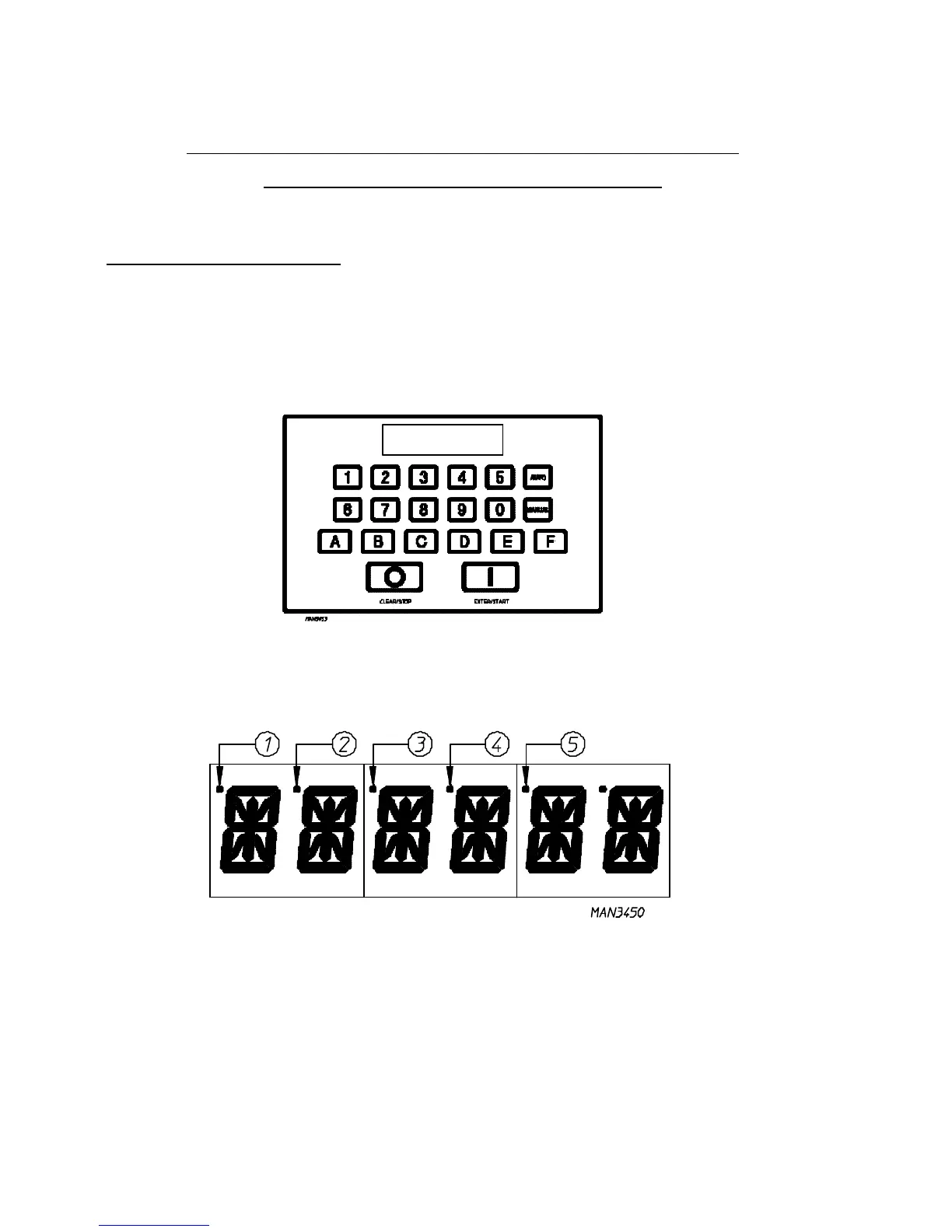
b. Start the drying cycle by pressing any of the preset cycles in letters “A” thru “F”.
c. Verify that the motor(s) and the heat indicator dots, in the microprocessor (computer) L.E.D. (liquid
emitting diode) display are on. (Refer to the illustration below.)
1) Basket (tumbler) in Forward Mode (clockwise) indicator
2) Basket (tumbler) in Reverse Mode (counterclockwise) indicator
3) Heat on indicator
4) On indicator (dryer is in Operation Mode)
5) Air Jet indicator



 To Next Page