43
Weather Station with Wireless Outdoor Sensor WS 2136-x
English
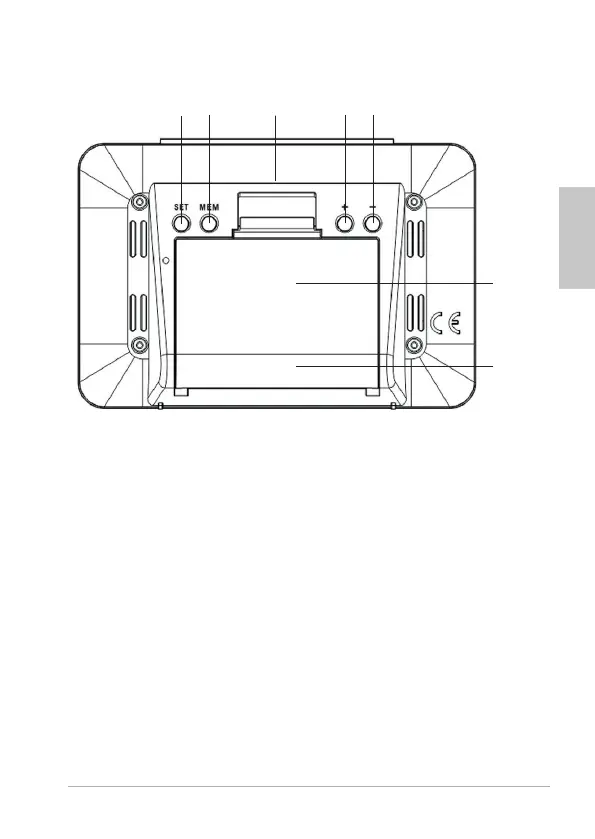
Rear view
1 Enable setting mode for device settings
2 Display saved MIN/MAX values
3 Reset base station to factory settings
4 increases values
Manually start and interrupt wireless reception
by time signal transmitter
Switching the alarm function on/o
5 reduces values
Manually start and interrupt wireless reception
by outdoor sensor
6 Battery compartment
7 Foot
1
2
6
4
5
3
7



 To Next Page