Industrial Electronic Devices
ADFweb.com S.r.l.
Document code: MN67507_ENG Revision 2.400 Page 30 of 45
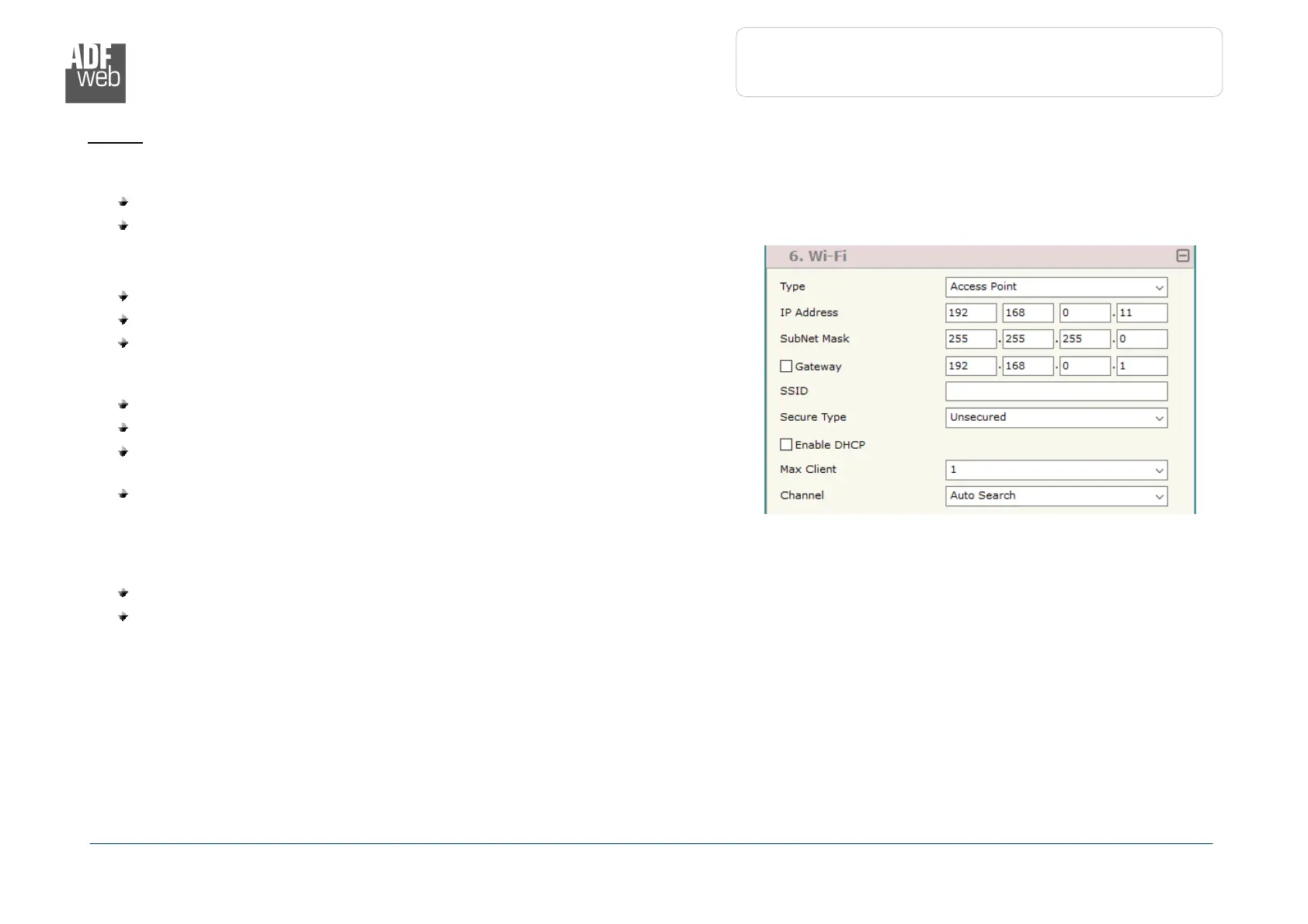
Figure 3f: “Set Communication
Wi-Fi” window
W
I
-F
I
:
This section is used to define the general parameters of Wi-Fi. It is possible to defined the type of Wi-Fi communication:
Access Point;
Client.
The means of the fields for Access Point configuration are:
In the field “IP Address” the IP address of the converter is defined;
In the field “Subnet Mask” the SubNet Mask of the converter is defined;
In the field “GATEWAY” the default gateway of the net is defined. This
feature can be enabled or disabled pressing the Check Box field. This feature
is used for going out of the net;
In the field “SSID” the name of the Wi-Fi network to create is defined;
In the field “Password” the password used for Wi-Fi connection is defined;
In the field “Type” the type of security protocol used by the Wi-Fi network is
defined;
If the field “Enable DHCP” is checked, the converter acts as DHCP Server
for the Clients connected. If the option is enabled, in the fields “DHCP First
IP Address” and “DHCP SUBNET Mask” the IP Addresses range used for
DHCP is defined. In the field “Lease Time (seconds)” the required time for
the renewing of the IP Address assigned to the Client is defined;
In the field “Max Client” the maximum number of Wi-Fi Clients accepted is defined;
In the field “Channel” the channel for Wi-Fi communication is defined.


 To Next Page