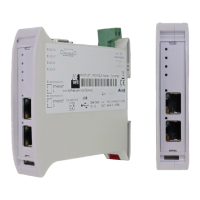
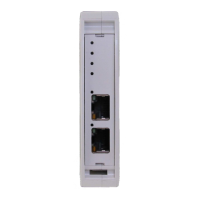
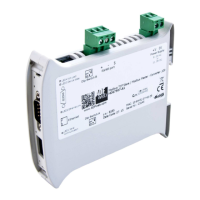
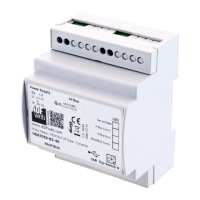
This document describes the PROFINET / EtherNet/IP Slave Converter, model HD67660-A1, an industrial electronic device designed to facilitate two-directional information exchange between EtherNet/IP and PROFINET networks.
Function Description
The HD67660-A1 acts as a converter, enabling communication between devices on an EtherNet/IP network and those on a PROFINET network. This allows for seamless integration and data transfer between systems that utilize these different industrial Ethernet protocols. The device supports up to 500 bytes in both reading and writing on the EtherNet/IP side, ensuring robust data exchange capabilities.
Important Technical Specifications
Model: HD67660-A1
Device Family: PROFINET / EtherNet/IP Slave - Converter
Connectors Type: Removable 5mm Screw Terminal
Enclosure Type: 1M, 35mm DIN Rail mounting
Power Supply:
- AC Voltage: Minimum 8V, Maximum 24V
- DC Voltage: Minimum 12V, Maximum 35V
- Consumption at 24V DC: 4 W/VA
Temperature Range: -40°C / 85°C (-40°F / +185°F)
Ethernet/IP & PROFINET Connection:
- Requires Category 5E cable.
- Maximum cable length: 100m.
- Cable must conform to T568 norms for cat.5 up to 100 Mbps.
- For Hub/Switch connection: straight cable recommended.
- For PC/PLC/other connection: cross cable recommended.
Ports:
- Connector1: Power Supply port (0V = Ground, +V = Positive wire)
- Connector3: Ethernet1 port (RJ45 Plug)
- Connector4: Ethernet2 port (RJ45 Plug)
Mechanical Dimensions:
- Length: 120 mm (4.72 inch)
- Height: 101 mm (3.98 inch)
- Width: 23 mm (0.9 inch)
- Total Height (including connectors): 107 mm (4.21 inch)
Housing: PVC
Weight: 200g (Approx)
Usage Features
Configuration: The device requires the Compositor SW67660 software for configuration. This software allows users to define parameters for both the PROFINET and EtherNet/IP sides of the converter.
- IP Address: Configurable for both PROFINET and EtherNet/IP sides.
- Subnet Mask: Configurable for both PROFINET and EtherNet/IP sides.
- Gateway: Configurable for both PROFINET and EtherNet/IP sides, with an option to enable/disable for network egress.
- Port: Fixed values for PROFINET (34964) and EtherNet/IP (44818).
- PROFINET Name of Station: Assignable name for the PROFINET node.
- Number Byte IN/OUT: Configurable input and output byte counts for the slave station.
- PROFINET XML: Ability to save the XML file for the PROFINET side configuration.
Function Modes: The device operates in two main modes, controlled by Dip-Switch A (Dip2):
- Normal Mode: Dip2 is in the OFF position, used for normal operation.
- Boot Mode: Dip2 is in the ON position, used for uploading projects/firmware.
LED Indicators: Six LEDs provide visual feedback on the device's status:
- Led1 (Green ON): Indicates supply voltage (device powered).
- Led2 (Yellow MT): Indicates maintenance display (ON for communication issues with Master DeviceNet, OFF for no maintenance).
- Led3 (Red BF): Indicates bus fault (ON for defective Ethernet connection, multiple IP/NameOfStation, no IP; Flashing for configured AR not in data exchange; OFF for no errors).
- Led4 (Red SF): Indicates group error (ON for at least one AR not in data exchange; OFF for no errors).
- Led5 (Green Ethernet1 Tx): Blinks when transmitting Ethernet frames on Ethernet1.
- Led6 (Green Ethernet2 Tx): Blinks when transmitting Ethernet frames on Ethernet2.
- In Boot Mode, LEDs blink quickly for boot state and very slowly (~0.5Hz) for update in progress.
PLC Configuration (EtherNet/IP):
- The device integrates with Rockwell Automation's RSLogix 5000 software.
- Requires adding a "Generic Ethernet Module" in the I/O Configuration tree.
- Configuration includes setting the module name (e.g., "HD67660"), IP address, Comm Format ("Data - SINT"), Input Assembly Instance (e.g., 101, up to 244 bytes), Output Assembly Instance (e.g., 100, up to 244 bytes), and Configuration Assembly Instance (e.g., 3, set to zero).
- The "Requested Packet Interval (RPI)" can be adjusted, with 10msec being adequate.
- The "Use Unicast Connection over EtherNet/IP" field must be checked.
- RSLogix Classic Lite (RSLinx) is used to browse the network and download the EDS file for the device.
PLC Configuration (PROFINET):
- The device integrates with Siemens TIA Portal V11 software.
- Requires installing the GSD file for the module.
- Adding the device to the network involves selecting "Devices & networks" and dragging the appropriate GSD file (e.g., "GSDML-V2.35-ADFweb-HD67660-20131221.xml") to the project.
- Connecting the PLC to the HD67660 module by drawing an Ethernet wire between the two Ethernet ports.
- Assigning the IP Address defined in the Compositor_SW67660 to the HD67660.
- Double-clicking the "Serial" label and changing its name to match the Compositor_SW67660 configuration.
- Adding the "Module," "Submodule 1" (Digital Input), and "Submodule 2" (Digital Output) by double-clicking the respective items.
- Loading the configuration into the PLC.
Maintenance Features
Updated Documentation: Users are encouraged to check for the most recently updated documentation by using the "document code" found on each page of the manual and visiting www.adfweb.com/download/.
Software Updates: The Compositor SW67660 software includes a "Software Options" section where users can:
- Change the software language.
- Check for software updates on the ADFweb.com website.
- Enable "Check Software Update at Start of Program" for automatic checks.
Firmware Updates: The device's firmware can be updated using the SW67660 software.
- The update process involves connecting the device via Ethernet, inserting its IP address, and using the "Ping" and "Next" buttons to initiate the "Execute update firmware" process.
- It is recommended to update the firmware when installing a new software version or when receiving the device for the first time.
- Troubleshooting steps are provided for update issues, including trying another PC, restarting the PC, checking administrator privileges (for Windows 7/Vista/8), firewall settings, and LAN settings.
WEEE Information: The device is marked with the WEEE symbol, indicating that it should not be treated as household waste and must be disposed of at an applicable collection point for electrical and electronic equipment recycling.
RoHS Compliance: The device complies with the 2002/95/EC Directive on the restriction of hazardous substances in electrical and electronic equipment.
CE Marking: The product conforms with the essential requirements of applicable EC directives.
Warranties and Technical Support: For fast and easy technical support, users can consult the ADFweb.com website or contact support@adfweb.com.
Return Policy: For product issues, users should obtain a Product Return Number (PRN) from ADFweb.com and send the product with the PRN, covering shipping costs. The product will be repaired or exchanged within three weeks if under warranty.
Related Products:
- HD67181: CAN bus Repeater (www.adfweb.com?product=HD67181)
- HD67316: CAN bus Analyzer (www.adfweb.com?product=HD67316)

 Need help?
 General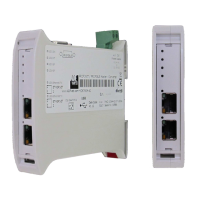

 To Next Page