Industrial Electronic Devices
ADFweb.com Srl – IT31010 – Mareno – Treviso INFO: www.adfweb.com Phone +39.0438.30.91.31
Document code: MN67660_ENG Revision 1.000 Page 12 of 30
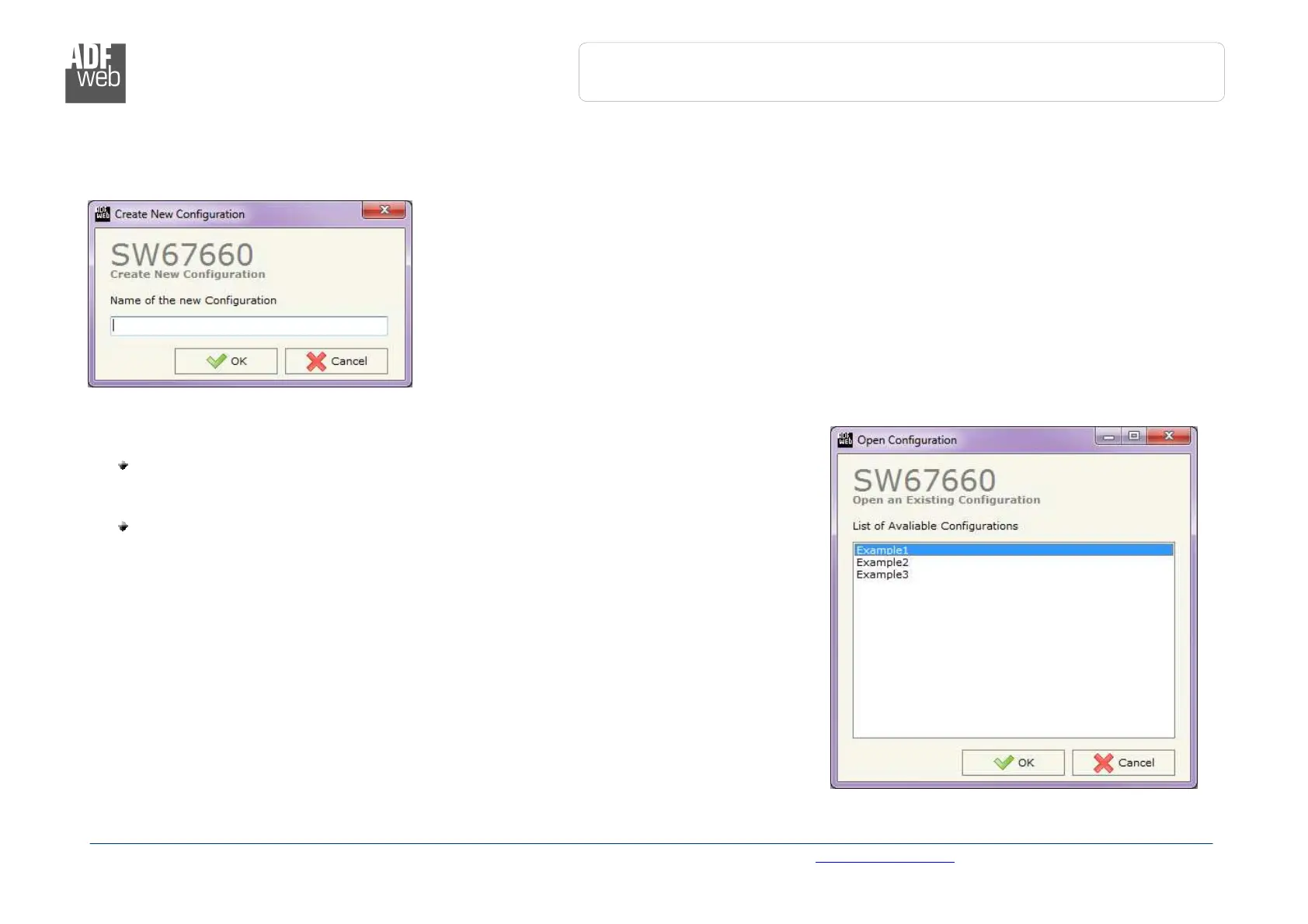
NEW CONFIGURATION / OPEN CONFIGURATION:
The “New Configuration” button creates the folder which contains the entire device’s configuration.
A device’s configuration can also be imported or exported:
To clone the configurations of a programmable “PROFINET / EtherNet/IP Slave -
Converter” in order to configure another device in the same manner, it is necessary
to maintain the folder and all its contents;
To clone a project in order to obtain a different version of the project, it is sufficient
to duplicate the project folder with another name and open the new folder with the
button “Open Configuration”.


 To Next Page