EasyManua.ls Logo

ADI AR-446 - Page 12

Default Icon
44 pages
Print Icon
To Next Page IconTo Next Page
To Previous Page IconTo Previous Page
Loading...
-
ME
+
Fr
Mm
LK
Fbe.8.8.8.8.sme0
HAL
EDO
edesomosodxr
———n—-
@®@
©
© @
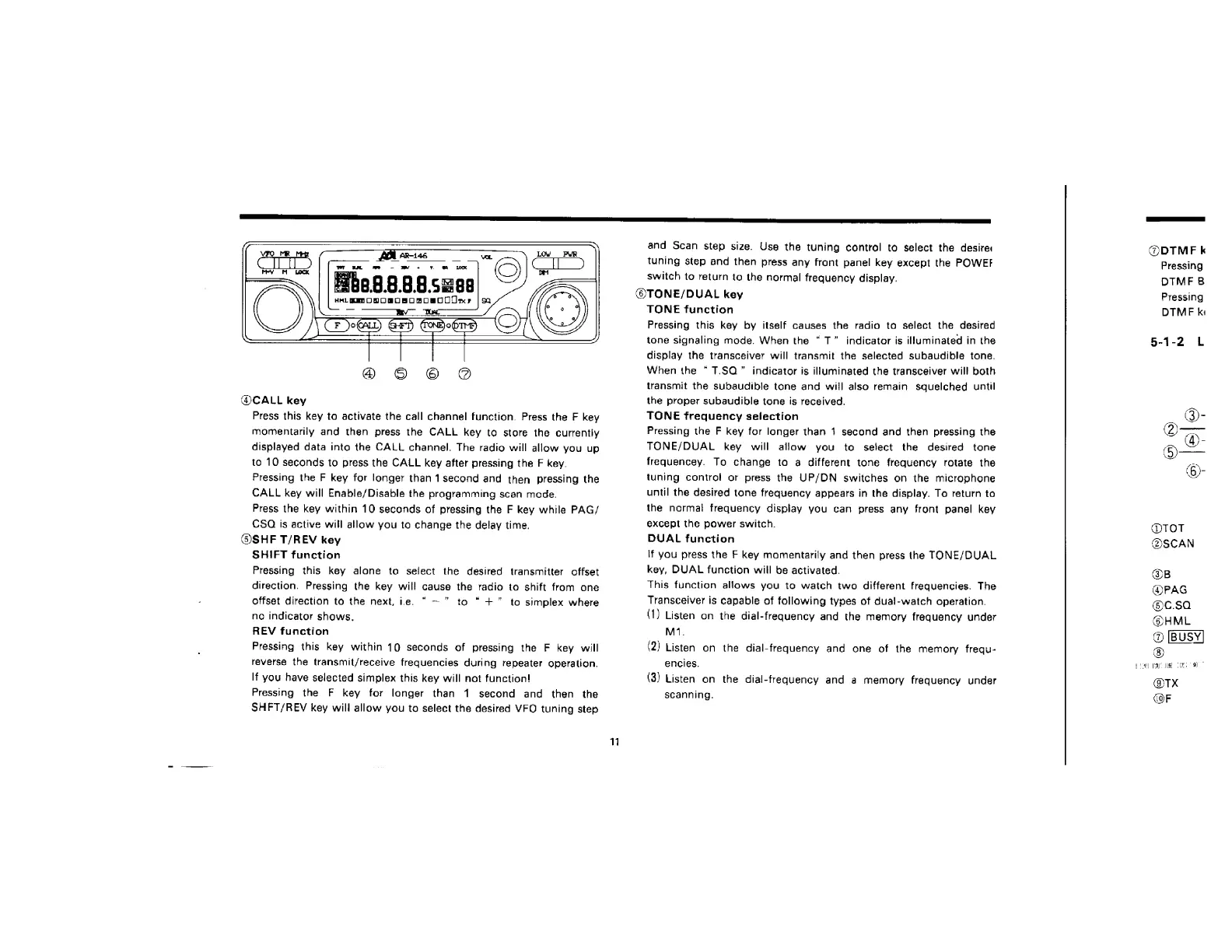
@CALL
key
Press
this
key
to
activate
the
call
channel
function.
Press
the
F
key
momentarily
and
then
press
the
CALL
key
to
store
the
currently
displayed
data
into
the
CALL
channel.
The
radio
will
allow
you
up
to
10
seconds
to
press
the
CALL
key
after
pressing
the
F
key.
Pressing
the
F
key
for
longer
than
1second
and
then
pressing
the
CALL
key
will
Enable/Disable
the
programming
scan
mode.
Press
the
key
within
10
seconds
of
pressing
the
F
key
while
PAG/
CSC
is
active
will
allow
you
to
change
the
delay
time.
@SHF
T/REV
key
SHIFT
function
Pressing
this
key
alone
ta
select
the
desired
transmitter
offset
direction.
Pressing
the
key
will
cause
the
racio
to
shift
from
one
offset
direction
to
the
next,
ie.
“—
to
“+”
to
simplex
where
no
indicator
shows.
REV
function
Pressing
this
key
within
10
seconds
of
pressing
the
F
key
will
reverse
the
transmit/receive
frequencies
during
repeater
operation.
If
you
have
selected
simplex
this
key
will
not
function!
Pressing
the
F
key
for
longer
than
1
second
and
then
the
SHFT/REV
key
will
allow
you
to
select
the
desired
VFO
tuning
step
11
and
Scan
step
size.
Use
the
tuning
control
to
select
the
desire:
tuning
step
and
then
press
any
front
panel
key
except
the
POWEF
switch
to
return
to
the
normal
frequency
display.
@TONE/DUAL
key
TONE
function
Pressing
this
kay
by
itself
causes
the
radio
to
select
the
desired
tone
signaling
mode.
When
the
T”
indicator
is
illuminated
in
the
display
the
transceiver
will
transmit
the
selected
subaudible
tone.
When
the
“T.SQ”
indicator
is
illuminated
the
transceiver
will
both
transmit
the
subaudible
tone
and
will
also
remain
squelched
until
the
proper
subaudible
tone
is
received.
TONE
frequency
selection
Pressing
the
F key
for
longer
than
+
second
and
then
pressing
the
TONE/DUAL
key
will
allow
you
to
select
the
desired
tone
frequencey.
To
change
to
a
different
tone
frequency
rotate
the
tuning
control
or
press
the
UP/DN
switches
on
the
microphone
until
the
desired
tone
frequency
appears
in
the
display.
To
return
to
the
normal
frequency
display
you
can
press
any
front
panel
key
excep!
the
power
switch.
DUAL
function
\f
you
press
the
F
key
mamentarily
and
then
press
the
TONE/DUAL
key,
DUAL
function
will
be
activated.
This
function
allows
you
to
watch
two
different
frequencies.
The
Transceiver
is
capable
of
following
types
of
dual-watch
operation.
(1)
Listen
on
the
dial-frequency
and
the
memory
frequency
under
M71.
(2)
Listen
on
the
dial-frequency
and
one
of
the
memory
frequ-
encies.
(3)
Listen
on
the
dial-frequency
and
a
memory
frequency
under
scanning.
@DTMFE
k
Pressing
DTMF
8
Pressing
DTME
ki
§-1-2
L
TOT
@SCAN
GB
@PAG
@c.sa
@HML
@
®
L4H
Pal
fish
a
@TX
(OF

Related product manuals