EasyManua.ls Logo

ADI AR-446 - Frequency Selection; Frequency Step Selection

Default Icon
44 pages
Print Icon
To Next Page IconTo Next Page
To Previous Page IconTo Previous Page
Loading...
@®VFO
key
This
key
functions
just
like
the
VFO
key
on
the
front
of
the
radio.
®MR
key
This
key
functions
just
like
the
MR
key
on
the
front
of
the
radio.
@MHz
key
This
key
is
used
to
tell
the
microprocessor
that
you
wish
to
increase
or
decrease
the
operating
frequency
in
1
MHz
increments.
@
©
&
OF
Or
© ©
OOD
®
®
ORONO
©
©
GO
©
9
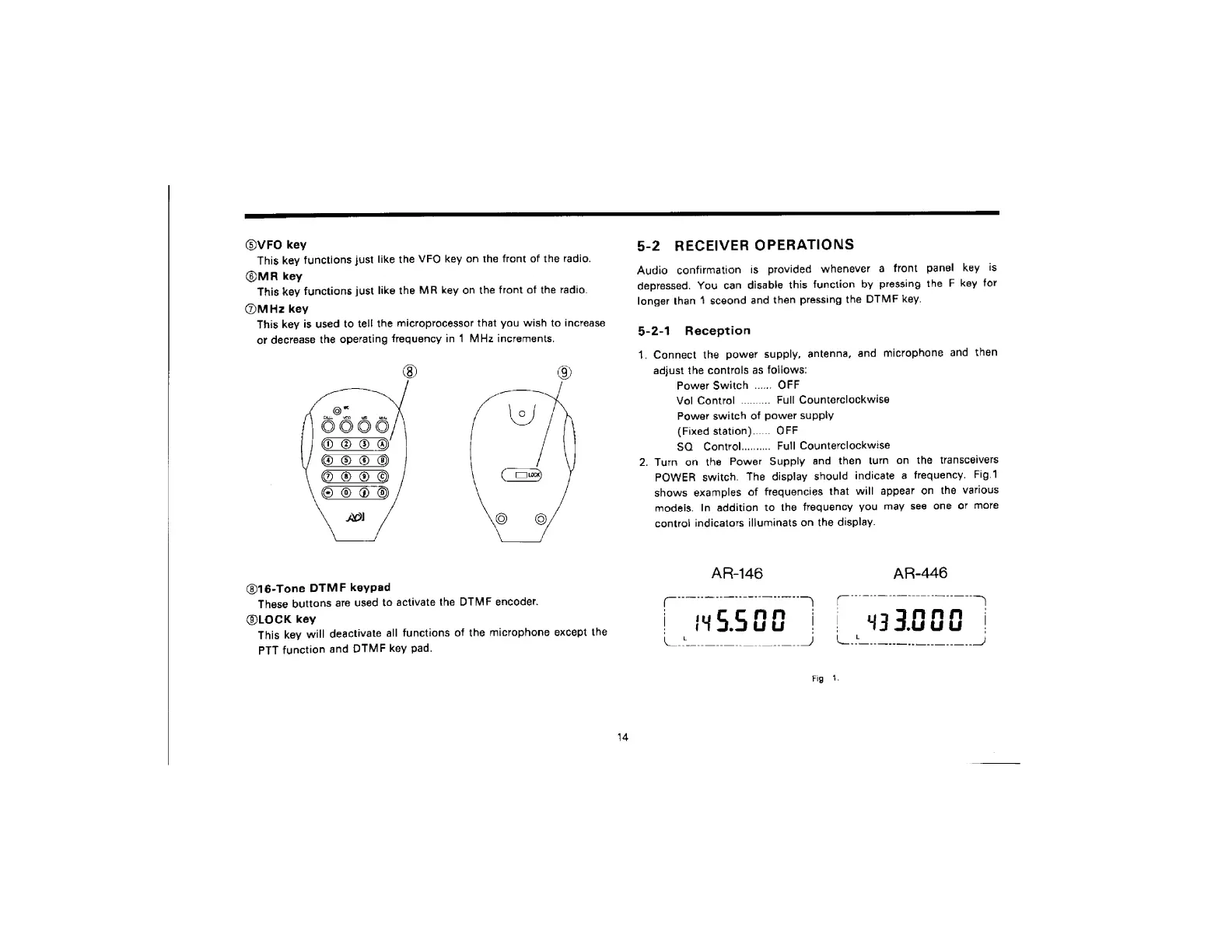
@16-Tone
DTMF
keypad
These
buttons
are
used
to
activate
the
DTMF
encoder.
@LOCK
key
This
key
will
deactivate
all
functions
of
the
microphone
except
the
PTT
function
and
DTMF
key
pad.
5-2
RECEIVER
OPERATIONS
Audio
confirmation
is
provided
whenever
a
front
panel
key
is
depressed.
You
can
disable
this
function
by
pressing
the
F
key
for
longer
than
1
sceond
and
then
pressing
the
DTMF
key.
5-2-1
Reception
1.
Connect
the
power
supply,
antenna,
and
microphone
and
then
adjust
the
controls
as
follows:
Power
Switch
......
OFF
Vol
Control
..........
Full
Counterclockwise
Power
switch
of
power
supply
(Fixed
station)...
OFF
SQ
Control...
Full
Counterclockwise
2.
Turn
on
the
Power
Supply
and
then
turn
on
the
transceivers
POWER
switch.
The
display
should
indicate
a
frequency.
Fig.1
shows
examples
of
frequencies
that
will
appear
on
the
various
models.
In
addition
to
the
frequency
you
may
see
one
or
more
control
indicators
illuminats
on
the
display.

Related product manuals